
Smartphone Keyless Entry: How Mobile Access Works
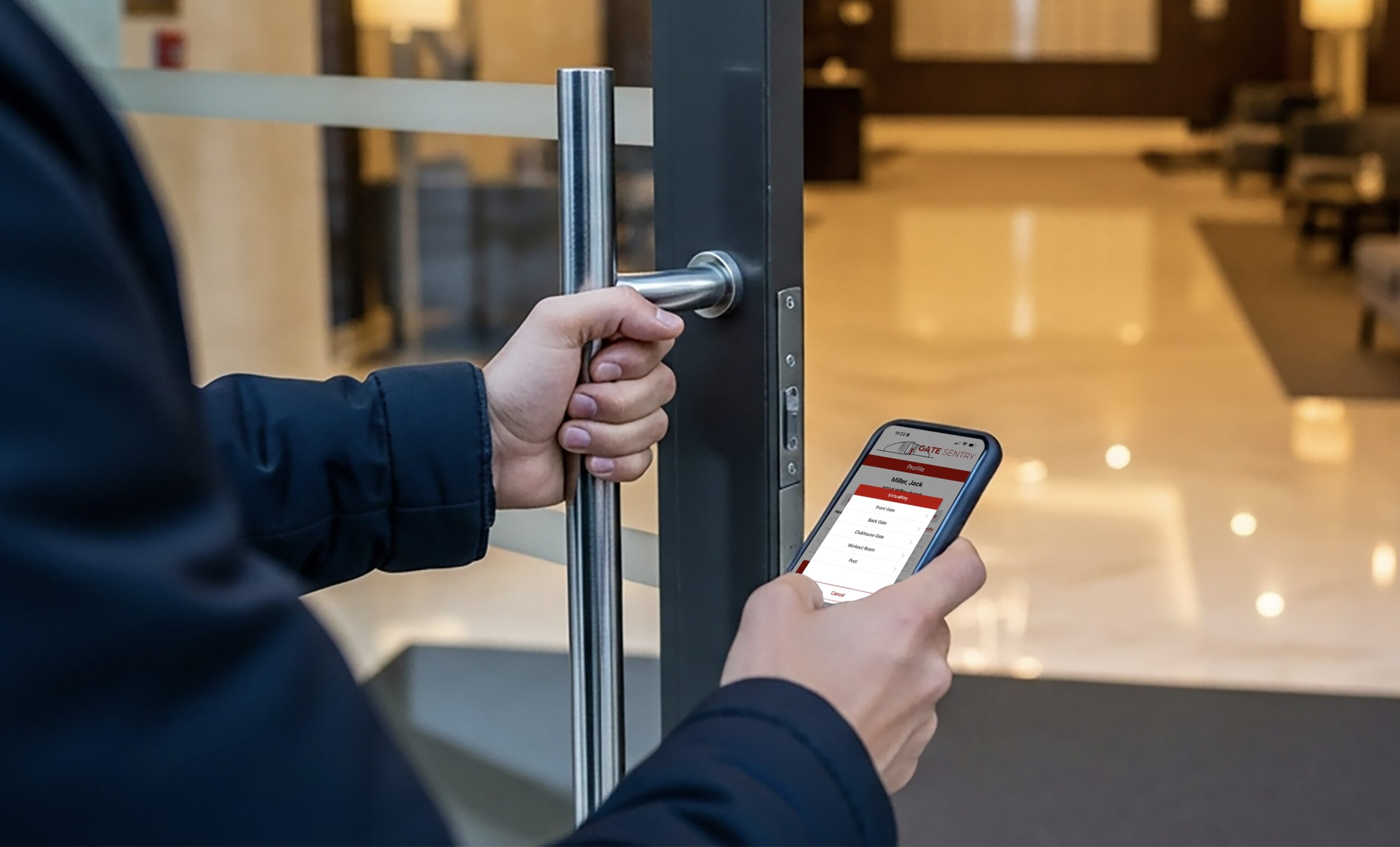
Smartphone keyless entry is a property access control system that replaces physical keys, key fobs, keypads, and card readers with a mobile app on the resident's phone. Instead of carrying a fob or remembering a PIN code, residents open gates, doors, and amenity entrances with a single tap on their smartphone. Visitors, delivery drivers, and service providers receive temporary digital access codes that expire automatically — no app download required, no permanent codes shared.
For property managers at gated communities, apartments and condos, and self-service properties, smartphone keyless entry solves the three biggest access control problems at once: it eliminates hardware costs and fob management, it gives residents the cloud-based mobile access they expect, and it gives managers real-time visibility into every entry across every access point. This guide explains how mobile key entry systems work, what makes them more secure than physical credentials, and how to choose the right platform for your property.
What Is Smartphone Keyless Entry?
Smartphone keyless entry is an access control method where a resident's mobile phone serves as their secure digital key. The phone communicates with a cloud-based platform that verifies the resident's identity and authorization, then sends a signal to unlock the gate or door. Every entry is logged with the resident's name, the access point used, and the exact timestamp.
Unlike physical keys or fobs, a smartphone credential is encrypted, tied to a specific device, and can be revoked instantly if the phone is lost or stolen. Unlike shared PIN codes, each resident has a unique credential that creates an individual audit trail — so property managers always know exactly who entered, not just that "a code was used."
How Smartphone Keyless Entry Works
While implementations vary, cloud-based smartphone entry systems follow a simple four-step process:
Step 1: Property Manager Issues Digital Credentials
When a new resident moves in, the property manager creates their account on the cloud-based admin dashboard and assigns access permissions. The resident receives a notification to download the mobile entry app, where their unique digital key (called a VirtualKey) is stored securely. Managers can configure permissions by access point — for example, granting access to the main gate, garage, and pool but not the storage building.
Step 2: Resident Enters with a Single Tap
To enter, the resident opens the app, selects the access point, and taps to unlock. The gate or door opens in seconds. This works for every entry point on the property — main gates, pedestrian gates, garages, lobbies, pools, gyms, clubhouses, and unit doors. One app replaces every fob, key, and code the resident would otherwise need to carry.
Step 3: Every Entry Is Logged Automatically
Each time a resident uses their smartphone to enter, the system records their name, the specific door or gate, and the time. These digital logs are stored in the cloud and accessible from the admin dashboard — searchable, filterable, and exportable for HOA board reports, security audits, or incident investigations.
Step 4: Visitors Get Temporary Access Without an App
When a resident needs to let in a guest, delivery driver, or contractor, they send a temporary access code via text or email. The visitor arrives, scans a QR code posted at the entrance, and enters their code on a secure digital keypad (called VirtualKeypad) that opens in their mobile browser. No app download needed. The code expires automatically after the set time window.
Smartphone Entry vs Physical Keys, Fobs, and Keypads
| Feature | Keys, Fobs & Keypads | Smartphone Keyless Entry |
|---|---|---|
| Resident Entry | Carry fob/key, enter PIN at keypad | One tap from mobile app |
| Lost Credential | $25–$150 to replace, security risk until deactivated | Revoke instantly from dashboard, reissue in seconds |
| Visitor Access | Shared codes, callbox, or buzz-in | Temporary digital code via QR — no app needed |
| Security | Fobs cloned, keys copied, PINs shared permanently | Encrypted credentials, individual audit trail per person |
| Hardware Required | Readers, keypads, fob inventory | None — cloud-based, works with existing gates |
| Move-In / Move-Out | Program fob, collect on move-out (often not returned) | Grant remotely on lease signing, revoke on move-out day |
| Entry Records | Minimal or none — no names attached | Full audit trail: name, door, time, method |
| Remote Management | Requires on-site technician | Manage from any device, anywhere |
| Ongoing Cost | Fob replacements, reader repairs, locksmith calls | Predictable software subscription, zero hardware cost |
Why Property Managers Are Switching to Mobile Access
Eliminate Fob and Key Management
For a property with 200 units, managing physical fobs means tracking inventory, programming new fobs for move-ins, collecting fobs on move-outs (and chasing the ones that aren't returned), replacing lost ones at $25–$50 each, and dealing with the security gap every time a fob goes missing. Smartphone keyless entry eliminates all of this. Credentials are issued and revoked from the dashboard in seconds.
Complete Visibility into Every Entry
A key fob tells you a fob was used — but not who was holding it. A smartphone credential ties every single entry to a specific person. Property managers can see who entered, which door they used, and exactly when — creating accountability that physical credentials simply cannot provide.
Remote Control from Anywhere
Cloud-based smartphone entry means property managers can grant access, revoke credentials, set access schedules, and pull entry reports from their phone or laptop — whether they're on-site, at home, or managing multiple properties across a portfolio. No on-site visits required for routine access management.
Residents Expect It
Residents unlock their cars, pay for coffee, and board airplanes from their phones. They expect the same experience at their front gate. Properties offering smartphone keyless entry attract higher-quality tenants, receive fewer access-related complaints, and see stronger lease renewal rates.
"Switching to VirtualKey was a game-changer. We don't have to deal with people losing their fobs and having to order new ones. Way better tracking and we use it for our pool too, and our residents love the convenience. Management is simpler and our community is more secure."
How Sentry Solo Delivers Smartphone Keyless Entry
Sentry Solo is a cloud-based, hardware-free smartphone entry system built for gated communities, apartments, condos, and self-service properties. It replaces fobs, keys, keypads, and callboxes with two complementary tools:
VirtualKey: Smartphone Entry for Residents
VirtualKey turns the resident's smartphone into a secure digital key. One tap opens any authorized gate, door, or amenity entrance on the property. Credentials are encrypted, cloud-managed, and can be revoked instantly if a phone is lost.
- One app replaces every fob, key, and code on the property.
- Works for main gates, garages, lobbies, pools, gyms, clubhouses, and unit doors.
- Every entry logged with resident name, access point, and timestamp.
- No physical hardware required — no readers, no scanners, no wiring.
VirtualKeypad: Digital Access for Visitors
VirtualKeypad handles guest, delivery, and contractor access without handing out permanent codes. Visitors scan a posted QR code at the entrance and enter a temporary code in their mobile browser — no app download needed.
- Residents send temporary codes via text or email.
- Codes are time-limited and expire automatically.
- Single-use codes available for deliveries and one-time visitors.
- Every visitor entry logged with name, code used, and timestamp.
Admin Dashboard: Complete Property Control
Property managers get a centralized cloud-based dashboard for managing all access across the property:
- Instant Credentialing: Grant access on move-in day, revoke on move-out — all remotely.
- Access Scheduling: Set operating hours per entry point — pool open 6 AM to 10 PM, gym 24/7, gate access by lease status.
- Entry Logs: Searchable, filterable, exportable records of every entry across every access point.
- Multi-Property Management: Manage multiple buildings or communities from a single login.
- Reporting: Traffic patterns, adoption rates, and entry trends for board meetings and investor reports.
Which Properties Use Smartphone Keyless Entry?
- Gated Communities with Security Staff: Residents use VirtualKey for personal entry while Gate Sentry's tablet-based system handles visitor check-in at the staffed gate.
- Self-Service Gated Communities: Unmanned gates operate 24/7 with VirtualKey for residents and VirtualKeypad for visitors — no guard or callbox needed.
- Apartments, Condos, and Townhouses: Replace fob systems across hundreds of units with smartphone entry for gates, garages, lobbies, and amenities.
- Amenities and Common Areas: Control pool, gym, tennis court, and clubhouse access with time-based mobile credentials.
- Commercial and Industrial Properties: Manage contractor, vendor, and employee access with temporary or role-based credentials.
Frequently Asked Questions About Smartphone Keyless Entry
What is smartphone keyless entry for properties?
Smartphone keyless entry is a property access control system that replaces physical keys, key fobs, and keypads with a mobile app. Residents open gates and doors by tapping their phone, and visitors receive temporary digital codes that expire automatically. No physical hardware is required beyond the smartphone residents already carry.
What happens if a resident loses their phone?
Property managers can instantly revoke the digital credential from their cloud-based dashboard, preventing unauthorized access. Once the resident has a new phone, a new credential can be issued immediately — no locksmith, no fob replacement, and no security gap.
Is mobile keyless entry secure?
Yes. Mobile keyless entry systems use encryption and cloud-based verification, making credentials far more secure than physical fobs or key cards which can be cloned. Every access attempt is logged with a timestamp and identity, providing a level of accountability that is impossible with traditional keys or shared PIN codes.
Does smartphone keyless entry require new hardware?
Not with cloud-based solutions like Sentry Solo VirtualKey. It is a completely hardware-free system that works with existing gates and doors. There are no readers, fob scanners, or wiring to install — the system operates entirely through the cloud and residents' smartphones.
How do residents provide access to guests and deliveries?
Residents send visitors a temporary digital access code via text or email. When the visitor arrives, they scan a QR code posted at the entrance and enter their code on a secure digital keypad in their mobile browser — no app download required. The code expires automatically after the set time window.
What is the difference between VirtualKey and VirtualKeypad?
VirtualKey is for residents — they open gates and doors with a single tap from the Sentry Solo mobile app. VirtualKeypad is for visitors — they scan a posted QR code and enter a temporary access code in their phone's browser without downloading an app. Together they provide complete access control for both residents and guests.
Ready to Replace Fobs and Keys with Smartphone Entry?
See how Sentry Solo's VirtualKey and VirtualKeypad can eliminate hardware costs, simplify access management, and give your residents the modern mobile entry experience they expect.
Schedule a Demo