Sentry Solo · Unmanned Access

Sentry Solo Access Control Software

Hardware-free, self-service entry for unmanned gates and entrances.

Sentry Solo replaces callboxes, keypads, and fob readers with smartphone entry for residents, SoloPass for guests, VirtualKeypad for vendors, and Intercom for unexpected visitors. No app required for visitors. Built for gated communities, apartments, and multifamily properties.
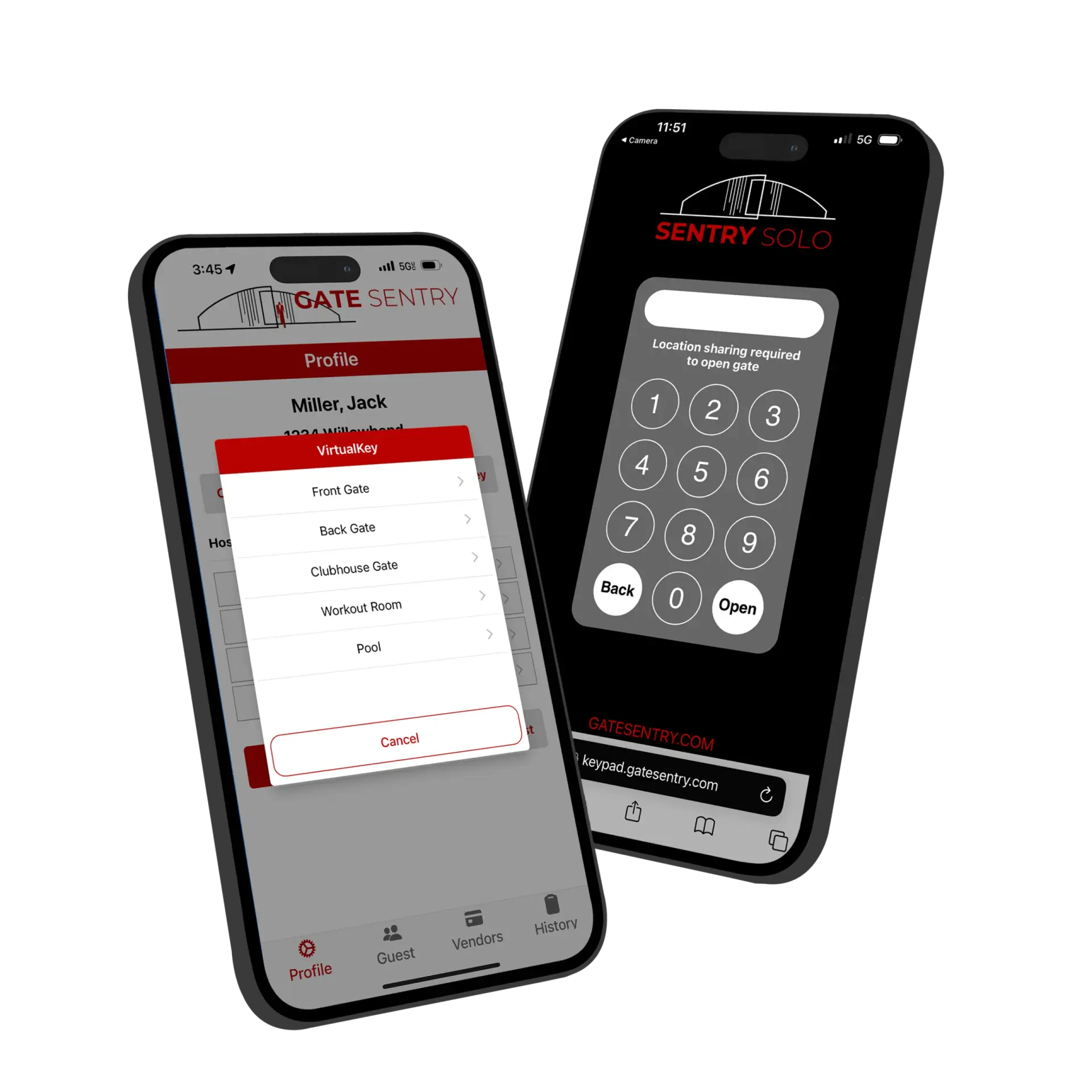
Sentry Solo access control app showing smartphone entry for residents and QR-code visitor access
How It Works

How Sentry Solo Works

One system, four ways to enter. Residents use VirtualKey, guests use SoloPass, vendors use VirtualKeypad, and unexpected visitors use Intercom.
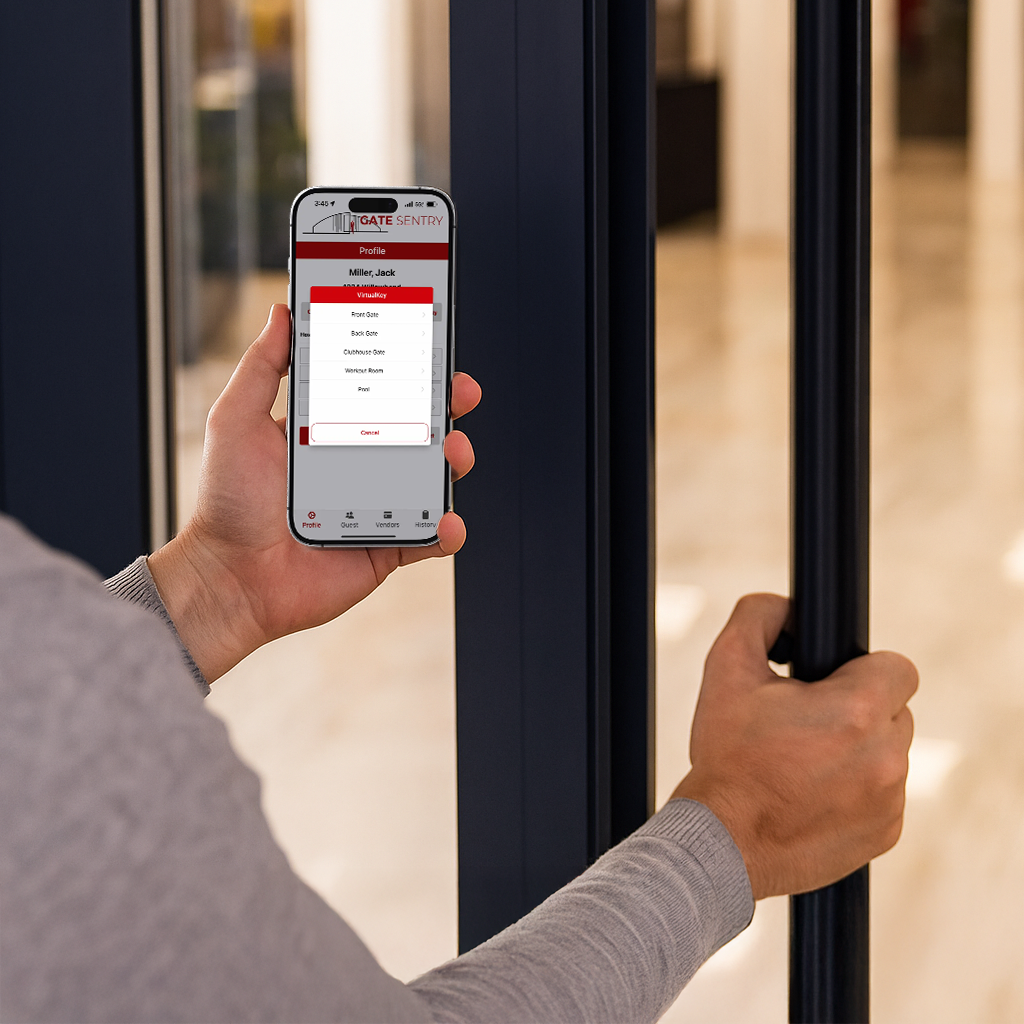
Resident using VirtualKey on a smartphone for Sentry Solo access

Residents

VirtualKey

Residents open gates, doors, and amenities directly from their phone.

Guest using SoloPass for temporary Sentry Solo access

Guests

SoloPass

Invited guests receive temporary mobile access with no app download required.
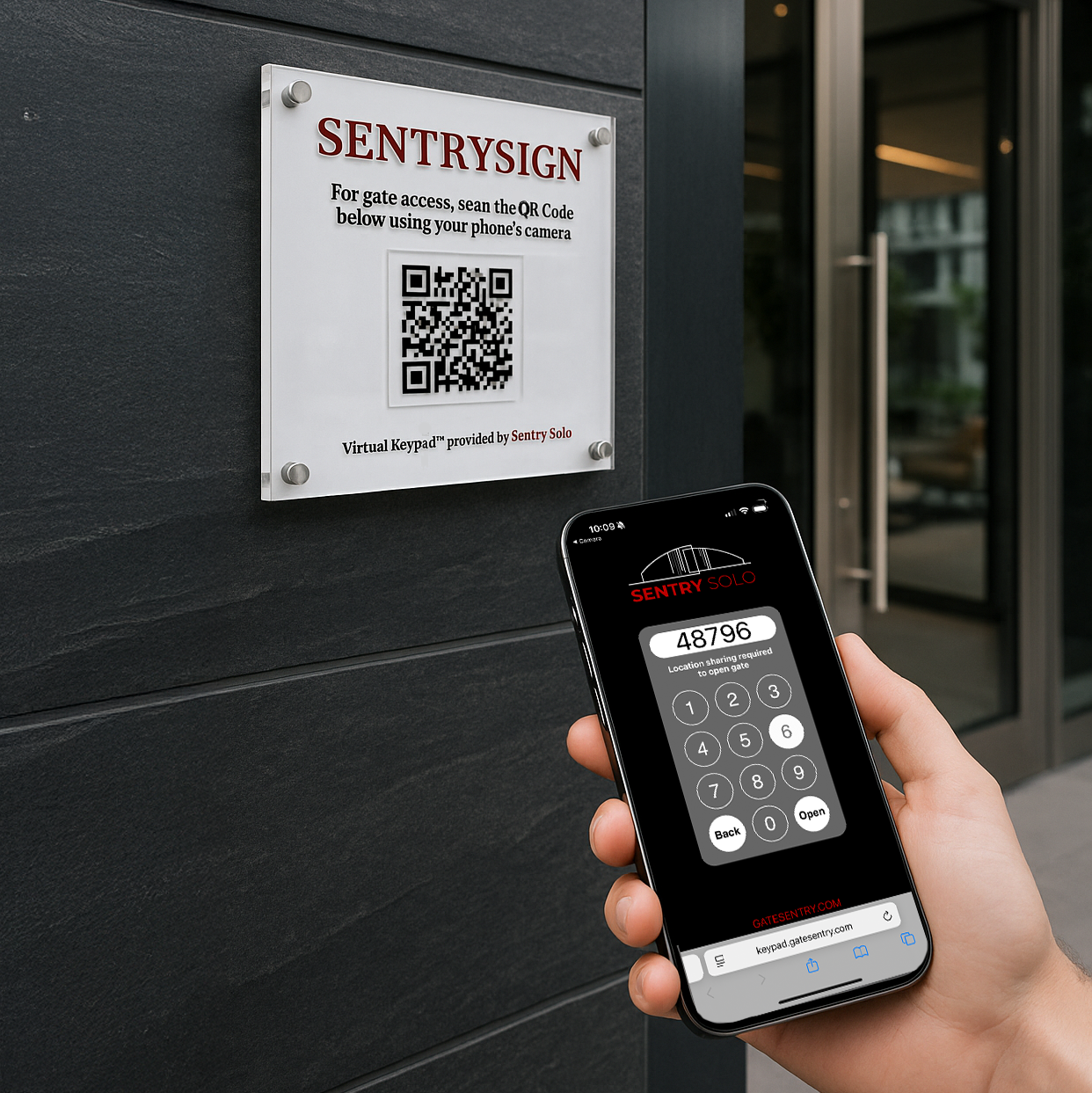
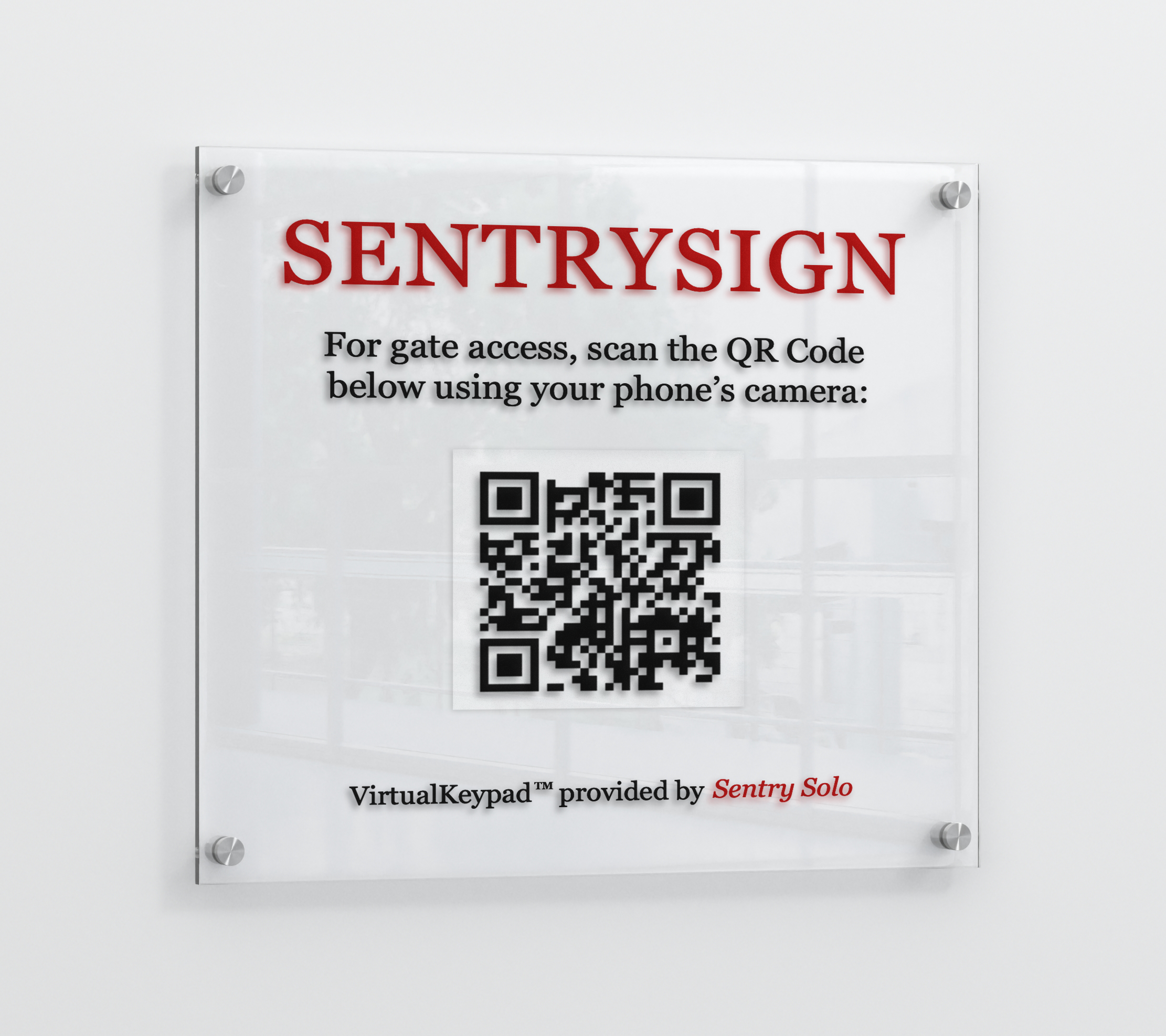
SentrySign QR code used to access the Sentry Solo VirtualKeypad

Vendors

VirtualKeypad

Vendors and service providers enter temporary codes through the mobile VirtualKeypad.

Sentry Solo Intercom on a smartphone for unexpected visitor access requests

Unexpected Visitors

Intercom

Unexpected visitors request access from their phone when they don't have a pass or code.
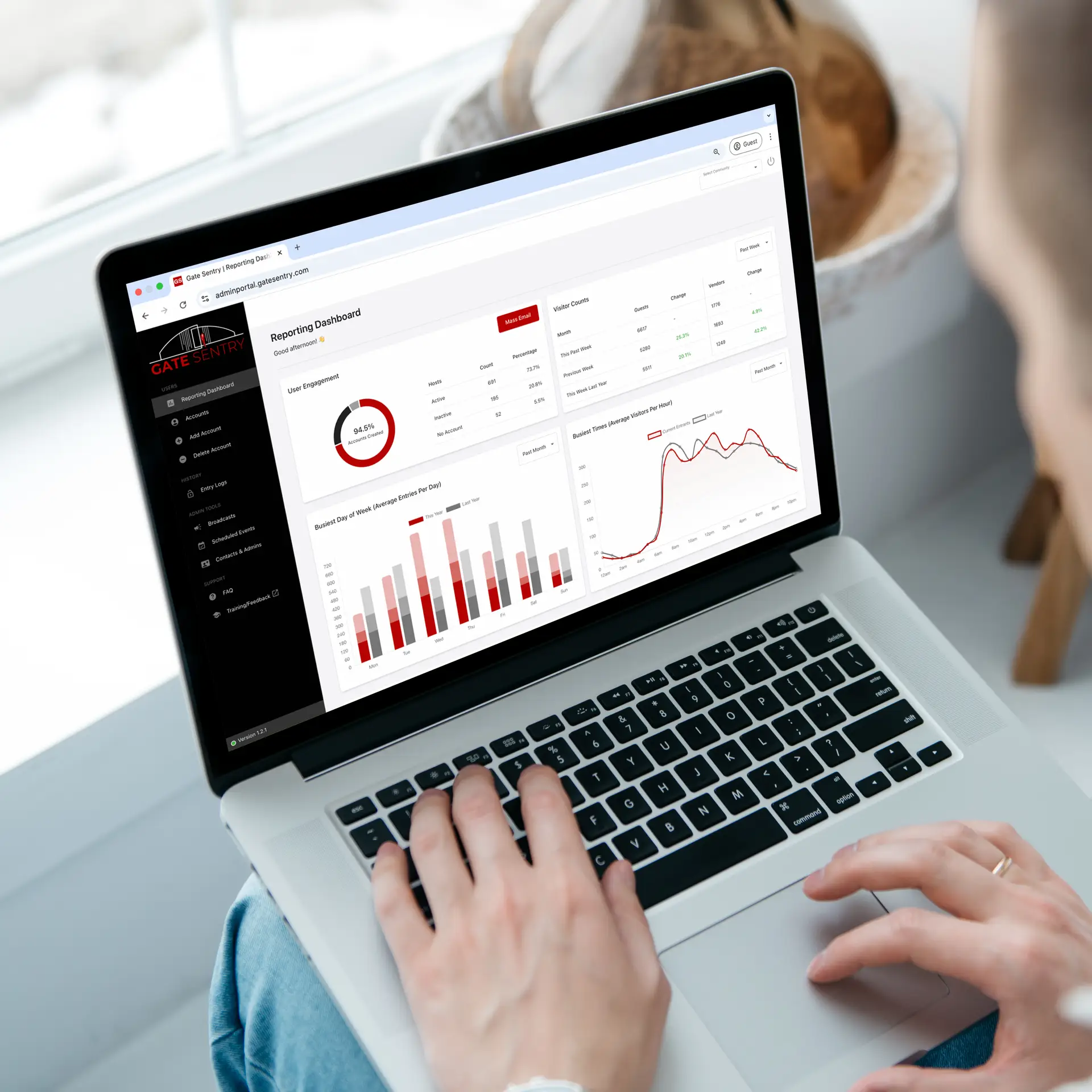
Property administrator using the Sentry Solo cloud dashboard for access management and entry logs

Administrators

Cloud Dashboard & Entry Logs

Manage residents, permissions, visitor activity, and entry logs from one cloud dashboard — with visibility across every Sentry Solo access point.

Features

Sentry Solo Access Control Software Features

Sentry Solo gives properties flexible ways to manage every type of entry. Residents use VirtualKey, invited guests use SoloPass, vendors and service providers use VirtualKeypad codes, and unexpected visitors can request access through the Intercom. Every deployment includes a cloud-based administrator dashboard with entry logs and reporting.

Residents

VirtualKey Smartphone Access

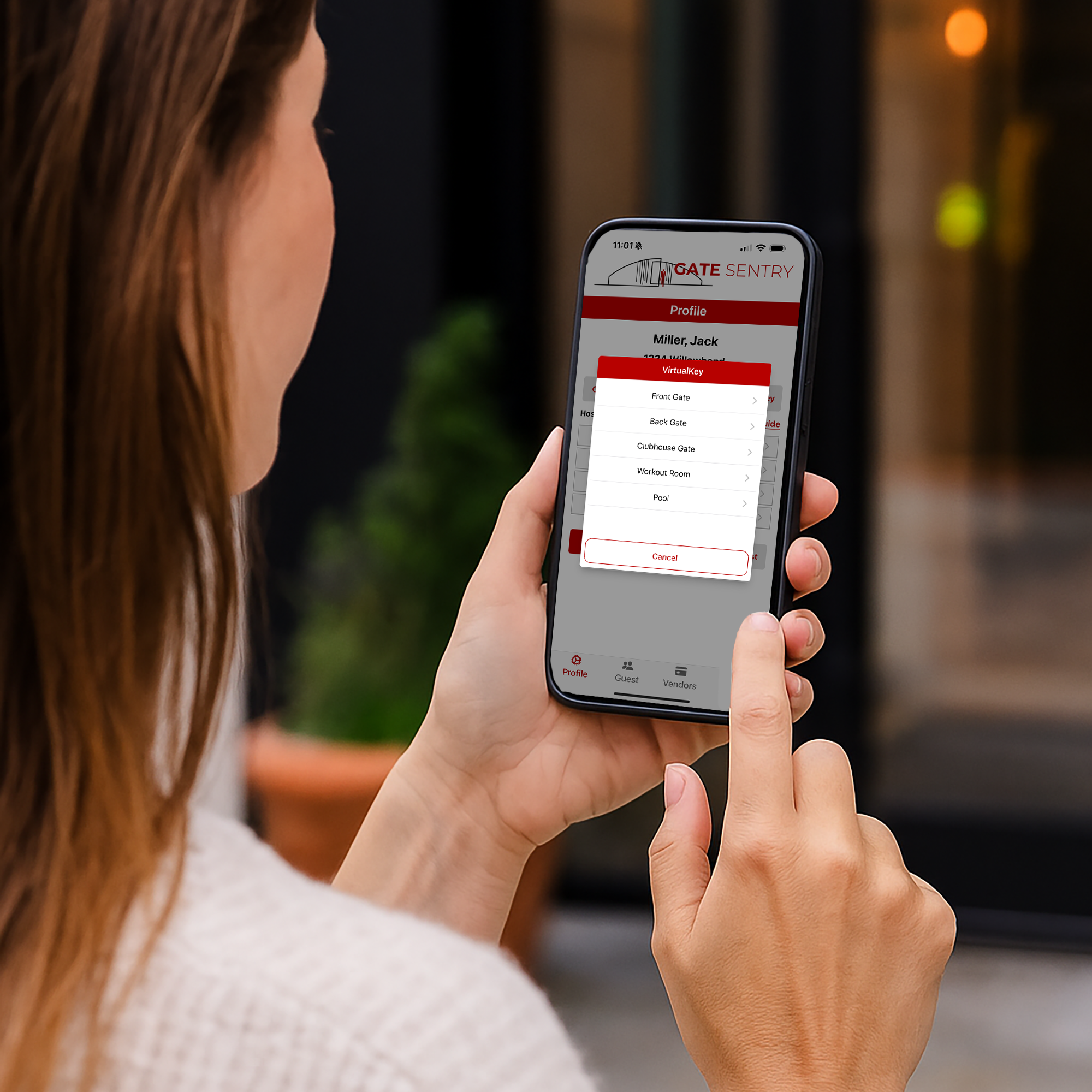
VirtualKey turns every resident's smartphone into their access credential. One tap opens any authorized gate, door, or amenity entrance — no fobs, remotes, or codes to carry.

Residents get simple everyday access directly from their phone.
  • One-tap entry: Residents open authorized gates, doors, and amenities from the mobile app.
  • Replaces fobs and remotes: Mobile credentials reduce the need for traditional physical access devices.
  • Personal entry history: Residents can view their own access activity.
  • Secure mobile access: Each resident receives their own authorized credential.
Learn More About VirtualKey
VirtualKey smartphone app showing one-tap gate entry for residents

Invited Guests

Digital Guest Access with SoloPass

SoloPass is a digital guest pass that gives an invited visitor their own access directly on their phone. Instead of sharing a gate code or issuing a physical credential, residents send a SoloPass that the guest can use to open approved Sentry Solo entrances.

Each guest gets their own mobile pass instead of relying on a shared gate code.
  • Send a digital pass: Residents invite a guest by text or email, giving them their own SoloPass before they arrive.
  • No app or account required: The guest opens the invitation on their phone and sets up their pass without downloading an app or creating an account.
  • Tap to open the entrance: When the guest arrives, they open SoloPass and tap OPEN to access the approved gate or entrance.
  • Choose how long it works: SoloPass can be one-time, temporary, or permanent depending on the guest.
See SoloPass in Action
SoloPass digital guest pass on a smartphone for Sentry Solo access

Vendors & Unexpected Visitors

VirtualKeypad & Intercom

VirtualKeypad gives vendors and service providers a phone-based way to enter access codes, while Intercom gives unexpected visitors a way to request access when they do not already have a SoloPass or code. Both work from the visitor's phone without a traditional physical keypad or callbox.

Vendors can enter with codes while unexpected visitors still have a way to request access.
  • VirtualKeypad: Vendors and service providers enter access codes from their phone.
  • SentrySign QR access: Scan the posted QR code to open the mobile VirtualKeypad.
  • Intercom requests: Unexpected visitors can request access from their phone when they do not have a SoloPass or code.
  • No app required: Visitor-facing access works from a compatible smartphone without requiring an app download.
  • Minimal entrance hardware: Reduce reliance on traditional callboxes, physical keypads, fobs, and associated maintenance.
See Visitor Access in Action
SentrySign QR code and VirtualKeypad on a smartphone for vendor and visitor access

Complete Access Control

Hybrid: Resident & Visitor Access

Bring Sentry Solo's access methods together in one self-service system. Residents use VirtualKey for their own entry, while SoloPass, VirtualKeypad, and Intercom provide the right access experience for guests, vendors, and unexpected visitors.

One platform supports residents, invited guests, vendors, and unexpected visitors.
  • Resident entry: Residents access authorized entrances with VirtualKey.
  • Invited guests: SoloPass gives each guest their own digital mobile pass with one-time, temporary, or permanent access.
  • Vendor access: VirtualKeypad codes provide controlled access for vendors and service providers.
  • Unexpected visitors: Intercom provides a way to request access when no SoloPass or access code exists.
  • One platform: Manage multiple access experiences across property entrances and amenities.
Request a Sentry Solo Quote
Resident managing personal entry and visitor access using Sentry Solo

The Control Center

Sentry Solo Admin Dashboard

Sentry Solo includes a cloud-based administrator dashboard that gives property teams visibility into access activity, credential management, access points, and reporting from one central location.

Manage access across gates, doors, and amenities from anywhere.
  • Access restrictions per household: Define access rules for individual gates, doors, or amenities and assign them to the appropriate households.
  • Access point scheduling: Set open and closed times and create different schedules for residents, guests, or vendors.
  • Real-time entry logs: Review access activity across VirtualKey, SoloPass, VirtualKeypad, and supported visitor entry workflows.
  • Instant credential management: Grant or revoke resident access from any connected device.
  • Reporting & audit trails: Generate detailed entry records for property operations and security reviews.
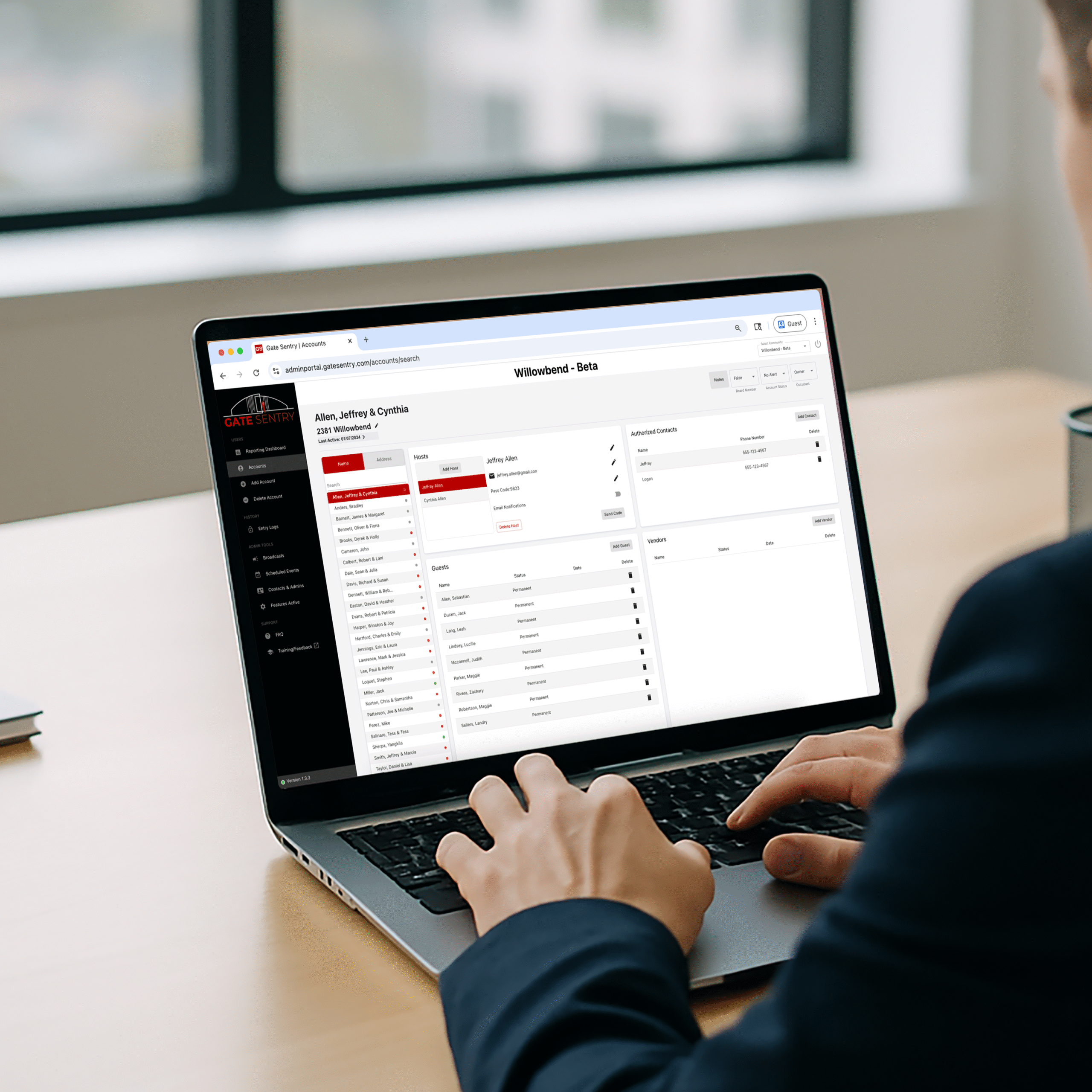
Explore the Admin Portal
Sentry Solo admin dashboard showing access activity and user management for property managers
Why Properties Switch

Sentry Solo vs. Traditional Gate Access

Replace bulky callboxes, physical keypads, fobs, and remotes with simpler mobile access for residents, guests, vendors, and visitors.

Access Sentry Solo Traditional Systems
Entrance Hardware
Minimal supporting hardware
Callboxes, keypads, fob readers, remotes, and related equipment
Residents
VirtualKey on their phone
Fobs, remotes, cards, or shared gate codes
Invited Guests
Temporary SoloPass access
Callbox calls, shared codes, or physical guest passes
Vendors
Temporary VirtualKeypad codes
Shared keypad codes or staff-assisted entry
Unexpected Visitors
Mobile Intercom access request
Physical callbox or no self-service option
Access Management
Update access from the cloud dashboard
Reprogram devices, replace credentials, or update hardware
Entry Activity
Central digital entry logs
Varies by system and installed equipment

Traditional system capabilities vary by manufacturer and installation. This comparison reflects common callbox, keypad, fob, and remote-based access setups.

Scan the SentrySign QR code to try the Sentry Solo VirtualKeypad demo — no app required
Try It Yourself

Try VirtualKeypad Now

Scan the SentrySign QR code to see VirtualKeypad in action — no app required.

Experience exactly what your visitors will. Open your phone's camera and point it at the QR code to launch the live demo and see how mobile access works.

On your phone? Open the demo Can't scan from this screen — tap to launch it directly.
Industries

Sentry Solo Access Control for Every Property Type

Sentry Solo brings hardware-free, self-service access to gated communities, apartments, and multifamily properties — and works alongside Gate Sentry wherever a gate is staffed.

Hardware-free access control for unmanned gated community gates
Gated Community Without On-Site Security Smartphone entry for residents and QR-based visitor access — no callbox or hardware needed. Unmanned Gated Community
Multifamily access control software for apartment buildings and condos
Multifamily Replace fobs and callboxes with mobile entry for residents and digital passes for visitors. Multifamily
Visitor management for resorts, clubs, and hospitality properties
Hospitality & Leisure Manage guest, member, and vendor entry across amenities and event spaces. Hospitality & Leisure
Visitor management software for gated communities with on-site security guards
Gated Community With On-Site Security Pair Sentry Solo with Gate Sentry — staffed main gate, self-service everywhere else. Manned Gated Community
Commercial property access control for contractors, vendors, and deliveries
Commercial Track contractors, vendors, and deliveries with digital check-in and compliance-ready entry logs. Commercial
Hardware-free access control for unmanned gated community gates
Gated Community Without On-Site Security Smartphone entry for residents and QR-based visitor access — no callbox or hardware needed. Unmanned Gated Community
Multifamily access control software for apartment buildings and condos
Multifamily Replace fobs and callboxes with mobile entry for residents and digital passes for visitors. Multifamily
Visitor management for resorts, clubs, and hospitality properties
Hospitality & Leisure Manage guest, member, and vendor entry across amenities and event spaces. Hospitality & Leisure
Visitor management software for gated communities with on-site security guards
Gated Community With On-Site Security Pair Sentry Solo with Gate Sentry — staffed main gate, self-service everywhere else. Manned Gated Community
Commercial property access control for contractors, vendors, and deliveries
Commercial Track contractors, vendors, and deliveries with digital check-in and compliance-ready entry logs. Commercial

Swipe to explore →

FAQ

Common Questions About Sentry Solo

Do visitors need to download an app?
No. Guest and visitor access can happen directly from a smartphone without an app download. Invited guests use SoloPass, vendors and service providers can enter through the VirtualKeypad, and unexpected visitors can request access through the Intercom. Residents use VirtualKey for their own everyday access.
What is the difference between SoloPass, VirtualKeypad, and Intercom?
They are designed for different types of visitors. SoloPass is for invited guests, VirtualKeypad gives vendors and service providers a way to enter temporary access codes, and Intercom gives unexpected visitors a way to request access when they do not already have a SoloPass or code.
How do residents give guests access?
Residents can invite guests using SoloPass. The guest receives temporary digital access for their visit, giving them a simple way to enter from their phone without needing a resident credential, physical pass, or permanent access code.
How do vendors and service providers enter?
Vendors and service providers can use temporary access codes through the VirtualKeypad. They access the mobile keypad from their phone and enter their assigned code, providing controlled entry without relying on a traditional physical keypad.
What happens when an unexpected visitor arrives?
Unexpected visitors who do not already have a SoloPass or VirtualKeypad code can use the Intercom to request access from their phone. This gives properties a way to handle unplanned arrivals without relying on a traditional callbox.
Do we need to install a traditional callbox or physical keypad?
No traditional callbox or physical visitor keypad is required. Sentry Solo is designed around mobile access and works with compatible existing gates, doors, and entrances. A SentrySign QR code and minimal supporting access hardware can replace much of the traditional gate equipment associated with visitor entry.
How is Sentry Solo different from a traditional callbox or keypad?
Traditional systems route everyone through the same physical callbox, keypad, fob, or remote. Sentry Solo uses different phone-based access methods for different needs: residents use VirtualKey, invited guests use SoloPass, vendors can use VirtualKeypad, and unexpected visitors can request access through the Intercom. Entry activity can then be managed and reviewed from the Sentry Solo admin dashboard.
Does Sentry Solo work for amenities, not just the main gate?
Yes. Sentry Solo can manage access to gates, doors, pools, gyms, clubhouses, and other amenity entrances. Access rules and schedules can be configured for different access points and managed from the administrator dashboard.
What happens during a power or internet outage?
Sentry Solo can continue operating offline, so supported access can keep working when the connection drops. Activity syncs back to the dashboard once service returns.
What kind of gates and entry systems does Sentry Solo work with?
Sentry Solo is designed to work with compatible existing gates, doors, and entry systems rather than requiring properties to replace their entire access setup. It adds mobile access methods such as VirtualKey, SoloPass, VirtualKeypad, and Intercom to the property's access-control experience.
How long does it take to set up Sentry Solo?
Most properties are up and running in about 30 days. The Gate Sentry team configures access points and rules, sets up resident accounts, and prepares the property's gates, doors, and amenities for Sentry Solo access.
Can we use Sentry Solo together with Gate Sentry?
Yes. Properties can use Gate Sentry at staffed entrances and Sentry Solo at unmanned gates, doors, amenities, or other access points. The two products can support different entry needs across the same property.
Explore Gate Sentry

What Our Clients Say

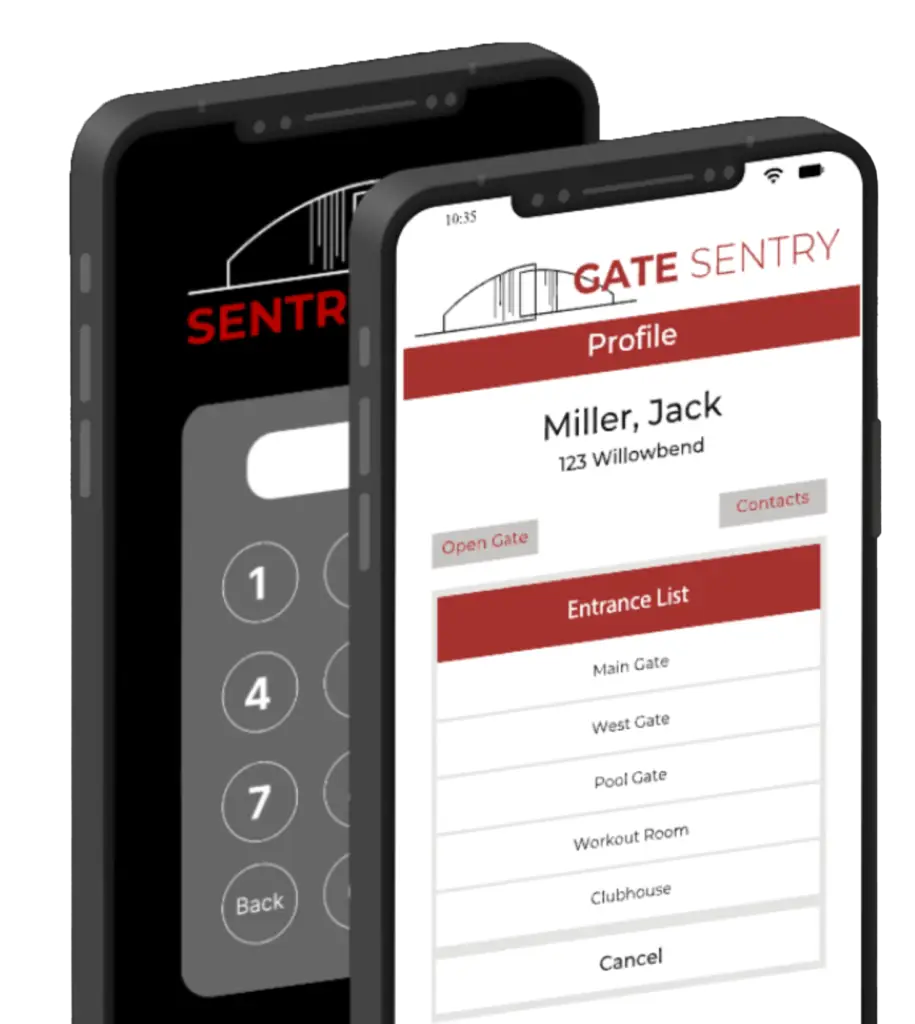
Two iPhones cut off at the halfway point. The iPhone in the back displays a VirtualKeypad, while the one in the front shows a VirtualKey.

Schedule a Demo

Discover how our services can be tailored to your specific property needs, enhancing both security and efficiency