
Better Access for Residents, Visitors & Property Teams
Give residents a simpler way to enter, guests the right visitor experience, and property teams one place to manage access across the community.
Everyday Access From One App
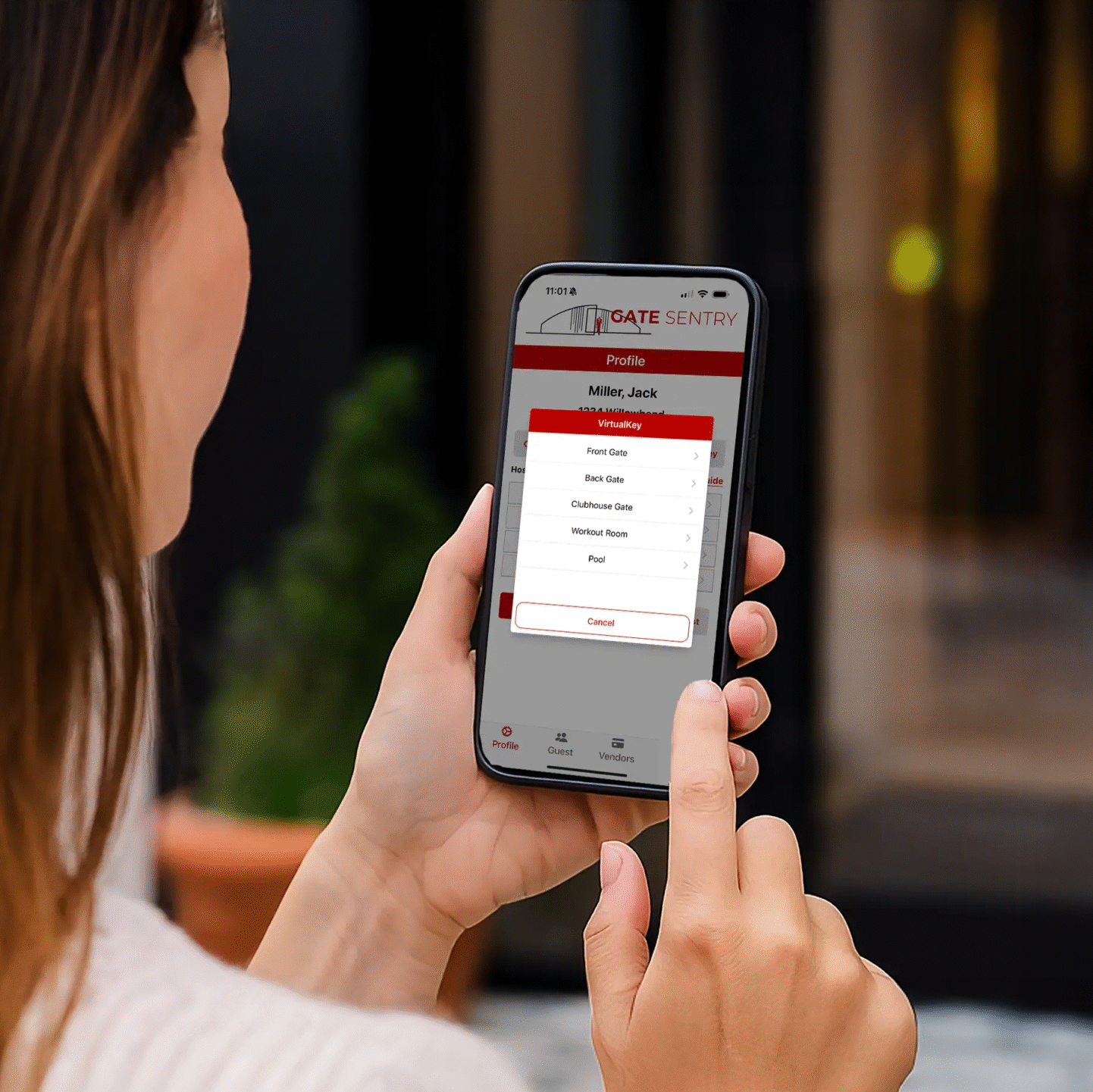
Residents use VirtualKey for their own entry and can manage access for invited guests directly from their phone.
- VirtualKey: Open authorized gates, garages, doors, and amenities from the resident app.
- SoloPass: Send invited guests their own digital access pass before they arrive.
- Flexible guest access: Create one-time, temporary, or permanent SoloPass access.
- Unexpected visitors: Respond to Intercom access requests from the resident's phone.
The Right Entry Experience for Every Visitor
Invited guests, service providers, and unexpected visitors do not all need the same access method. Sentry Solo gives each one a clear path to entry.
- Invited guests — SoloPass: Residents send guests their own digital pass before arrival.
- Easy guest entry: The guest opens SoloPass on their phone and taps OPEN at the approved entrance.
- Vendors — VirtualKeypad: Service providers use assigned access codes through the mobile keypad.
- Unexpected visitors — Intercom: Someone without a SoloPass or code can request access from the appropriate resident.

Manage Community Access From One Dashboard
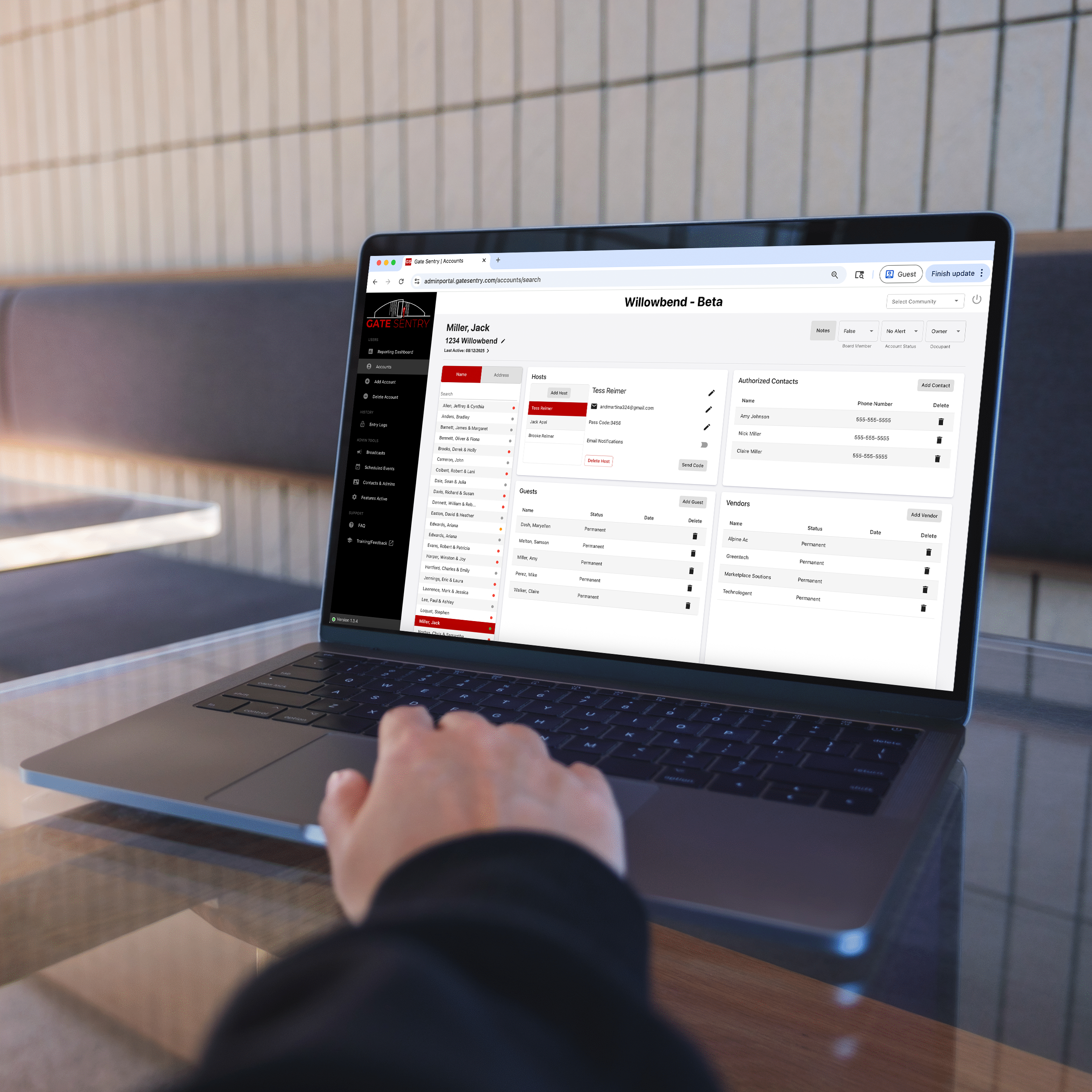
Property teams can manage residents, visitor access, entrances, schedules, and access activity without juggling separate systems.
- Resident management: Grant or revoke access as residents move in and out.
- Access schedules: Set operating hours for gates, garages, doors, amenities, and vendors.
- Guest access: Support resident-created SoloPass access for invited visitors.
- Household permissions: Control which access points each household can use.
- Entry activity: Review searchable access records when needed.
Oversight Across Your Portfolio
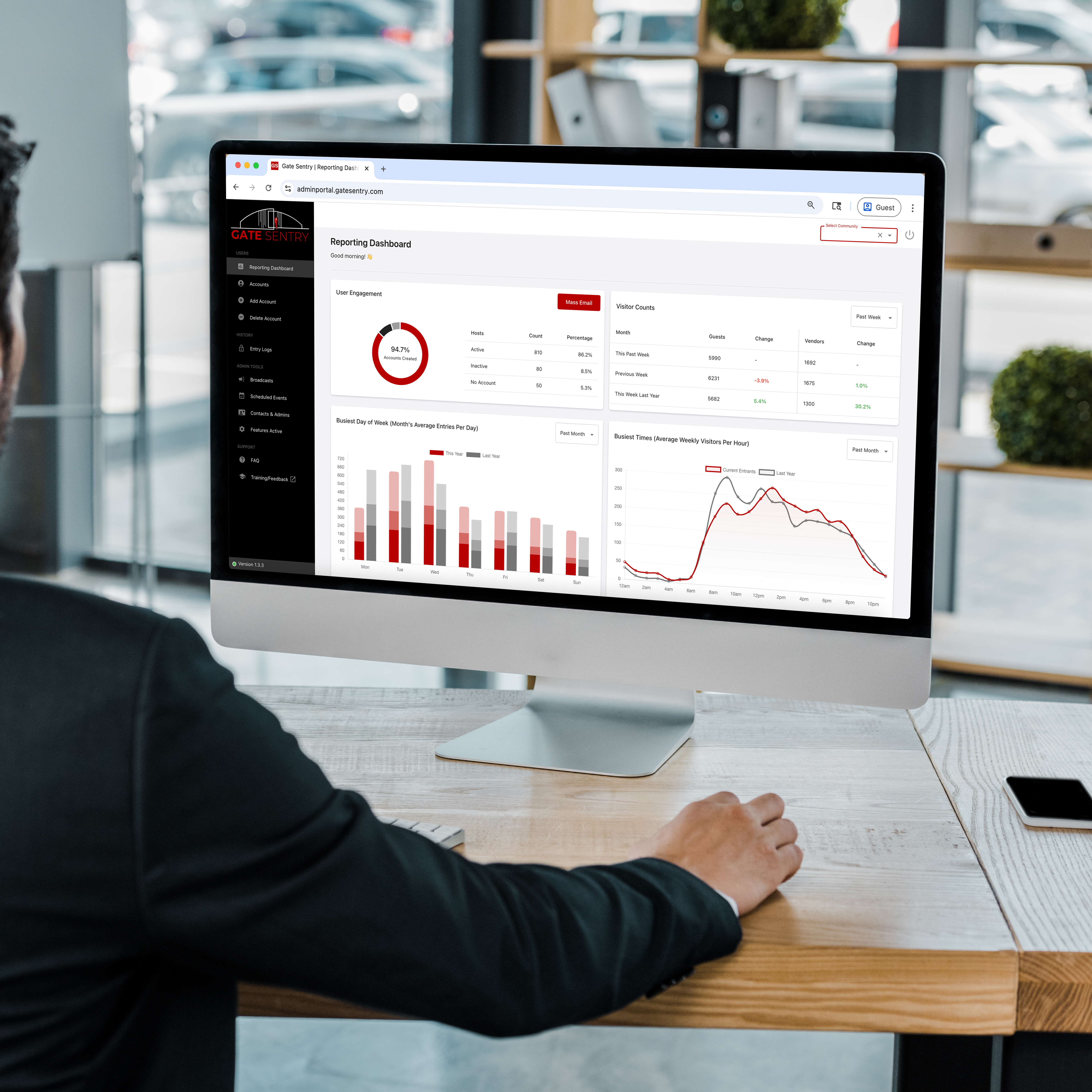
Keep access management more consistent across participating communities while maintaining visibility into activity at each property.
- Multi-property management: Manage participating communities through centralized administrative tools.
- Resident changes: Update access as occupancy changes.
- Searchable activity: Review resident, guest, and vendor access records.
- Reporting: Review access activity across individual properties.
How Entry Works at an Unmanned Community
Residents, invited guests, vendors, and unexpected visitors each have a mobile access path when there is no guard or receptionist at the entrance.
A Resident Comes Home
The resident opens VirtualKey and taps to open an authorized gate, garage, door, or amenity.
An Invited Guest Arrives
The resident has already sent the guest a SoloPass. The guest opens the pass on their phone and taps OPEN at the approved entrance.
A Vendor Needs Access
The vendor scans the SentrySign QR code and enters their assigned access code through VirtualKeypad on their phone.
Someone Shows Up Unexpectedly
If the visitor does not already have a SoloPass or access code, they can use the mobile Intercom to request access from the appropriate resident.
One system, multiple ways to enter. Property teams manage resident access, guest access, schedules, and entry activity through the administrator dashboard.
Request a Multifamily DemoA Smoother Transition for Your Community
Gate Sentry helps property teams configure resident access, visitor workflows, and community access settings while providing ongoing support after launch.
White-Glove Setup
Provide your existing resident and access information and our team helps organize and configure the system for your community.
Guided Launch
Get help setting up access points, resident access, SoloPass guest workflows, vendor access, schedules, and community rules.
Real Human Support
Get help from the Gate Sentry team when questions come up or your community's access requirements change over time.
Questions From Property Managers
How do residents enter the property?
What is SoloPass and how do guests use it?
Does a guest need to download an app?
How do vendors and unexpected visitors get in?
What can property managers control?
Can regional managers oversee multiple communities?
What if our community has a staffed gate or front desk?
Built Around the People Who Use It
Hear from residents, property teams, guests, and service providers about their experience with mobile access and visitor entry.
See Sentry Solo at Your Community
Get a tailored walkthrough for your apartment, condo, or townhome community and see how residents, guests, vendors, and unexpected visitors can access the property. Or call (800) 975-5971 .
- VirtualKey for resident access
- SoloPass for invited guests
- VirtualKeypad for vendors and service providers
- Intercom for unexpected visitors
- Administrator dashboard, schedules, permissions, and entry activity
- Custom pricing for gates, garages, doors, and amenities