The Hidden Costs of Keypad Access Control for Self-Storage
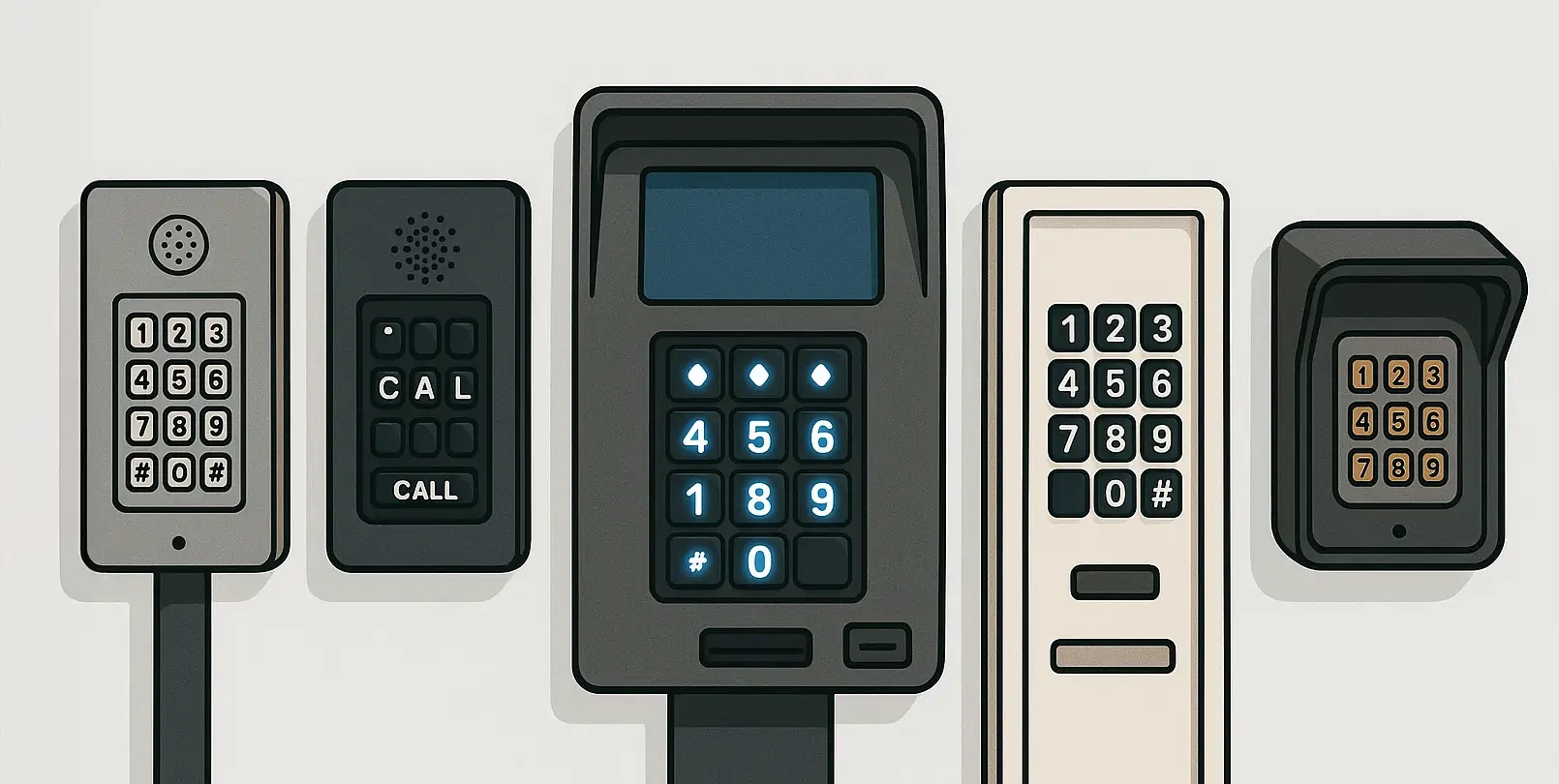
A keypad might seem like a relatively inexpensive way to control access to a self-storage facility. Tenants enter their codes, the gate opens, and management can control who has access.
But the keypad itself is only one part of the cost.
There's the wiring needed to install it, the equipment that keeps it running, the service calls when something breaks, and the time staff spend dealing with access problems.
And while newer keypads and kiosks may have touchscreens and updated software, they still require equipment at the entrance that has to be maintained.
For storage operators considering an upgrade, it's worth looking at what the current system actually costs to operate and whether another physical keypad is necessary.
1. Installation Costs Can Add Up Quickly
The price of a keypad doesn't necessarily reflect what it will cost to install.
Depending on the facility, getting power and communication lines to a gate can involve trenching, cutting through pavement, running conduit, and coordinating multiple contractors.
If the facility already has compatible wiring and equipment, installation may be relatively straightforward. But adding a new entrance or moving the keypad to a different location can make the project more involved.
Some of the expenses to account for include:
- Electrical work: Running power to the keypad and connecting it to the gate operator.
- Trenching and wiring: Installing communication lines beneath pavement or across the property.
- Contractor labor: Hiring electricians, access control technicians, or other installers.
- Repairs to the property: Restoring concrete, asphalt, or landscaping disturbed during installation.
For operators managing several facilities, those costs can become significant, particularly when each property has different infrastructure.
Before replacing a keypad, find out what equipment and wiring can be reused. It's also worth getting a complete installation estimate rather than comparing hardware prices alone.
2. Older Systems May Depend on Equipment in the Office
Some traditional self-storage access control systems rely on an on-site computer or server to manage gate permissions and store access records.
That creates another piece of equipment the facility has to maintain.
If the computer fails, its software becomes outdated, or the system loses connectivity, staff may have difficulty managing access until the problem is resolved.
It can also complicate things for operators who oversee multiple locations. A regional manager shouldn't necessarily have to visit a facility just to review access activity or make a routine permission change.
When comparing systems, ask where access records are stored, whether permissions can be managed remotely, and what happens if the equipment at the facility stops working.
Not every keypad system relies on a local computer. Many newer platforms offer cloud-based management, so it's worth understanding how the specific system you're considering operates.
3. Gate Codes Don't Always Tell You Who Entered
One of the biggest limitations of code-based access is that knowing which code was used isn't necessarily the same as knowing who entered the property.
A tenant might give their code to a spouse, family member, moving company, or friend helping them unload a truck. That person can then use the code without having their own access authorization.
Some systems assign individual codes and keep detailed activity logs, which is certainly better than having everyone use the same code.
But once a code has been shared, the record may only tell management which credential was entered.
If there's a theft, property damage, or an unauthorized visitor, that distinction matters.
Storage operators should consider how easily they can issue separate credentials, limit when those credentials work, and revoke them when they're no longer needed.
A tenant moving out shouldn't mean staff have to track down everyone who might have been given their gate code.
4. Outdoor Keypads Still Need Maintenance
Self-storage gates are often exposed to the elements with little protection.
The keypad has to work through summer heat, freezing temperatures, rain, dust, and storms. Depending on the equipment and environment, problems can develop with buttons, screens, wiring, or electronic components.
Lightning and electrical surges can also damage access control equipment.
Then there's the practical issue of getting someone out to fix it. A keypad that stops responding may require a technician to diagnose the problem, order replacement parts, and schedule a return visit.
In the meantime, staff still have tenants who need access to their units.
When reviewing maintenance costs, I'd look beyond the occasional repair invoice. Consider how often employees have to intervene when someone can't get through the gate, how long repairs take, and whether replacement parts are readily available.
Those operational costs may not appear in the original equipment quote, but they're still part of running the system.
5. Managing Access Across Multiple Facilities
A keypad system that works well at one location may become more cumbersome when an operator starts managing several properties.
Different facilities may have different gate hours, tenant groups, and access restrictions. Staff need a way to manage those permissions without constantly switching between systems or visiting individual locations.
There are also routine changes that happen every day. A tenant moves out. A contractor needs temporary access. A facility changes its gate hours for a holiday. An account needs to have certain access permissions restricted.
None of those situations should require an unnecessarily complicated process.
When evaluating access control software, look at how quickly an administrator can make those changes and whether they can manage multiple locations from one account.
An Alternative to Physical Keypads: Sentry Solo
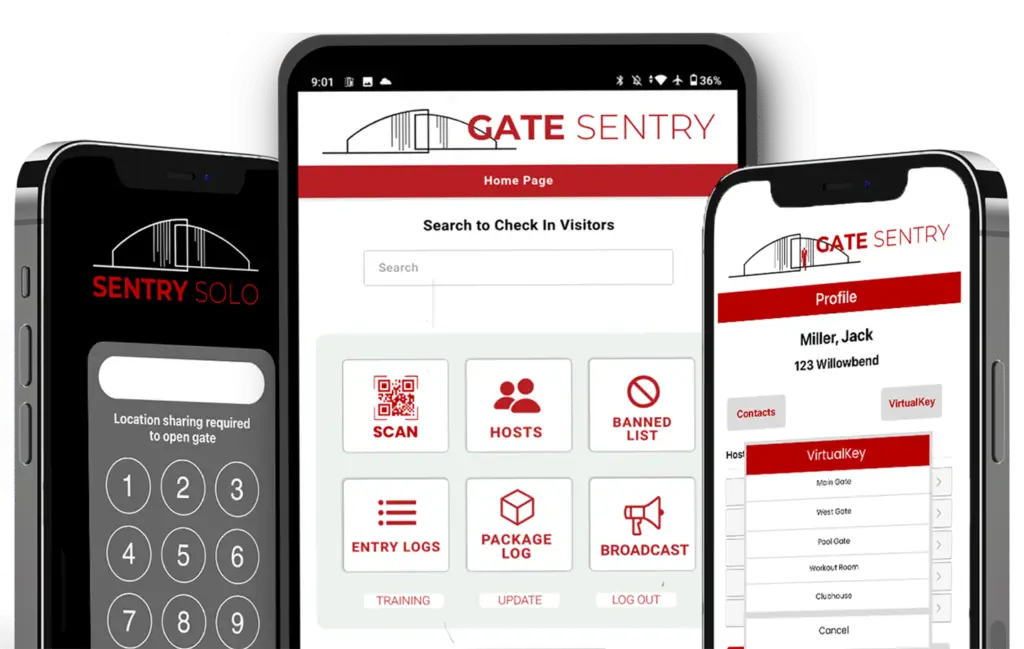
Sentry Solo allows self-storage facilities to manage access without requiring tenants and visitors to use a physical keypad or callbox.
Instead, the facility installs a SentrySign with a QR code at the entrance, and users access the property through their own phones.
Sentry Solo connects to compatible existing gate or door-control equipment, so replacing the gate itself isn't necessarily required.
Tenants use VirtualKey
Each tenant has their own access through the Gate Sentry app. They can tap to open authorized gates without entering a shared code at the entrance.
Guests use SoloPass
If a tenant needs a family member or friend to help with a move, they can send that person a SoloPass by text or email.
The guest opens the pass on their phone and taps to open during the authorized period. There's no app to download, account to create, or code to remember.
SoloPass is tied to the guest's device, so simply forwarding the link doesn't give another person the same access.
Vendors use VirtualKeypad
Vendors scan the SentrySign QR code and enter their assigned code through VirtualKeypad in their phone's browser.
The facility can manage when those credentials are valid without installing a physical keypad.
What Changes for Facility Managers?
Removing the physical keypad is one part of the difference. The other is how access is managed.
Control access hours
Gate Sentry's Access Scheduler allows administrators to set access schedules by group and entrance, including temporary closures and holiday restrictions.
Manage account restrictions
Administrators can restrict selected access permissions for an account and restore them when the issue is resolved.
Remove access when tenants move out
When a tenant no longer needs access, an administrator can revoke their credential without changing a shared gate code.
Review access activity
Managers can search digital access records to see which credentials were used and when. As with any credential-based system, a record of credential use doesn't independently verify the identity of every person who enters.
Manage multiple locations
Administrators can manage multiple properties through one login rather than maintaining a separate access management process at every facility.
These features are particularly useful for operators who need consistent access policies across several locations.
Traditional Keypad vs. Sentry Solo
| Feature | Traditional Keypad | Sentry Solo |
|---|---|---|
| Equipment at the gate | Physical keypad | SentrySign and compatible gate-control equipment; no physical keypad required |
| Tenant access | Enter an assigned gate code | Use VirtualKey in the Gate Sentry app |
| Guest access | Often requires sharing or issuing a code | Send a device-bound SoloPass |
| Vendor access | Enter a code at the keypad | Use VirtualKeypad on a phone |
| Access records | Vary by system; typically record credential use | Searchable digital access records |
| Gate hours | Scheduling capabilities vary | Set schedules by group and entrance |
| Move-outs | Deactivate the tenant's code | Revoke the tenant's access credential |
| Maintenance | Physical keypad requires upkeep | No physical keypad to maintain; existing gate and control equipment still require maintenance |
Modern keypad systems can offer cloud management, detailed access logs, and flexible scheduling. Those features aren't exclusive to phone-based access.
The main difference with Sentry Solo is that tenants, guests, and vendors don't need to interact with a dedicated keypad at the gate.
Before You Replace Your Keypad
If your facility is considering an access control upgrade, there are a few things I'd look at first.
How much have you spent on keypad repairs and maintenance over the last few years? Does the system require an on-site computer or server? Can you manage access remotely? How easily can tenants share credentials, and how quickly can staff revoke them?
I'd also look at the installation itself. If your existing gate equipment is compatible, you may be able to change how people access the property without replacing the gate operator or installing another keypad.
Sentry Solo still requires compatible gate-control equipment and an internet connection, and the gate itself still needs normal maintenance. The difference is that there's no dedicated keypad or callbox for tenants and visitors to use at the entrance.
For self-storage operators looking to reduce entrance hardware while maintaining control over access permissions, that's worth exploring.
Ready to Replace Your Keypad?
If you're considering an upgrade, we can review your existing gate setup and show you how Sentry Solo handles tenant, guest, and vendor access.
Schedule a Demo