
Access Control and Visitor Management Software for Commercial Properties
Replace paper logs and legacy wiring with tablet check-in at staffed gates, Lobby Check In at your front desk, and mobile access for unmanned doors. Built for manufacturing, warehouse, and commercial facilities.
Built for Commercial & Industrial Sites, From the Gate to the Lobby
Gate Sentry secures gates for manufacturing plants, warehouses, distribution hubs, and logistics yards, checking in vendors, contractors, and delivery drivers on a tablet that keeps working offline. Lobby Check In handles visitors at the front desk. Both work with your existing gates and eliminate hardware like callboxes and keypads, with no trenching.
One Platform, Every Role
From the guard at the gate and the receptionist at the front desk to the visitor pulling up and the administrator overseeing it all, Gate Sentry works for everyone who touches your facility's access.
Clear the Line at the Vehicle Window
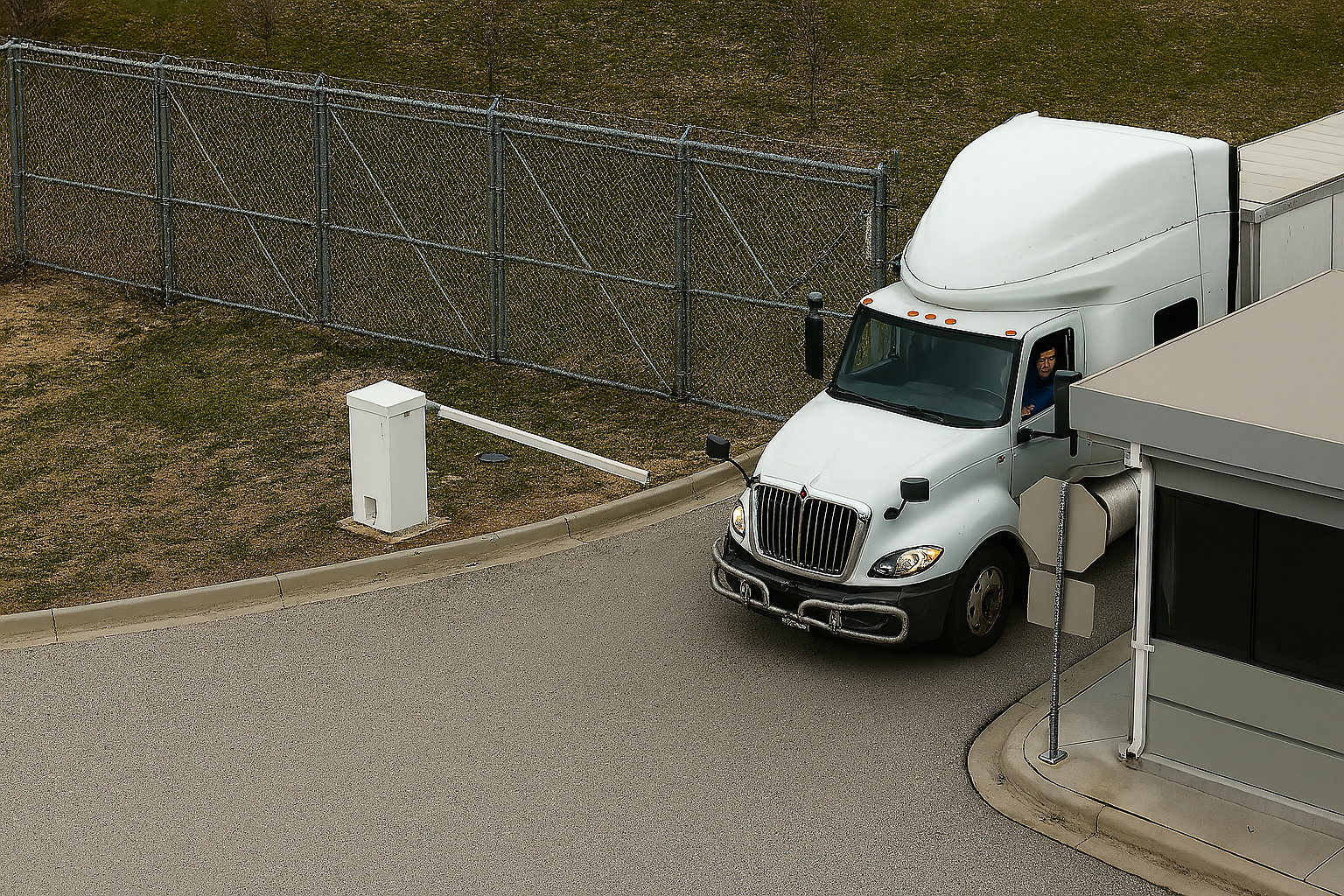
Gate Sentry runs on a portable tablet, so officers can step out to the truck window instead of being tied to a desk. Scan the driver's SentryPass, confirm the match, and wave them through in about 3 seconds.
- 3-second check-in: Scan a SentryPass and the visitor's details load instantly.
- Fast lookup: Find arrivals by the person they're visiting, address, vendor company, or license plate.
- Ban alerts and ID capture: The tablet flags banned visitors and companies, and ID capture is optional.
- Works offline: Keeps checking in visitors during internet outages, then syncs automatically.
- Officer certification: A 10-video certification course with quizzes and completion certificates standardizes how every guard checks in visitors.
Register by Text, Check In at the Front Desk
With Lobby Check In, visitors and contractors receive a text, register themselves, and check in on-site on a computer or tablet. At staffed gates, contractors and drivers show a SentryPass instead.
- Self-registration by text: Visitors fill in the fields you choose, answer screening questions, and sign agreements like an NDA or waiver.
- Photo ID: Capture a photo ID as part of check-in when your site requires it.
- On-site check-in: Visitors check in at the front desk on a desktop computer or tablet.
- Group check-in: Companions join a group visit by scanning a QR code.
- Host alerts: The person being visited, and admins, are alerted by email, text, or call when the visitor arrives.
Complete Visibility Across Your Facility
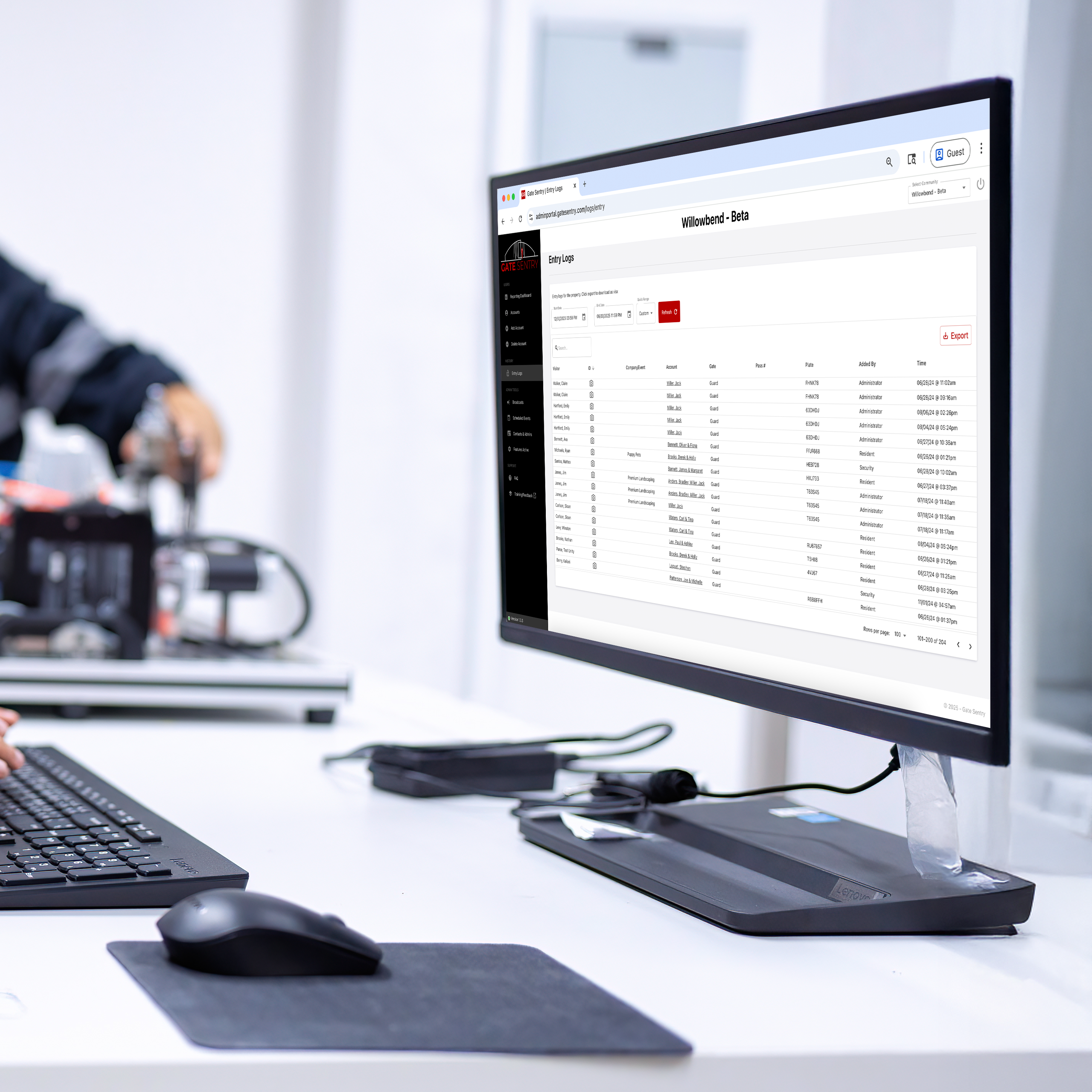
Manage every gate and lobby from one web-based Admin Portal. See who came on-site and when, review reports, and enforce facility-wide rules.
- Reporting dashboard: See security-team performance, your busiest days and times, and visitor and contractor volume.
- Property-wide ban list: Block an individual or an entire company at every gate in one step.
- Searchable entry records: Every check-in is timestamped and stored in the cloud.
- Lobby Check In settings: Choose the form fields, screening questions, and agreements visitors complete.
- Scheduling and restrictions: Set entrance hours by group and restrict access for selected accounts.
- Multi-site login: Manage multiple facilities from one administrator login.
The Old Way vs. Gate Sentry
Paper logs, spreadsheets, and proprietary gate hardware feel normal because they're familiar. Here's what changes at the gate and the front desk when you replace them with Gate Sentry.
| Feature | Paper, Excel & Proprietary Hardware | Gate Sentry |
|---|---|---|
| Identity Verification | Blind trust of handwritten names | Optional ID capture and ban list alerts on the guard tablet |
| Who's On-Site | A static record of past arrivals | Real-time entry logs, with optional check-out tracking to see who's still on-site |
| Data Privacy | Exposes prior visitor data to everyone who signs in | Visitor records kept in the admin portal, not on a shared sign-in sheet |
| Check-In Speed | Minutes per vehicle when the line backs up | A 3-second SentryPass scan that clears the line |
| Guard Mobility | Bound to a fixed interior desk | Handheld tablet for vehicle lanes and loading docks |
| Lobby Visitors | A paper sign-in sheet at reception | Lobby Check In: self-registration by text, screening questions, and signed agreements |
| Notifying the Host | Reception calls around to find the host | The person being visited is alerted by email, text, or call |
| Internet Outages | Spreadsheets and shared drives stop syncing | The guard tablet keeps checking in visitors offline, then syncs |
| Multiple Facilities | A separate logbook or spreadsheet at every site | One administrator login for every facility |
Visitor Entry at Unmanned Gates & Entrances
When there's no guard or receptionist at the entrance, Sentry Solo gives expected guests, vendors, and unexpected visitors a clear mobile path to access, and it eliminates hardware like callboxes and keypads.
SoloPass
Send guests their own digital pass by text or email before they arrive. They open SoloPass on their phone and tap to open the approved entrance, with no shared gate code or visitor app. Each pass is tied to the guest's phone and can be one-time, temporary, or permanent.
VirtualKeypad
Vendors scan the SentrySign QR code, open VirtualKeypad in their phone's browser, and enter their own unique code. Codes are system-generated, sent by text or email, and expire after the duration you set.
Intercom
Anyone without a SoloPass or code uses the Intercom built into VirtualKeypad to search by address and call the right contact. Names and phone numbers stay private, and if your site allows it, the contact can open the entrance remotely.
Staffed main entrance and unmanned secondary gates? Run Gate Sentry at the staffed entrance and Sentry Solo everywhere else. Guests get one link with both a SentryPass and a SoloPass.
Schedule a DemoLobby & Front Desk Visitor Check-In
With Lobby Check In, visitors register themselves from a text, then check in at your lobby, reception desk, or security desk. Lobby Check In is part of Gate Sentry and Sentry Solo, built for commercial properties.
Register by Text
Visitors receive a text and register themselves, completing exactly what your site requires.
- Custom form fields you choose, including who they're there to see
- Screening questions before they're allowed in
- Signed agreements, such as an NDA or waiver
- Photo ID when your site requires it
Check In On-Site
When visitors arrive, they check in at the front desk on a desktop computer or tablet.
- Front-desk check-in on a computer or tablet
- Group check-in: companions join by scanning a QR code
- Host alerts to the person being visited, and to admins, by email, text, or call
A Partner, Not Just Software
From implementation and data setup to officer training and ongoing support, Gate Sentry helps your team get comfortable with the system.
Officer Certification
- 10-video training course covering core functions
- Quizzes and a completion certificate for officers
- Supervisors can track training progress
US-Based Support
- Real people on our in-office, US-based team
- 24/7 support for security teams
- Help with setup, configuration, and changing site needs
White-Glove Onboarding
- We import the data from your previous provider
- Hands-on training prepares your team for launch
- Most sites are live in 30 days or less
Commercial Visitor Management FAQs
Does Gate Sentry work for manufacturing and warehouse facilities?
Can visitors register before they check in?
Does Gate Sentry support lobby and front desk visitor check-in?
How does visitor check-in work at a staffed commercial gate?
What happens if a visitor isn't on the list at a staffed gate?
What information can we collect from visitors?
What if we have unmanned gates or entrances?
What happens if the internet goes down at a staffed gate?
Can we ban a person or company from the facility?
What reporting and oversight do administrators get?
Do you train our security officers?
How long does it take to get started?
See Gate Sentry at Your Facility
We'll walk you through a setup built for your facility: staffed gates, your front desk, unmanned entrances, or all three. No clipboard required.
- Eliminates hardware like callboxes and keypads
- Works with your existing gates
- Lobby Check In for your front desk
- Most facilities live in 30 days or less
Request Your Commercial Demo
Tell us about your facility and we'll be in touch within one business day.