
Access Control Software for Gated Communities, HOAs, and Multifamily Properties
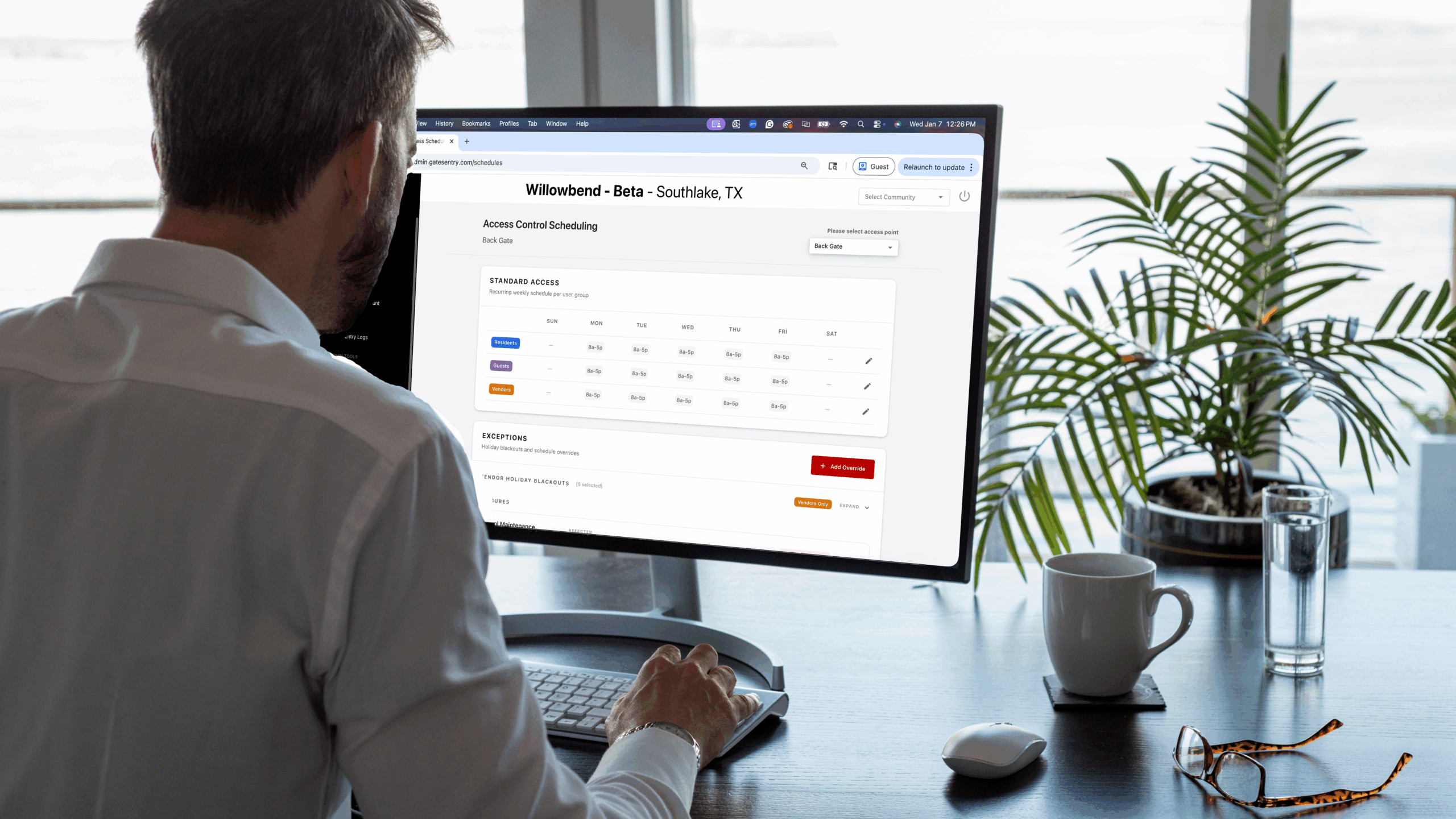
The Access Scheduler
At Sentry Access, our mission is to make property management simpler and more reliable. We believe access control should work quietly in the background, allowing residents to enjoy their community while giving administrators the control they need to respond quickly to real world situations.
The Access Scheduler was built because property managers told us existing systems were too rigid and time consuming. Simple changes required too many steps, and one time situations often meant rebuilding schedules or remembering to manually undo changes later. Based on direct feedback from HOA boards, property managers, and onsite teams, we redesigned the Access Scheduler to be fast, intuitive, and easy to manage entirely from one place.
Everything is managed directly in the admin portal. There is no hardware to adjust, no shared codes to issue, and no complicated workflows. Access changes are made with a few taps and take effect immediately.
How Access Is Structured
The Access Scheduler works by combining two simple ideas. Who is accessing the property and which entry point they are using.
Access is organized into three user groups. Residents, Guests, and Vendors.
At the same time, each gate and amenity entrance is managed independently. The main gate, back gate, pool entrance, clubhouse door, and fitness center can each have their own access rules.
All of this is configured directly in the admin portal. Administrators simply select the entry point, choose the user group, and set the schedule. Once saved, the changes are live.
How This Works in Practice
Residents typically have ongoing access through community gates. In most gated communities, residents can enter through both the main gate and back gate at all hours. Resident access is only restricted in specific situations, such as when an amenity is closed for maintenance or during a seasonal shutdown.
Vendors are handled differently. Vendor access is often limited to approved service hours or specific entrances. For example, a vendor may be allowed to enter through the main gate during daytime hours but restricted from using a back gate overnight. These rules are set directly in the admin portal with a few taps.
Guests usually fall between these two groups. Guests may have gate access but are restricted from amenities like pools or fitness centers when those areas are closed or under maintenance. Administrators do not need to change guest access property wide. They simply update the relevant entrance.
Because each gate and entrance is managed independently, changes apply only where they are needed. Adjusting access at a pool entrance does not affect the main gate or back gate.
Managing Maintenance and Temporary Closures
Maintenance happens regularly, and access needs to adjust quickly when it does.
If a pool requires service, administrators can open the admin portal, select the pool entrance, and turn off resident and guest access. Approved maintenance vendors remain allowed through that entrance. The update takes effect immediately and does not impact any other part of the property.
Once maintenance is complete, access automatically returns to its standard schedule. There is no need to remember to reopen the amenity or make additional changes later.
Seasonal Amenity Closures
Some amenities are closed for extended periods, especially during colder months or holiday seasons.
With a touch of a button in the admin portal, administrators can turn off pool access for the entire holiday season. The pool remains secured for the full duration without ongoing schedule changes. When the season ends, access can be restored just as easily.
The entire process is tap and go, making seasonal changes simple and reliable.
Handling One Time Situations
Unexpected situations happen in every community. The Access Scheduler includes an override feature for one time changes.
If a gate or amenity needs to close immediately, an administrator can add a temporary closure directly in the admin portal. The change takes effect right away and automatically reverts when the override ends. There is no follow up required.
Vendor Holiday Blackouts
Holidays should be quiet for residents.
Vendor Holiday Blackouts allow administrators to block all vendor access during selected holidays directly from the admin portal. Resident and guest access remains unchanged, and no manual adjustments are needed.
Simple Administration With Full Visibility
Managing access should not take up unnecessary time.
Schedules can be applied to multiple gates at once, and all changes are logged automatically. The audit log shows who made the change, when it occurred, and what was updated.
This gives property managers confidence and provides transparency for HOA boards.
Why the Access Scheduler Matters
The Access Scheduler was built for the realities of gated communities, HOAs, and multifamily properties. It gives administrators precise control over gates and amenities while keeping the experience simple.
Everything is managed in one admin portal. Changes are fast, clear, and reliable. With just a few taps, property managers can respond to maintenance, seasonal closures, events, and vendor schedules without disrupting residents or creating extra work.
At Sentry Access, we continue to build our software based on real feedback from the people who use it, ensuring you always have the tools you need to manage your community with confidence.
Experience the Access Scheduler
See how the Access Scheduler can simplify management for your community.
Schedule a Demo