
Event Visitor Management for HOAs & Gated Communities
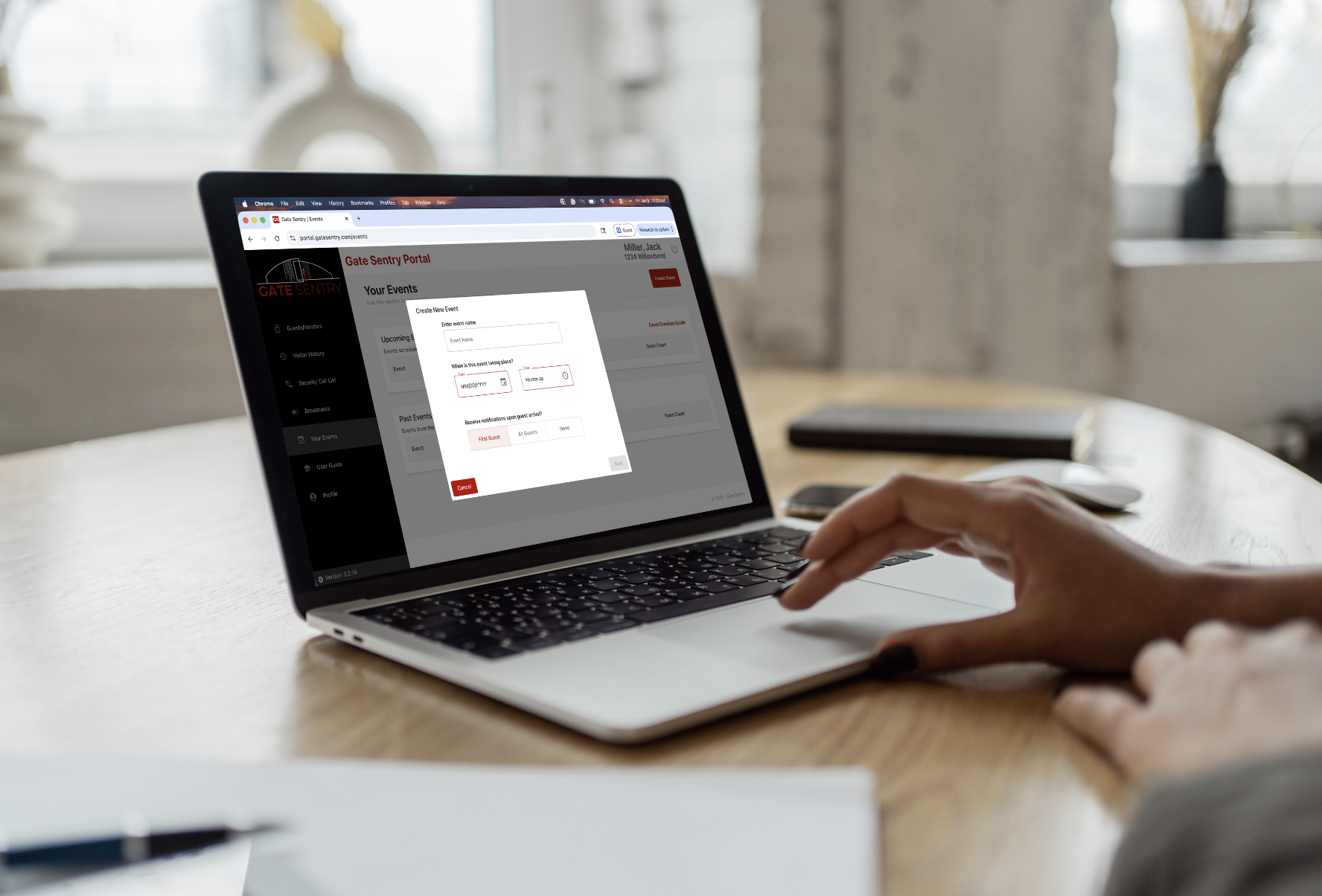
The Events Feature
At Sentry Access, we build software around the real challenges property teams face every day. One feature highlight that residents, security teams, and administrators have consistently relied on since we introduced it over two years ago is the Events feature.
Event access management is one of the clearest examples of where traditional access control processes fall short in gated communities and multifamily properties.
For years, event access has been handled through written lists, emailed spreadsheets, printed rosters, or residents simply calling security to say they are “expecting guests.” While common, these methods are difficult to manage in real time and lack accountability. Lists change, emails get buried, and phone calls leave no clear record of who was approved to enter and when.
This creates confusion at the gate, slows down visitor check-ins, and places unnecessary pressure on security teams during high-traffic event periods.
The Events feature was built to replace these informal processes with a structured, transparent, and reliable way to manage event visitors.
Why Event Visitor Management Needed a Better Workflow
Events are temporary by nature, but many access control systems treat them like permanent guest access.
Residents are often asked to add dozens of visitors to their guest list for a single event, even though those guests only need access for a short period of time. In other cases, guest information is never formally added at all, and security is expected to rely on emailed lists, printed rosters, or phone calls when unexpected visitors arrive. Security teams are left sorting through incomplete or unclear information, with little distinction between event guests and everyday visitors. After the event ends, access is often left in place unless someone remembers to manually remove it.
This approach creates extra administrative work and increases the risk of access errors.
The Events feature separates event access from regular guest and vendor access, keeping each workflow clear and easy to manage.
How the Events Feature Works
The Events feature is built around clearly defined event details rather than permanent access rules.
When an event is created, the organizer defines:
- The event name
- The event date and time
- The event guest list
- Whether they would like to receive guest arrival notifications
The event is created within the resident’s account, and the event name is exactly what security sees at the gate.
Event guests are stored on a separate, event-specific list, completely independent from regular guest and vendor lists. Once the event ends, the list automatically drops off the resident’s account, with no manual cleanup required.
All of this is managed directly in the admin portal.
Automatic Notifications for Administrators and Security
Clear communication is essential for smooth event operations.
When an event is created, administrators and security teams automatically receive an email with the event details, including the event name, date, time, and guest information. There is no need for residents or staff to forward emails or make follow-up calls.
Everyone has the same information in advance, reducing confusion and improving coordination at the gate.
What Security Sees on the Tablet
During an active event, the event appears directly on the security tablet under the resident’s account.
Security officers see:
- The resident hosting the event
- The event name as created by the resident
- The event-specific guest list
Because event guests are kept separate from everyday guests and vendors, security teams are never sorting through unrelated names. Officers can quickly select the event and check guests in efficiently, even during peak arrival times.
Guest Arrival Alerts for Residents
The Events feature also includes the option to notify residents when their guests arrive.
When enabled, residents receive an automatic alert as each guest checks in. This gives hosts real-time visibility without needing to monitor the entrance or contact security.
Guest arrival notifications reduce interruptions for security teams and allow residents to focus on hosting their event rather than managing access.
This setting is optional and controlled by the event organizer.
Administrative Oversight Without Extra Work
Administrators maintain full visibility and control without additional steps.
Events are:
- Clearly labeled and tied to a resident account
- Stored separately from guest and vendor access
- Visible to security and administrators ahead of time
- Automatically removed once complete
There is no follow-up required and no risk of lingering access after the event ends.
Built for Real Community Events
The Events feature is commonly used for:
- Clubhouse reservations
- Pool parties and amenity events
- Private resident gatherings
- Community celebrations
Whether an event is small or large, visitor access is handled in the same structured, predictable way.
Why the Events Feature Matters
Event access creates short bursts of high visitor activity that require accuracy and accountability.
The Events feature ensures event visitors are documented, clearly identified, and automatically removed when the event is over. Security teams know who they are checking in and why. Administrators avoid informal coordination and cleanup work. Residents can host events without cluttering guest lists or worrying about lingering access permissions.
It replaces disconnected workflows with a reliable event visitor management solution designed for gated communities and multifamily properties.
Experience the Events Feature
See how the Events feature simplifies event visitor access for your community.
Schedule a Demo