
Gate Sentry Security Training Portal for Security Officers
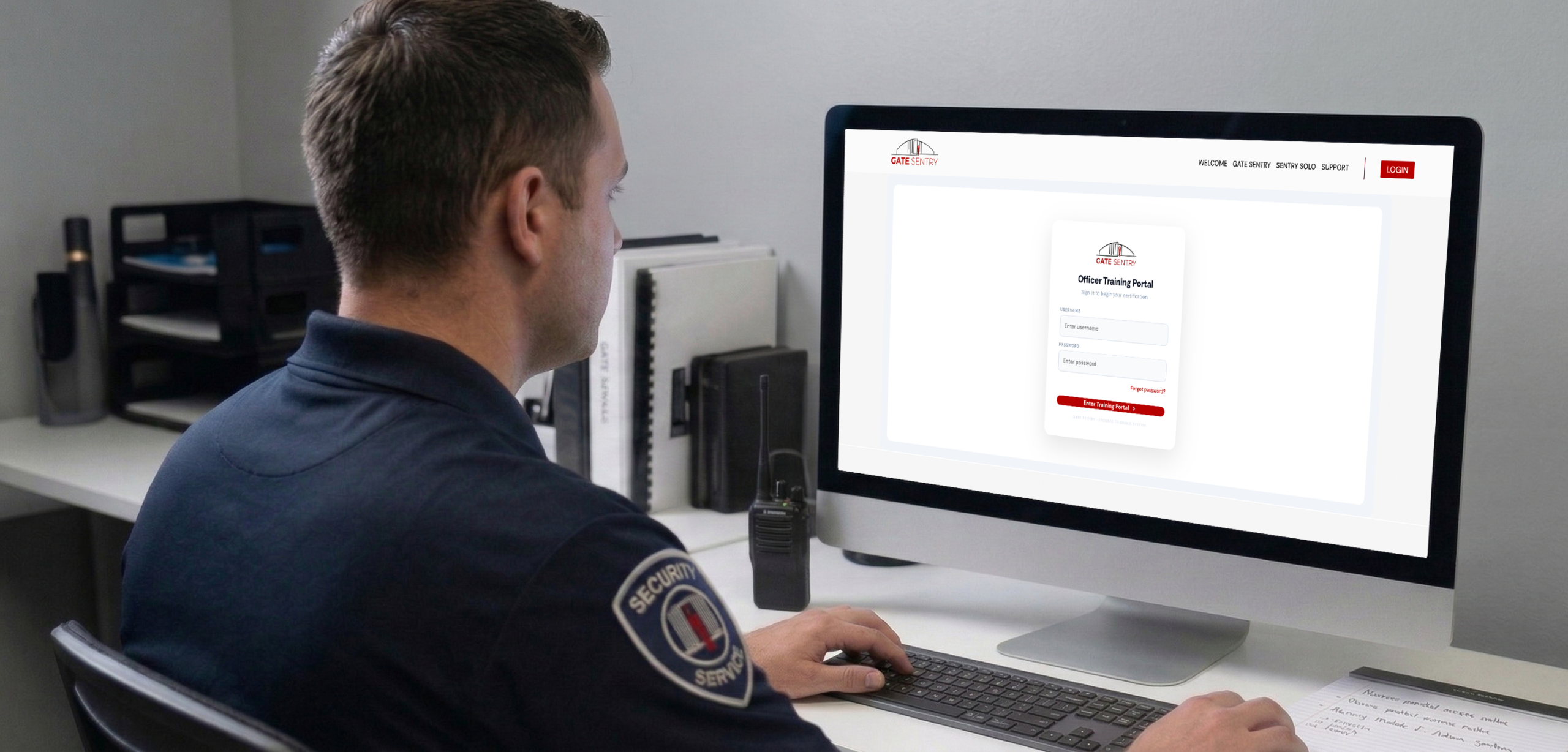
A gated community installs Gate Sentry, and the security team goes through training on how to use the system.
Everyone learns how to check in visitors, look up guest information, and navigate the tablet.
But a few months later, the security company assigns someone new to the property.
That officer wasn't there for the original training. They may have worked at other gated communities, but they've never used Gate Sentry before.
Now someone needs to teach them.
At some properties, that means having the new officer shadow another employee for a shift. At others, a supervisor has to find time to go through the software with them.
And when several officers are coming and going, it can be difficult for property managers to keep track of who's actually been trained.
That's why we created the Gate Sentry Security Training Portal.
It's a 10-course online security guard training program that teaches gate guards and security officers how to use Gate Sentry. Officers log in to their own dashboard, complete the courses, and receive a certificate when they're finished.
It covers how to use Gate Sentry at the gate, not state guard licensing, which officers complete separately.
Property managers can also log in to monitor training progress, see who's completed the program, and identify anyone who still needs to finish.
Instead of starting the training process over whenever someone new joins the security team, the property has a consistent program available.
How the Gate Sentry Security Training Portal Works
The training portal is designed to be straightforward for both security officers and property managers.
Once an officer has been added to the program, they receive access to their training dashboard.
From there, they can work through 10 courses covering the Gate Sentry software.
The courses include instructional videos and quizzes to help officers learn how to use the system.
They can complete the training online, whether they're using a computer, tablet, or phone.
After successfully finishing all ten courses, the officer receives a certificate of completion.
For property managers, there's a separate administrative view where they can oversee the training process.
They can check which officers have started, who's still working through the courses, and who's completed the program.
That means the property doesn't have to rely on someone remembering who attended an in-person session several months ago.
There's a training record management can actually review.
What Do Security Officers Learn?
The courses focus on using Gate Sentry during everyday visitor check-in.
For example, officers need to know how to find an expected guest, review visitor information, and complete check-in on the tablet.
They also need to understand how to handle returning visitors, look up available records, and navigate the features they'll use throughout their shifts.
The training covers Gate Sentry software workflows, including managing visitor arrivals, working with guest and vendor information, and using the tablet.
Instead of having someone explain the software once and hoping they remember everything, officers can work through the material and complete the quizzes.
And if they need to go back over something, they can revisit the training.
This is particularly useful for officers who may not use every feature regularly.
An officer might be comfortable checking in expected guests but need a refresher on a function they haven't used in a while.
Having the courses available gives them somewhere to go rather than having to rely entirely on another employee.
Property Managers Can See Who's Actually Completed Training
This is one of the biggest benefits for communities with several security officers working different shifts.
Imagine a property with a morning team, an afternoon team, and overnight coverage.
The security company may assign new officers throughout the year, and the property manager isn't necessarily there when everyone starts.
Without a centralized training record, keeping track of who's been trained can become another administrative task.
With the Security Training Portal, authorized property managers can log in and see each officer's progress.
They can identify officers who haven't started, those currently completing the courses, and those who have finished.
Once an officer completes the program, their certificate provides documentation of that training.
This is especially helpful when a property manager wants to confirm that someone new has gone through the Gate Sentry software training before working independently with the system.
And if several officers need to complete the program, management can review their progress without scheduling individual follow-up meetings just to find out where everyone stands.
New Officers Don't Have to Wait for Another Group Training Session
One-time training sessions can work well when a community first installs new software.
The problem is that security staffing doesn't stay the same forever.
Someone leaves, another officer changes shifts, or the security company assigns a new employee to cover the property.
If the community relies entirely on in-person training, every staffing change can create another scheduling issue.
With Gate Sentry's online training, new officers can access the same ten courses as the original team.
They don't have to wait until several new employees are available for another group session.
The training is self-paced, so officers can work through the material according to the schedule established by their employer or property.
For security companies working across several communities, that creates a more consistent way to introduce employees to the software.
And for the property manager, there's a way to confirm whether that training has been completed.
What Happens After an Officer Finishes All 10 Courses?
Once an officer successfully completes the ten-course program, they receive a Gate Sentry training certificate.
That certificate documents completion of the Gate Sentry software training.
It doesn't replace a professional security license or any other training required by the officer's employer or applicable law.
And officers still need to understand the specific procedures of the community where they're working.
For example, one community may require residents to approve all unexpected visitors, while another has different rules about contractor hours or restricted access.
The Training Portal teaches officers how to use Gate Sentry. The property and security company are still responsible for explaining their own policies and how officers should respond to different situations.
Together, those two parts of training help prepare officers to use the system in the way the community expects. For the property-specific side, see our security officer training checklist for gated communities.
Keeping Training Consistent When Teams Change
One of the most frustrating things for property managers is having a process that works well until the people involved change.
A community may have a security team that's comfortable with the software, only to have several new officers assigned a few months later.
Then the questions start again.
How do I find this visitor? Where do I review this information? How do I complete this part of check-in?
The Training Portal gives every officer access to the same course material, rather than depending on how another employee happens to explain the software.
It also gives property managers a way to monitor completion without personally training every new officer.
That doesn't mean an officer will never need help or additional instruction.
But it creates a consistent starting point, which is much better than expecting someone to learn an unfamiliar system while visitors are waiting at the gate.
Frequently Asked Questions
How many courses are included in the Gate Sentry Security Training Portal?
The program includes 10 online courses covering how security officers use the Gate Sentry software.
How do security officers access the training?
Officers log in to their training dashboard, where they can access the courses, complete the lessons and quizzes, and work through the program.
Do officers receive a certificate?
Yes. Once they successfully complete the ten-course program, they receive a Gate Sentry training certificate documenting completion of the software training.
Can property managers monitor training progress?
Yes. Authorized property managers can use the administrative dashboard to see which officers have started training, who's still working through the courses, and who's completed the program.
Can new officers complete the training after the original team has been trained?
Yes. The portal allows additional officers to complete the program online, so communities don't need to rely solely on the original training session.
Does this replace professional security officer training?
No. The Security Training Portal teaches officers how to operate Gate Sentry. It doesn't replace required professional security training, licensing, or community-specific procedures.
See the Gate Sentry Security Training Portal
Want to see how the ten-course training program works? We'd be happy to show you the officer dashboard, training courses, certificates, and how property managers monitor progress.
Schedule a Demo