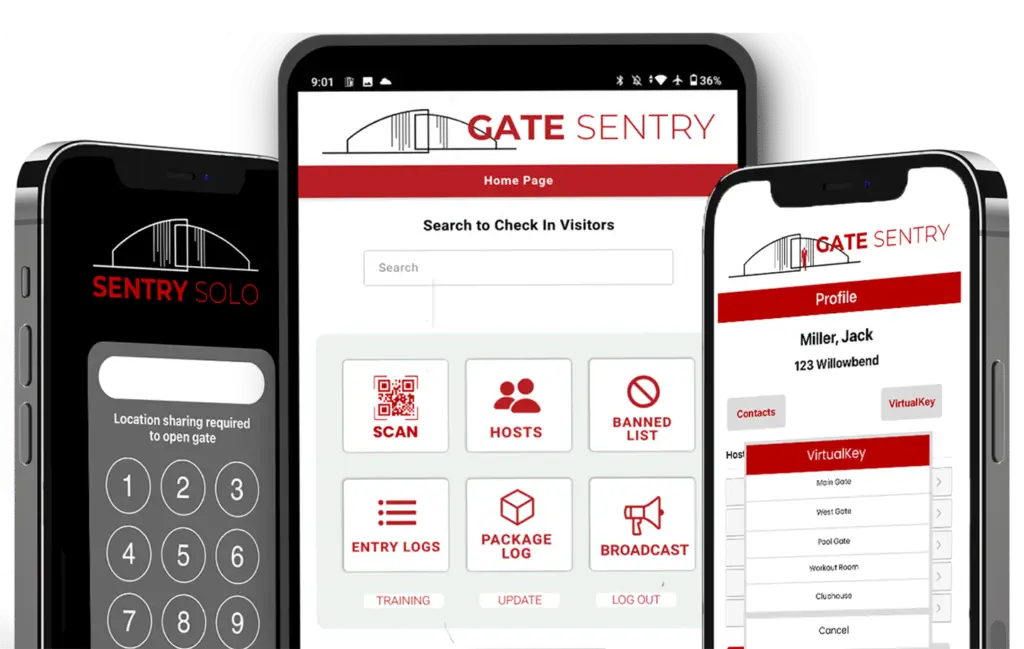
Gate Sentry Visitor Management Software
Tablet-Based Visitor Check-In for Gated Communities & Commercial Properties
Gate Sentry replaces paper logs and desktop systems with a portable tablet. Guards check in guests and vendors, scan SentryPass digital passes, capture ID when required, and keep real-time entry logs from one device. It eliminates hardware like callboxes and keypads, and it's built for properties with on-site security.
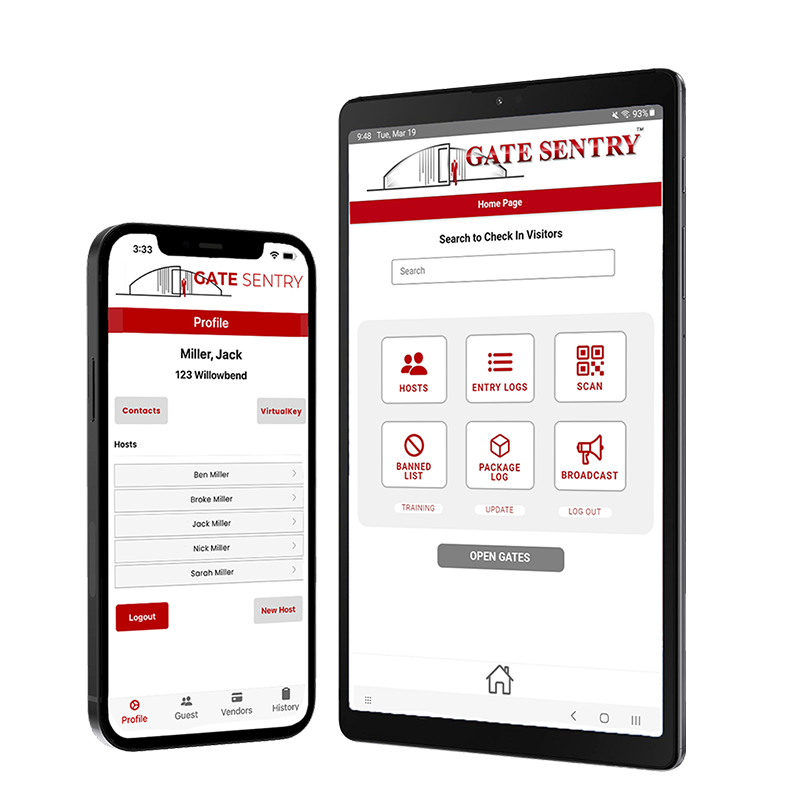
Who Uses Gate Sentry Visitor Management Software
Users manage visitors from their phone. Guards handle check-ins from a tablet. Administrators see everything in real time. And guests and vendors get through the gate in seconds.
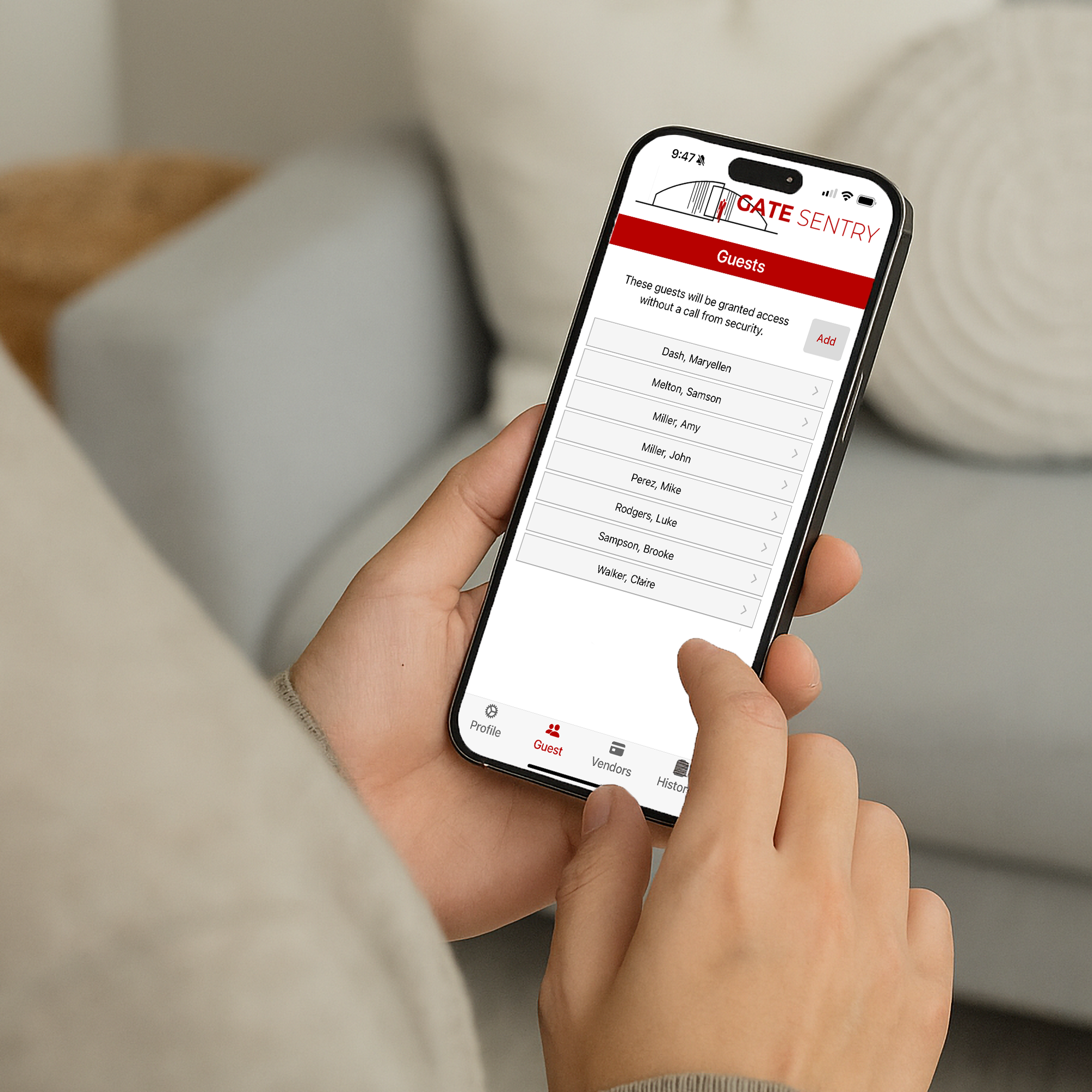
Users
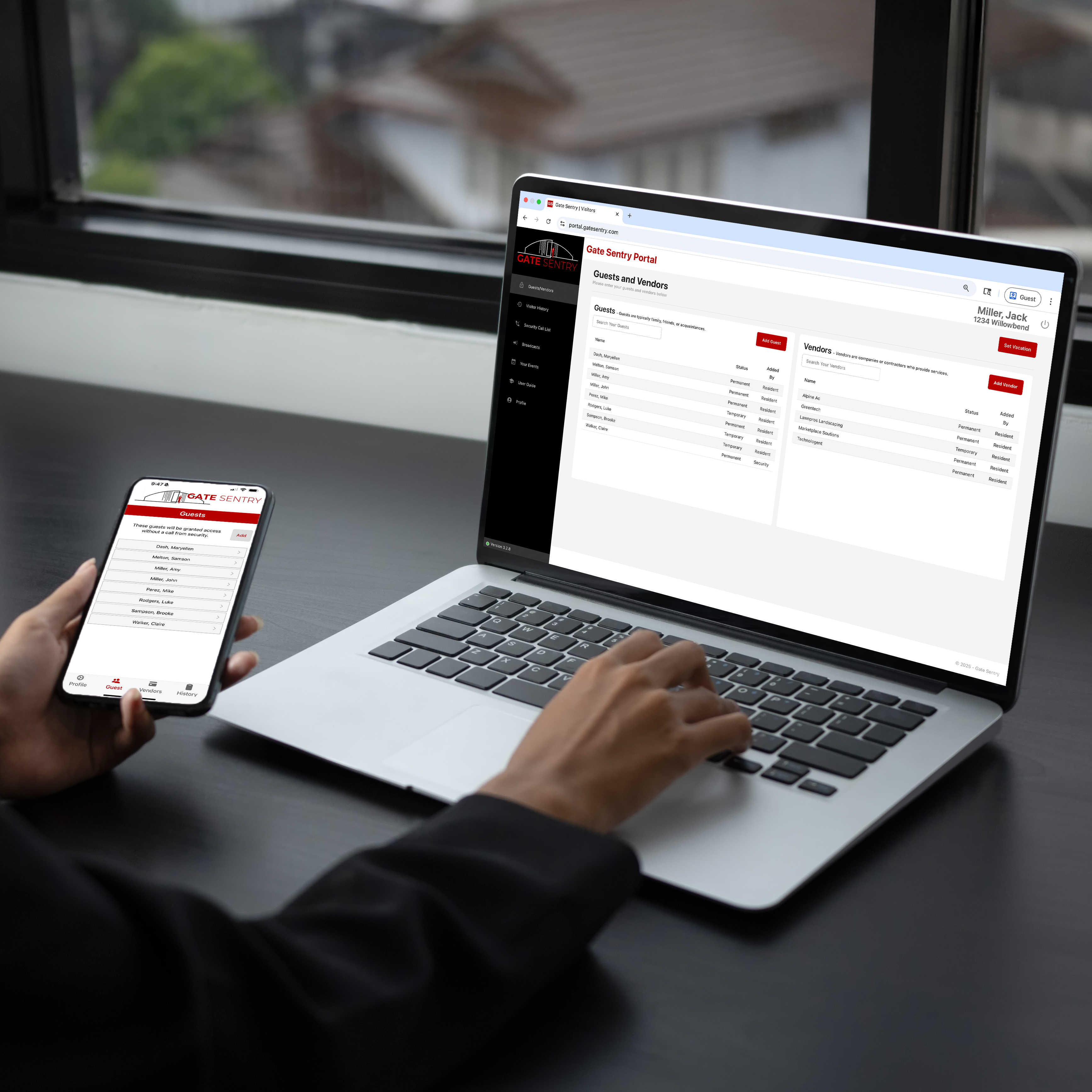
Manage Visitors from Your PhoneAdd guests and vendors, send SentryPass digital passes by text or email, and get arrival alerts by push notification and email when visitors check in.
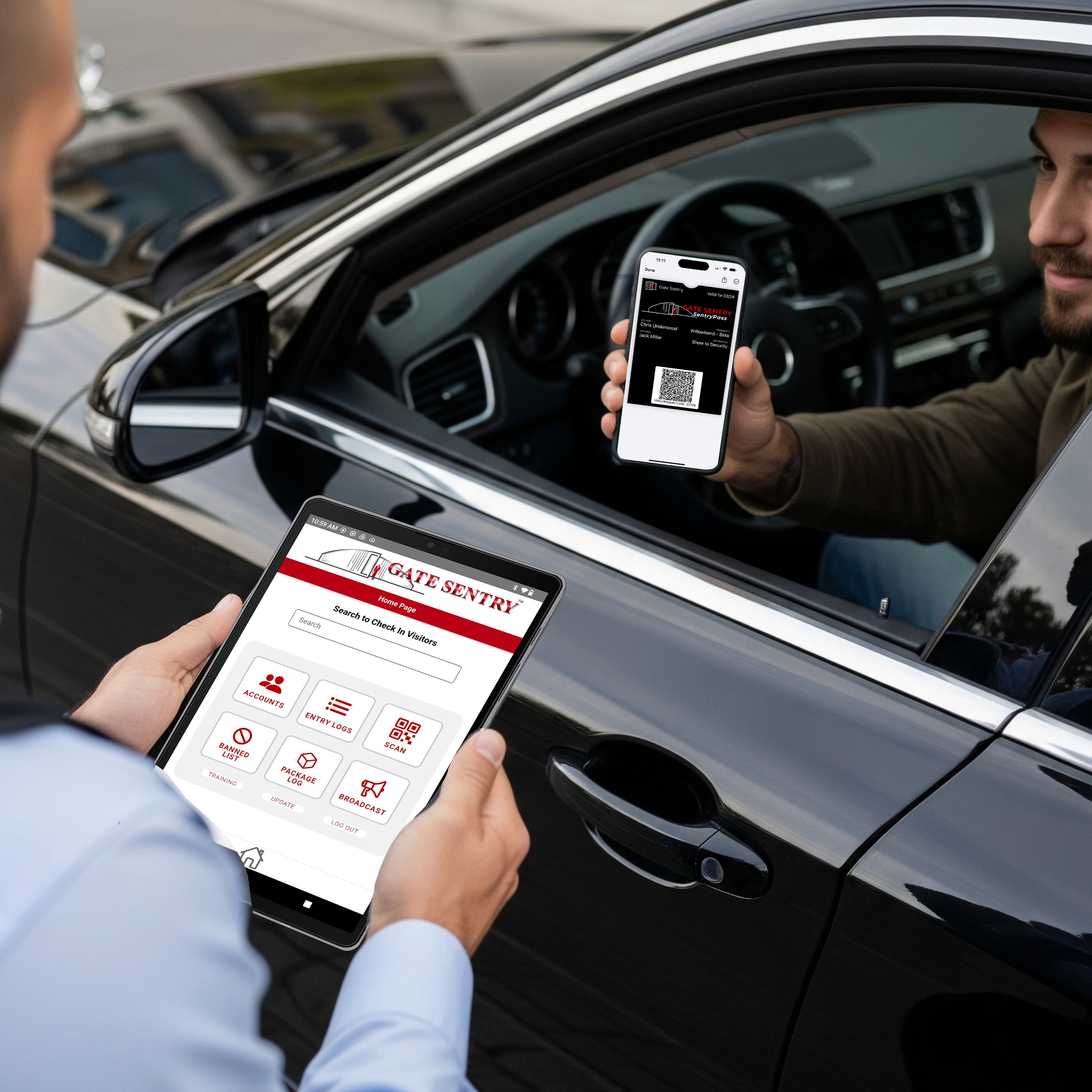
Guests & Vendors
Digital Passes for Fast EntryGuests and vendors arrive with a SentryPass on their phone, saved to Apple Wallet so it pops up near the gate. The guard scans it, and they're checked in within seconds.
Security Guards
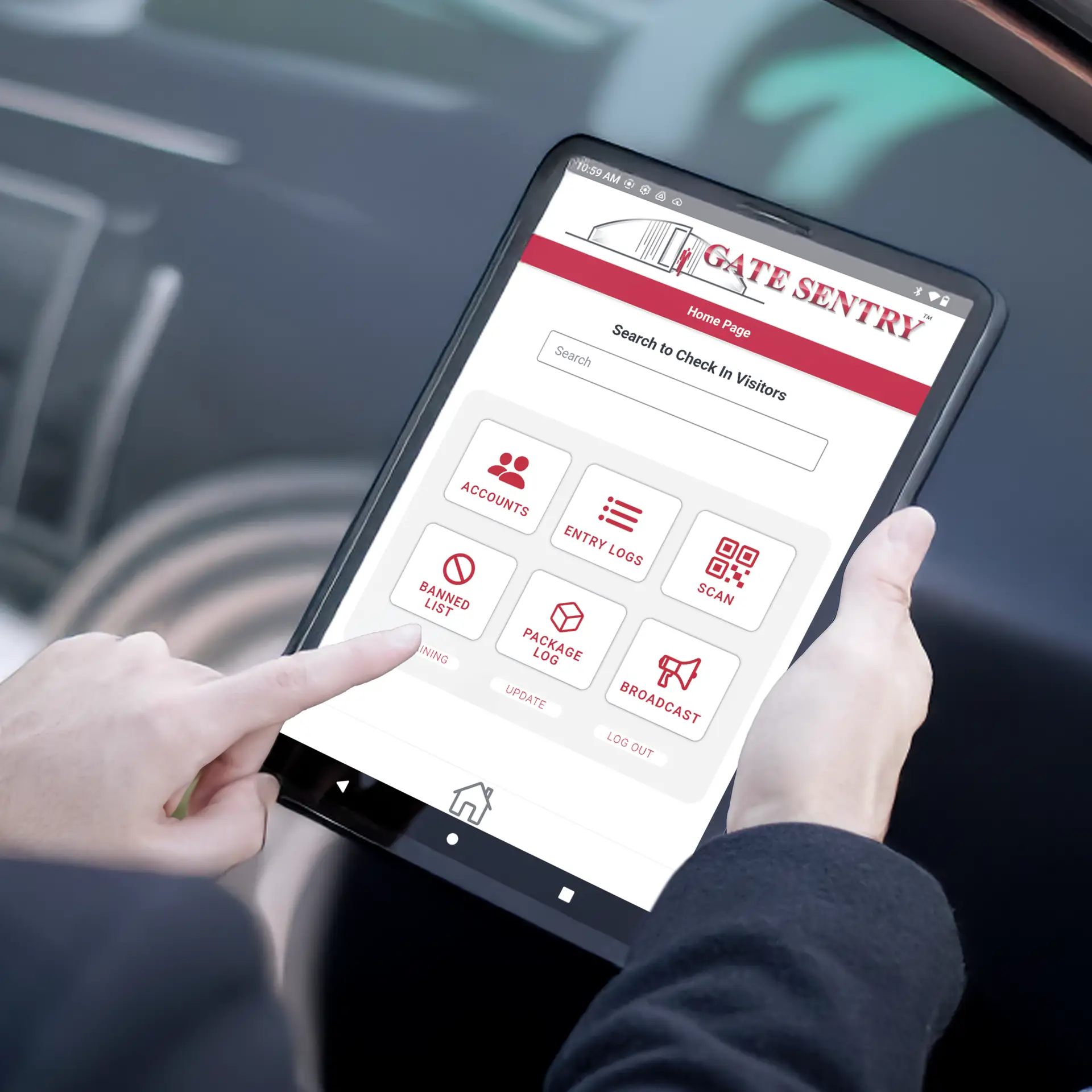
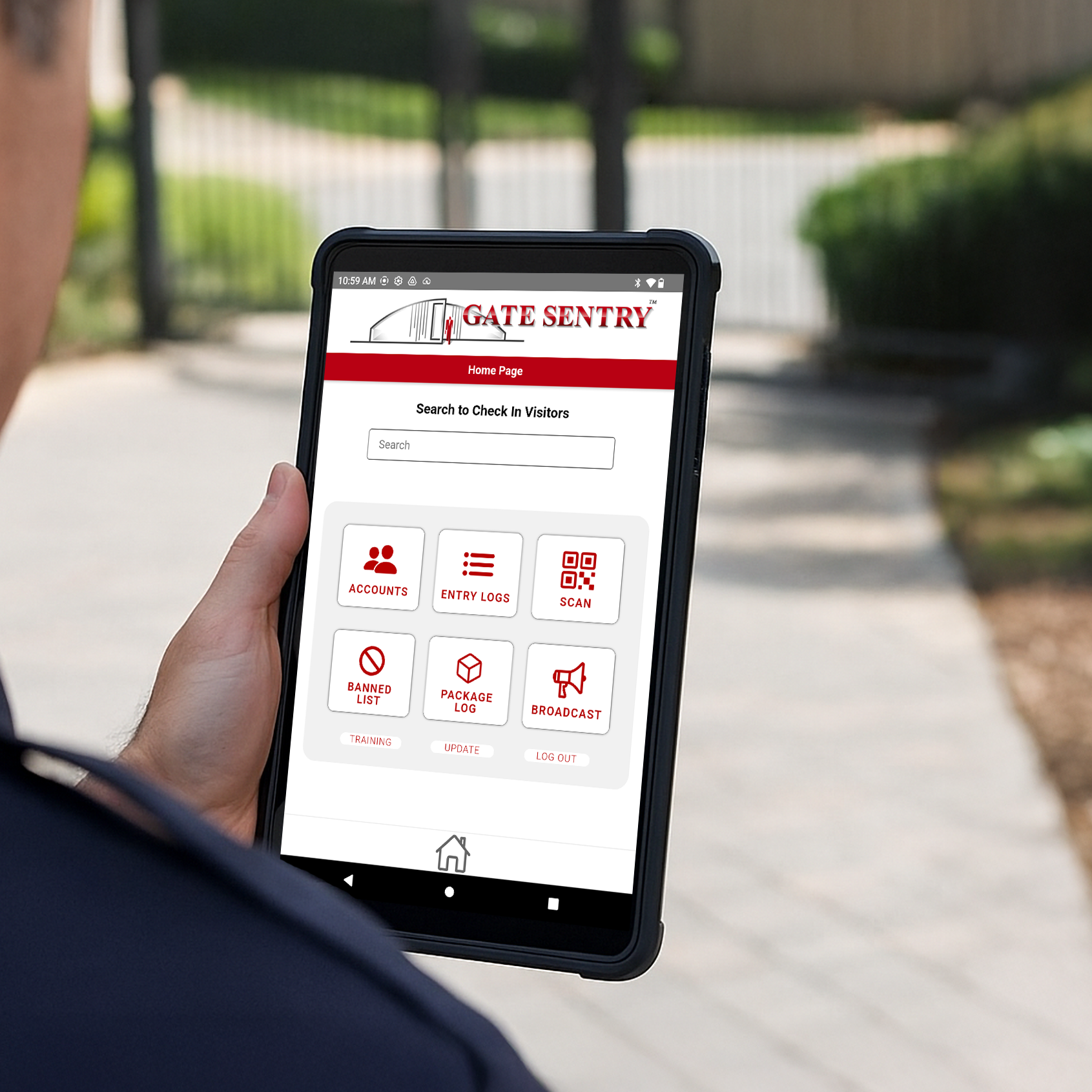
Tablet-Based Visitor Check-InScan digital passes, look up arrivals, capture ID when required, and log every entry from one portable tablet, with ban alerts built in. It keeps working offline. No paper, no desktop, no delays.
Administrators
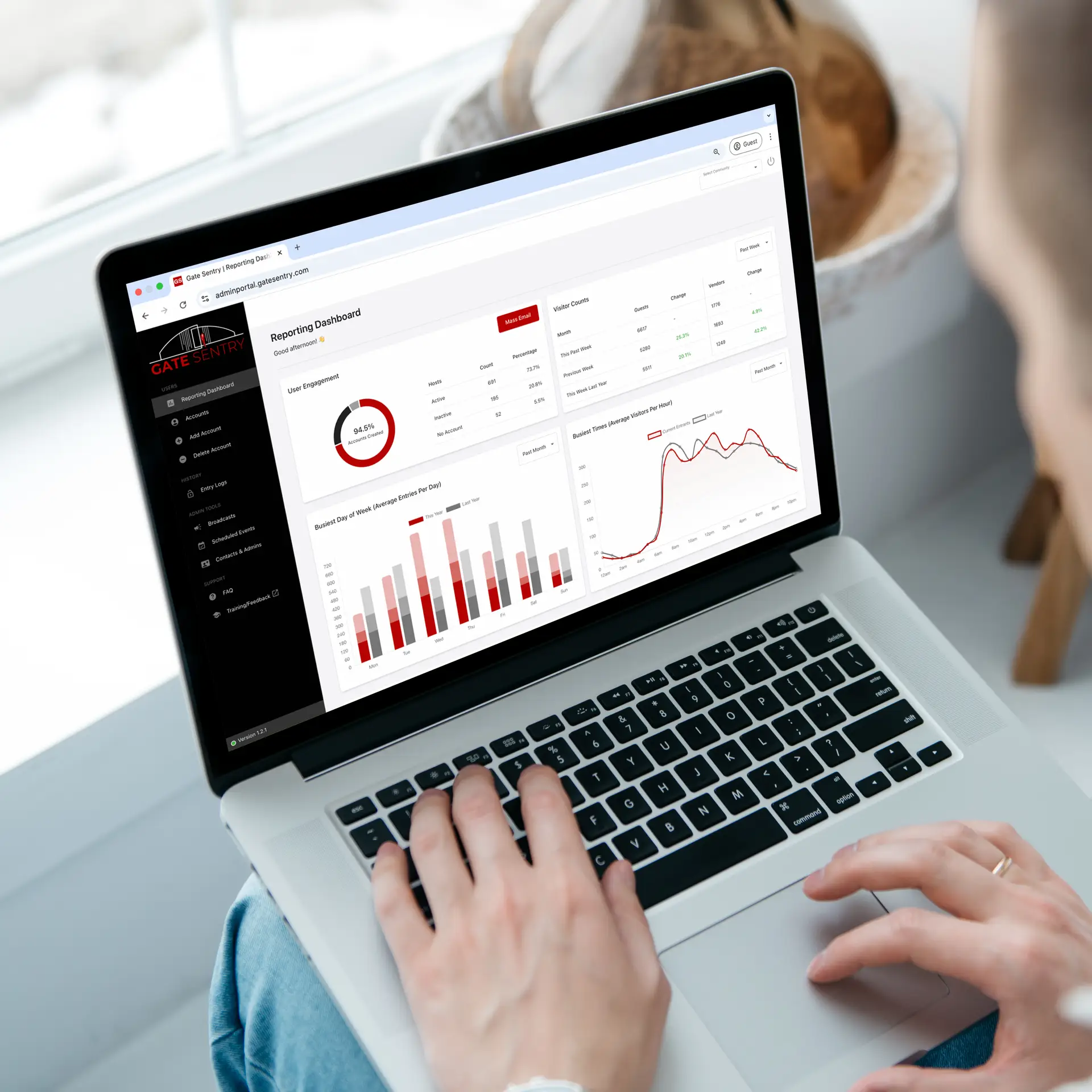
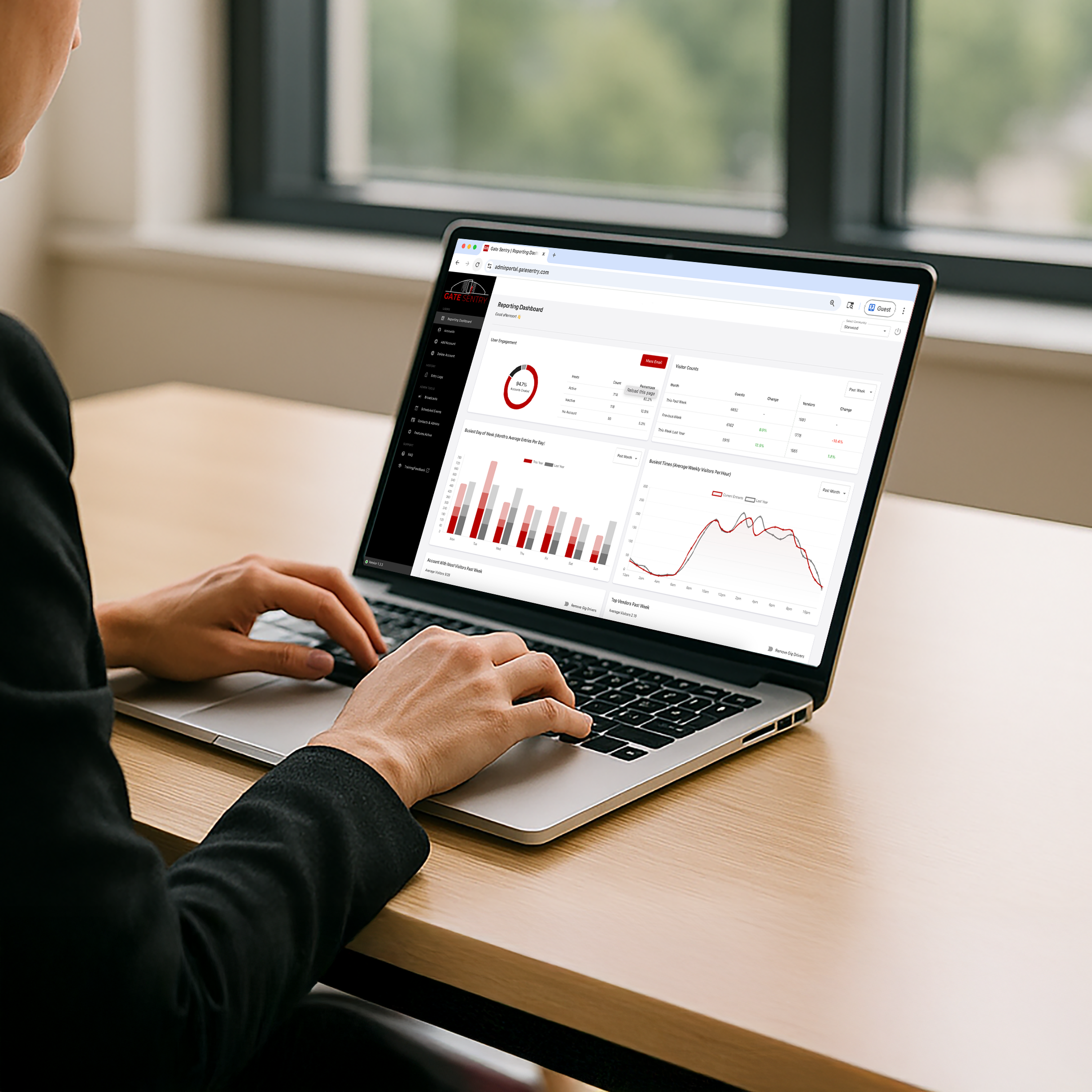
Real-Time Visitor Logs and ReportingView live gate activity, search entry logs by name or date, manage user accounts, and see reports on security performance and visitor volume from one cloud-based dashboard.
Gate Sentry Visitor Management Software Features
Visitor check-in, digital passes, entry logging, and real-time reporting for users, guests and vendors, security guards, and administrators.
For Users
Visitor Management for Users
Users manage their own visitor list, send digital passes, and get real-time arrival alerts from the Gate Sentry app or web portal.
- Manage visitors: Add, edit, and remove guests and vendors, and mark them permanent or temporary.
- Digital passes: Send a SentryPass by text or email that saves to Apple Wallet or Google Wallet.
- Arrival alerts: Get a push notification and email when your visitor checks in.
- Event guest lists: Create an event and upload a guest list, and guards check guests in.
- Entry log: See a complete history of visitor entries tied to your account.
- Household bans: Block someone from visiting your home, and guards are alerted if they arrive.
For Guests, Vendors & Deliveries
Digital Visitor Passes with SentryPass
SentryPass is a digital pass guests and vendors receive by text or email and save to Apple Wallet or Google Wallet. In Apple Wallet, it pops up as they approach the gate. The guard scans it on the tablet, and they're checked in in about 3 seconds.
- Pass delivery: Guests and vendors get their SentryPass by text or email before they arrive.
- Apple Wallet and Google Wallet: The pass saves to either wallet, and in Apple Wallet it pops up on arrival.
- Rapid check-in: The guard scans the pass, and the visitor's details appear instantly.
- Arrival alert: The user gets a push notification and email at check-in.
For On-Site Security Teams
Tablet-Based Visitor Check-In for Guards
Gate Sentry replaces paper logs, desktop computers, and legacy systems with one portable tablet. Guards handle every check-in, ID capture, and entry log from one device, wherever they're stationed.
- Scan passes: Scan a SentryPass and check in a visitor in about 3 seconds.
- Fast lookup: Find arrivals by user name, address, vendor company, or license plate.
- Optional ID capture: Record a visitor's ID when your property requires it.
- Optional tablet calling: Call a user directly from a cellular tablet when a visitor isn't on the list.
- Offline capability: Runs without internet and syncs automatically when it returns.
- Ban list alerts: The tablet alerts the guard when a visitor matches a property-wide or household ban.
- Digital entry logs: Every check-in is logged and searchable, with optional check-out tracking.
For Administrators
Real-Time Visitor Logs & Reporting Dashboard
Administrators get complete oversight through a cloud-based dashboard with real-time entry logs, visitor tracking, and reporting on security performance.
- Real-time entry logs: View live gate activity and search by name, date, or license plate.
- User management: Add, edit, and remove accounts and access permissions.
- Reporting: See security performance, busiest gate times, and visitor volume.
- Ban list: Ban a guest, vendor, or entire company from the whole property.
- Scheduling and restrictions: Set entrance hours by group and restrict access for selected accounts.
- Parking passes: Create passes and email them to users for their visitors.
- Property broadcasts: Send alerts, meeting reminders, and notices by app push notification and email.
- Multi-property login: Manage multiple communities from one administrator login.
Gate Sentry Visitor Management Software Features
Visitor check-in, digital passes, entry logging, and real-time reporting for users, guests and vendors, security guards, and administrators.
For Users
Visitor Management for Users
Users manage their own visitor list, send digital passes, and get real-time arrival alerts from the Gate Sentry app or web portal.
- Manage visitors: Add, edit, and remove guests and vendors, and mark them permanent or temporary.
- Digital passes: Send a SentryPass by text or email that saves to Apple Wallet or Google Wallet.
- Arrival alerts: Get a push notification and email when your visitor checks in.
- Event guest lists: Create an event and upload a guest list, and guards check guests in.
- Entry log: See a complete history of visitor entries tied to your account.
- Household bans: Block someone from visiting your home, and guards are alerted if they arrive.
For Guests, Vendors & Deliveries
Digital Visitor Passes with SentryPass
SentryPass is a digital pass guests and vendors receive by text or email and save to Apple Wallet or Google Wallet. In Apple Wallet, it pops up as they approach the gate. The guard scans it on the tablet, and they're checked in in about 3 seconds.
- Pass delivery: Guests and vendors get their SentryPass by text or email before they arrive.
- Apple Wallet and Google Wallet: The pass saves to either wallet, and in Apple Wallet it pops up on arrival.
- Rapid check-in: The guard scans the pass, and the visitor's details appear instantly.
- Arrival alert: The user gets a push notification and email at check-in.
For On-Site Security Teams
Tablet-Based Visitor Check-In for Guards
Gate Sentry replaces paper logs, desktop computers, and legacy systems with one portable tablet. Guards handle every check-in, ID capture, and entry log from one device, wherever they're stationed.
- Scan passes: Scan a SentryPass and check in a visitor in about 3 seconds.
- Fast lookup: Find arrivals by user name, address, vendor company, or license plate.
- Optional ID capture: Record a visitor's ID when your property requires it.
- Optional tablet calling: Call a user directly from a cellular tablet when a visitor isn't on the list.
- Offline capability: Runs without internet and syncs automatically when it returns.
- Ban list alerts: The tablet alerts the guard when a visitor matches a property-wide or household ban.
- Digital entry logs: Every check-in is logged and searchable, with optional check-out tracking.
For Administrators
Real-Time Visitor Logs & Reporting Dashboard
Administrators get complete oversight through a cloud-based dashboard with real-time entry logs, visitor tracking, and reporting on security performance.
- Real-time entry logs: View live gate activity and search by name, date, or license plate.
- User management: Add, edit, and remove accounts and access permissions.
- Reporting: See security performance, busiest gate times, and visitor volume.
- Ban list: Ban a guest, vendor, or entire company from the whole property.
- Scheduling and restrictions: Set entrance hours by group and restrict access for selected accounts.
- Parking passes: Create passes and email them to users for their visitors.
- Property broadcasts: Send alerts, meeting reminders, and notices by app push notification and email.
- Multi-property login: Manage multiple communities from one administrator login.
Visitor Management by Property Type
Gate Sentry secures staffed gates at gated communities, apartments, resorts, and commercial properties. For unmanned entrances, Sentry Solo provides access control that eliminates hardware like callboxes and keypads.

Gated Community With On-Site Security
Tablet-based visitor management that replaces paper logs and streamlines guard operations.
Manned Gated Community
Gated Community Without On-Site Security
Smartphone entry with VirtualKey, SoloPass for guests, and VirtualKeypad codes for vendors. It eliminates hardware like callboxes and keypads.
Unmanned Gated Community
Multifamily
Replace fobs and callboxes with mobile entry and digital passes for guests and vendors.
Multifamily
Hospitality & Leisure
Manage guest, member, and vendor entry across amenities and event spaces.
Hospitality & Leisure
Commercial
Track contractors, vendors, and deliveries with digital check-in, Lobby Check In for front desks, and searchable entry logs.
Commercial
Gated Community With On-Site Security
Tablet-based visitor management that replaces paper logs and streamlines guard operations.
Manned Gated Community
Gated Community Without On-Site Security
Smartphone entry with VirtualKey, SoloPass for guests, and VirtualKeypad codes for vendors. It eliminates hardware like callboxes and keypads.
Unmanned Gated Community
Multifamily
Replace fobs and callboxes with mobile entry and digital passes for guests and vendors.
Multifamily
Hospitality & Leisure
Manage guest, member, and vendor entry across amenities and event spaces.
Hospitality & Leisure
Commercial
Track contractors, vendors, and deliveries with digital check-in, Lobby Check In for front desks, and searchable entry logs.
Commercial← swipe to explore →