
Community Gate Access Systems: A Buyer's Guide
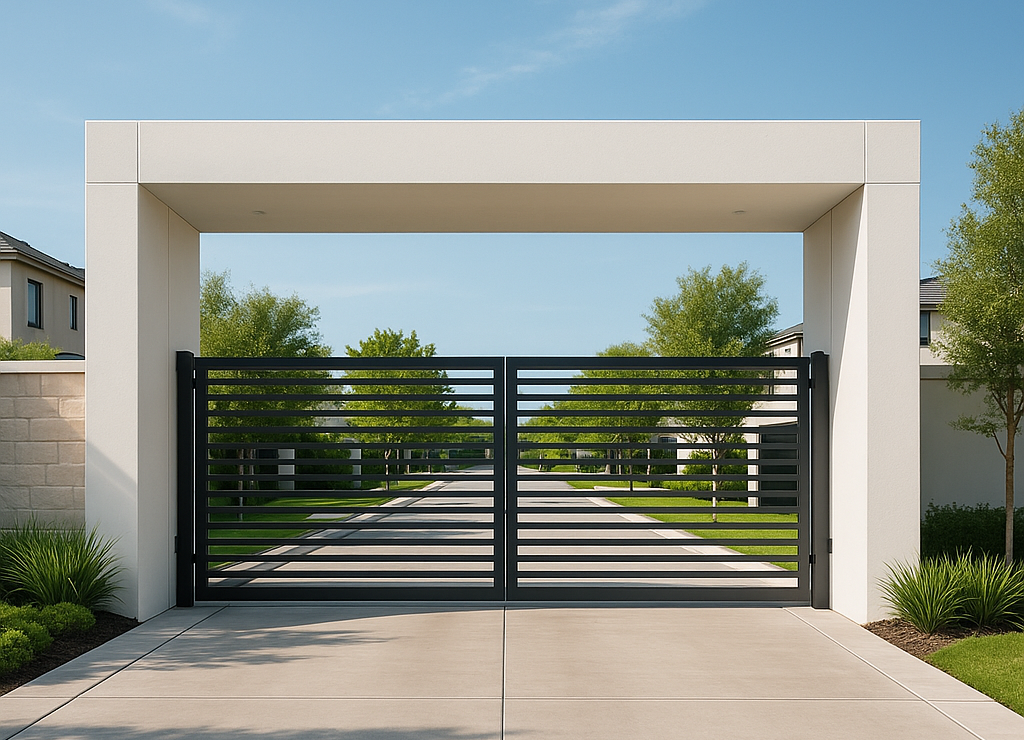
A community gate access system is the technology that controls who can enter a residential community through its gates, doors, and entry points. It includes the hardware or software at the gate (keypads, callboxes, card readers, or QR code signs), the credentials residents use to enter (fobs, codes, mobile apps), and the visitor management process that determines how guests, vendors, and deliveries are authorized and tracked. For gated communities, apartment complexes, and HOA-managed properties, the gate access system is the most visible and most used piece of security infrastructure — and choosing the wrong one creates ongoing costs, security gaps, and resident frustration.
This buyer's guide covers the four types of community gate access systems available today, what each costs, the trade-offs between hardware and software-based approaches, and how to choose the right system for your community's size, staffing model, and budget.
What Is a Community Gate Access System?
A community gate access system is the combination of technology, credentials, and processes that a gated community uses to control entry at its gates and access points. At its most basic, it determines three things: how residents enter (the credential), how visitors are authorized (the check-in process), and how entries are recorded (the log).
Community gate access systems range from simple keypads where everyone shares a PIN code, to fully cloud-based platforms where residents enter with a smartphone tap and visitors scan a QR code. The right choice depends on the community's size, budget, staffing, and how much visibility the HOA board needs into gate activity.
Four Types of Community Gate Access Systems
1. Keypad and PIN Code Systems
The simplest and oldest type of gated entry system. A keypad is mounted at the gate and residents enter a shared PIN code to open it. Visitors are given the code by the resident or use a directory to call the resident for a buzz-in.
- Cost: $1,500–$5,000 per gate for installation and wiring.
- Pros: Low upfront cost, familiar to residents, simple to operate.
- Cons: Shared codes circulate permanently with zero accountability. No record of who actually entered — just that "a code was used." Keypads wear out in weather and require ongoing maintenance. No visitor management beyond sharing the code.
- Best for: Very small communities with low traffic and minimal security requirements.
2. Callbox and Intercom Systems
A callbox or intercom panel is mounted at the gate with a directory of resident names or unit numbers. Visitors look up the resident, call them through the device, and the resident buzzes them in remotely.
- Cost: $3,000–$10,000 per gate, plus phone line or cellular connection fees.
- Pros: Visitors can reach residents without a shared code. Provides a communication channel at the gate.
- Cons: Directories expose resident names publicly. Hardware is expensive and fails frequently in weather. Residents must answer the call in real time or the visitor is stuck. Check-in is slow — 2-5 minutes per visitor during peak hours. No digital entry logs.
- Best for: Communities that want a communication option at the gate but don't need digital tracking or fast throughput.
3. Key Fob and Card Reader Systems
Each resident receives a physical key fob or access card that they tap against a reader mounted at the gate. The reader verifies the credential and opens the gate.
- Cost: $5,000–$15,000 per gate for readers and wiring, plus $25–$50 per fob replacement.
- Pros: Individual credentials provide better accountability than shared codes. Easy to deactivate a specific fob if lost or stolen.
- Cons: Fobs get lost, stolen, and cloned. Managing fob inventory across hundreds of units is a constant administrative burden. Readers require installation, wiring, and maintenance at every entry point. No visitor management — fobs are for residents only, so visitors still need a separate system.
- Best for: Communities that need individual resident credentials but are willing to manage the hardware overhead.
4. Cloud-Based Software Systems (Hardware-Free)
The newest generation of community gate access systems replaces all physical hardware at the gate with a posted QR code sign. Residents enter using a smartphone app (one tap to open). Visitors scan the QR code and enter a temporary access code on a digital keypad in their mobile browser — no app download required.
- Cost: Software subscription only. No hardware installation, no wiring, no per-fob costs.
- Pros: Zero hardware to install or maintain. Individual accountability for every entry — resident and visitor. Time-limited visitor codes that expire automatically. Complete digital entry logs searchable by name, date, or license plate. Remote management from any device. Scales to unlimited gates from one dashboard.
- Cons: Requires residents to have a smartphone (97% of U.S. adults do). Relies on cellular or WiFi connectivity (though the best systems work offline).
- Best for: Communities of any size that want modern security, zero hardware maintenance, and complete visibility into gate activity.
Community Gate Access Systems Compared
| Feature | Keypads | Callboxes | Key Fobs | Cloud Software |
|---|---|---|---|---|
| Installation Cost | $1,500–$5,000 | $3,000–$10,000 | $5,000–$15,000 | No hardware cost |
| Ongoing Maintenance | Moderate | High | High (fob replacements) | None |
| Resident Entry | Shared PIN | N/A (visitor-only) | Individual fob | Smartphone app tap |
| Visitor Entry | Shared code | Call resident, wait for buzz-in | No visitor solution | QR code + temporary code |
| Entry Records | None | None | Fob ID only (no name) | Full audit trail with names |
| Security | Weak (shared codes) | Moderate | Moderate (fobs clonable) | Strong (encrypted, time-limited) |
| Remote Management | No | No | Limited | Full cloud dashboard |
| Scalability | New hardware per gate | New hardware per gate | New reader per gate | Add gates from dashboard |
How to Choose the Right System for Your Community
Every community has different needs. Here are the questions that determine which type of gate access system is the right fit:
Is Your Gate Staffed or Unmanned?
Staffed gates with security guards need a visitor management system that guards can use on a tablet — scanning digital passes, searching visitor records, and logging entries. For this, Gate Sentry provides a tablet-based platform designed for guard-staffed entrances.
Unmanned gates need a self-service system that handles both resident and visitor entry without a guard. Sentry Solo provides smartphone entry for residents (VirtualKey) and QR-based entry for visitors (VirtualKeypad) — no callbox, no hardware, no staff required.
How Many Entry Points Do You Have?
If your community has a single main gate, hardware costs are manageable. But if you have a main gate plus secondary vehicle gates, pedestrian gates, pool entrances, gym doors, and clubhouse access, the cost of installing hardware at every point adds up fast. Cloud-based systems scale to unlimited entry points from one dashboard — adding a new gate means posting a new QR sign, not buying and installing new hardware.
How Important Are Entry Records?
If your HOA board needs to know who entered the property, when, and through which gate — keypads and callboxes can't help. They don't record individual entries. Fob systems record that "fob #247 was used" but not who was holding it. Cloud-based systems tie every entry to a specific, named individual with a timestamp and access method.
What's Your Maintenance Budget?
Hardware at the gate breaks. Keypads wear out. Callbox screens crack. Fob readers corrode. Phone lines disconnect. Every repair costs money and leaves the gate vulnerable while it's being fixed. If your community is tired of maintenance bills and service calls, a software-only system eliminates them entirely.
Do You Need Both Staffed and Unmanned Access?
Many communities have a staffed main gate during the day and unmanned secondary gates, back entrances, and amenity access points. The most complete approach uses both: Gate Sentry for the staffed entrance (tablet-based visitor management for guards) and Sentry Solo for unmanned gates (smartphone and QR-based entry). Both systems feed into one admin dashboard, giving property managers complete visibility across every entry point.
Which Properties Use Community Gate Access Systems?
- HOA Gated Communities: The primary market — guard-staffed main gates with multiple secondary entry points for vehicles, pedestrians, and amenities.
- Self-Service Gated Communities: Unmanned gates where residents and visitors need 24/7 access without a guard or callbox.
- Apartments and Condos: Gates, garages, lobbies, and amenity entrances managed from one platform.
- Commercial and Industrial Sites: Contractor, vendor, and employee access with compliance-grade entry logging.
- Amenities and Common Areas: Pools, gyms, tennis courts, and clubhouses with time-based access control.
Frequently Asked Questions
What is a community gate access system?
A community gate access system is the technology that controls who can enter a gated community through its gates and entry points. It includes the device or software at the gate (keypad, callbox, fob reader, or QR code sign), the credentials residents use to enter (PIN codes, fobs, or smartphone apps), and the process for authorizing and tracking visitors.
What is the difference between a gated entry system and an access control system?
A gated entry system specifically refers to the technology at a community's gates. An access control system is a broader term that covers all entry points on a property — gates, doors, lobbies, garages, and amenity entrances. Modern community gate access systems are a type of access control system focused on the gate specifically.
How much does a community gate access system cost?
Costs vary by type. Basic keypads cost $1,500–$5,000 per gate. Callboxes run $3,000–$10,000. Key fob systems cost $5,000–$15,000 per gate plus $25–$50 per fob. Cloud-based software systems have no hardware cost — just a monthly software subscription — making them the most cost-effective option for communities with multiple entry points.
Can one system handle both staffed and unmanned gates?
Yes. Gate Sentry provides tablet-based visitor management for staffed entrances, while Sentry Solo provides smartphone and QR-based access for unmanned gates. Both systems connect to one admin dashboard, giving property managers complete visibility across all entry points from a single login.
What is the most secure type of gate access system?
Cloud-based software systems provide the highest security because every entry is tied to a specific, verified individual with a unique credential. Visitor codes are time-limited and expire automatically. There are no shared PIN codes to circulate and no fobs to clone. Every entry creates a digital record with the person's name, access method, and timestamp.
Find the Right Gate Access System for Your Community
See how Gate Sentry and Sentry Solo provide complete access control for staffed and unmanned gates — from one platform, with zero hardware.
Schedule a Demo