
How to Automate Access Hours for Unmanned Gate & Entrances
The Quick Summary
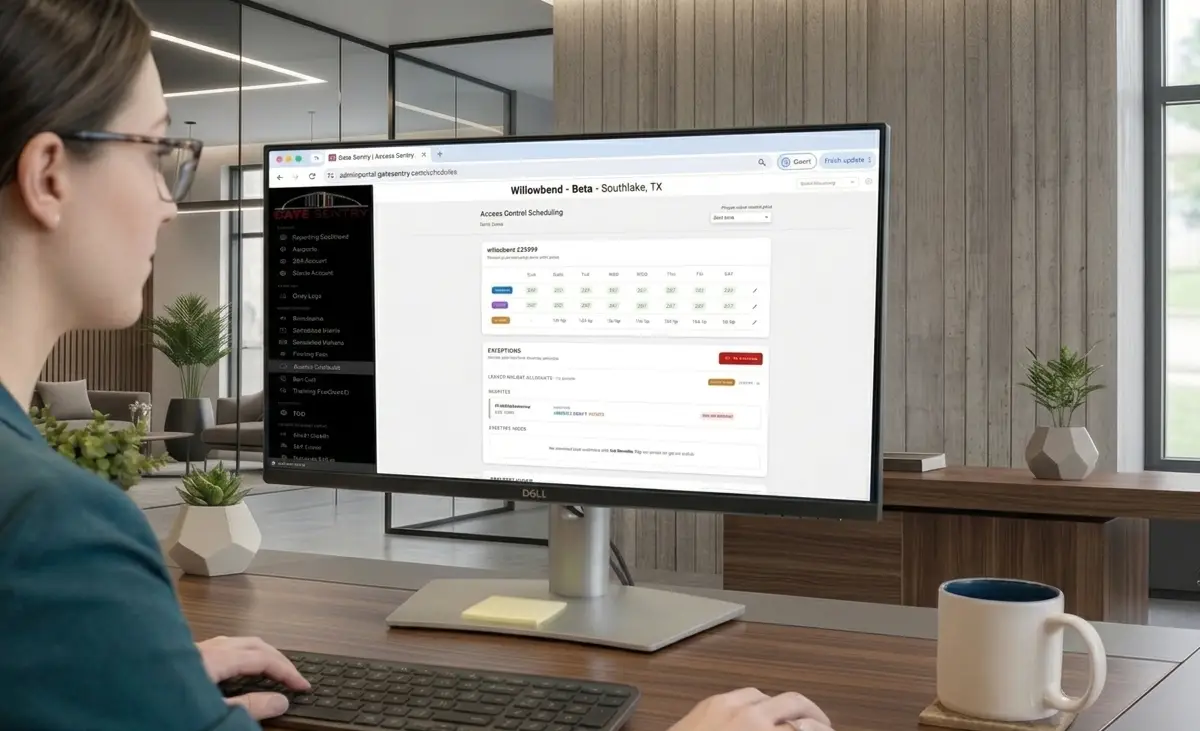
The Sentry Solo Access Scheduler lets a community decide when residents, guests, and vendors can use their credentials at each entrance. Weekly hours set the normal rules, holiday blackouts restrict vendor access automatically, and temporary overrides handle closures and events.
Every override expires on its own, and every administrative change is recorded in a searchable audit log.
What This Guide Covers
How Access Works at an Unmanned Entrance
Sentry Solo gives communities a way to manage gates, amenities, and other access points without requiring someone to be stationed there.
Residents use VirtualKey in the Gate Sentry app to open an entrance from their phone.
Guests and vendors use the VirtualKeypad. When a host adds a visitor, that visitor receives a unique access code. At the entrance, they scan the SentrySign QR code, which opens the VirtualKeypad on their phone. They enter their code and, if it's valid, the entrance opens.
There are no physical key fobs or access cards to distribute, and visitors don't need to download an app.
But controlling how someone gets in is only half of access control. You also need to control when they can get in.
That's where the Sentry Solo Access Scheduler comes in.
The Access Scheduler lets a community decide when residents, guests, and vendors can use their credentials at each entrance. Instead of every valid VirtualKey or visitor code working around the clock, access follows the schedule set by the community.
At an unmanned entrance, those rules matter even more because there isn't a security officer there to enforce access hours manually.
1. Set Different Access Hours for Residents, Guests, and Vendors
Not everyone needs access at the same times.
The Access Scheduler lets administrators create weekly access hours for each group.
For example:
- Residents: VirtualKey access can remain available 24/7.
- Guests: Visitor codes can work only during approved guest hours.
- Vendors: Vendor codes can be limited to weekdays from 8:00 AM to 5:00 PM.
| Group | How They Get In | Example Access Hours |
|---|---|---|
| Residents | VirtualKey in the Gate Sentry app | Available 24/7 |
| Guests | Unique code entered on the VirtualKeypad after scanning SentrySign | Approved guest hours only |
| Vendors | Unique code entered on the VirtualKeypad after scanning SentrySign | Weekdays, 8:00 AM to 5:00 PM, with holiday blackouts |
These schedules repeat automatically each week and can be changed at any time through the Gate Sentry portal.
That means a vendor with a valid code can't use it to enter at 10:00 PM just because the code still exists. If vendor access ends at 5:00 PM, the entrance won't open.
The same concept applies beyond the main gate. A community can set access hours for a pool, clubhouse, back gate, service entrance, or other controlled access point.
Why it matters: A valid credential doesn't automatically mean unlimited access. The community controls both who has access and when that access is available.
2. Automatically Block Vendor Access on Holidays
Regular vendor hours don't always make sense on holidays.
A landscaping crew may normally have access Monday through Friday, but that doesn't necessarily mean the community wants contractors entering on Thanksgiving or Independence Day.
The Access Scheduler includes vendor holiday blackouts that administrators can turn on for holidays such as New Year's Day, Memorial Day, Independence Day, Labor Day, and Thanksgiving.
When a holiday blackout is active, vendor credentials simply won't open the entrance on that date.
The blackout repeats automatically each year, so management doesn't have to remember to manually restrict vendor access every holiday.
Why it matters: Communities can enforce their vendor policies automatically, even when management isn't working and no one is stationed at the entrance.
3. Temporarily Close or Extend Access
Weekly schedules handle normal operations, but communities regularly have exceptions.
A pool may need to close for maintenance. A clubhouse event may run later than normal. A back entrance may need to be temporarily unavailable.
Instead of changing the regular weekly schedule, administrators can create a temporary override.
There are two types:
Closure: Temporarily Blocks Access
For example, if the pool is undergoing maintenance on January 23 from 8:00 AM to 5:00 PM, management can create a "Pool Maintenance" closure for that exact window.
During the closure, the selected groups won't be able to use their credentials to enter.
Extended Access: Temporarily Allows Access Outside Normal Hours
If the clubhouse normally closes at 10:00 PM but a community event runs until midnight, management can extend access for that evening without changing the clubhouse's normal schedule.
For either type of override, administrators can choose:
- Which groups it applies to: residents, guests, vendors, or any combination
- The start and end date
- Specific hours or an all-day period
- Which entrances the override applies to
Most importantly, the override expires automatically.
If clubhouse access is extended until midnight for a Fourth of July event, the normal schedule takes back over when the event ends. Nobody has to remember to log in the next morning and change it back.
Why it matters: Temporary situations stay temporary. Management can make exceptions without changing the community's normal access rules or relying on someone to remember to undo the change later.
4. Keep a Record of Every Schedule Change
When access rules change, administrators should be able to see exactly what happened.
The Access Scheduler includes a real-time security audit log that records administrative changes.
Each entry includes the administrator, the time of the change, and what was changed.
For example, the log could show that an administrator created a Pool Maintenance closure for residents, guests, and vendors on January 23 from 8:00 AM to 5:00 PM.
The log is searchable and filterable, making it easy to answer questions like:
- Who changed the schedule?
- When was the change made?
- Which entrance was affected?
- What access rule was added or changed?
Why it matters: If someone unexpectedly can't access an entrance, management doesn't have to guess what happened. There's a clear record of the changes that were made and who made them.
Access Control Is More Than a Valid Credential
At an unmanned entrance, giving someone a VirtualKey or visitor code is only part of the equation.
The other part is deciding when that credential should actually work.
That's what the Sentry Solo Access Scheduler manages.
Weekly schedules establish the normal rules. Holiday blackouts automatically restrict vendor access on selected holidays. Temporary overrides handle closures and special events without changing the regular schedule. And the audit log creates a record of every administrative change.
Residents, guests, and vendors can enter when they're supposed to, while the community stays in control of when each entrance is available.
See it in action.
If your community uses or is considering unmanned entrances, Sentry Solo gives you more than a way to open the gate. It gives you control over when that gate can be opened and by whom. Contact the Gate Sentry team to see the Sentry Solo Access Scheduler for yourself.
Schedule a DemoFrequently Asked Questions
Do guests and vendors need an app or a key fob to get in?
No. When a host adds a visitor, that visitor receives a unique access code. At the entrance they scan the SentrySign QR code, which opens the VirtualKeypad on their phone, and they enter their code. There are no physical key fobs or access cards to distribute and no app to download.
What happens if a vendor tries to enter outside their scheduled hours?
The entrance won't open. If vendor access ends at 5:00 PM, a valid vendor code won't work after that time. Vendor holiday blackouts work the same way: on a blacked-out date, vendor credentials simply won't open the entrance.
Does someone have to turn a temporary override back off?
No. Overrides expire automatically at the end of the window you set, and the normal weekly schedule takes back over. Nobody has to log in the next morning to change it back.