
Beyond Keypads and Kiosks: SoloPass Mobile Visitor Access
The Quick Summary
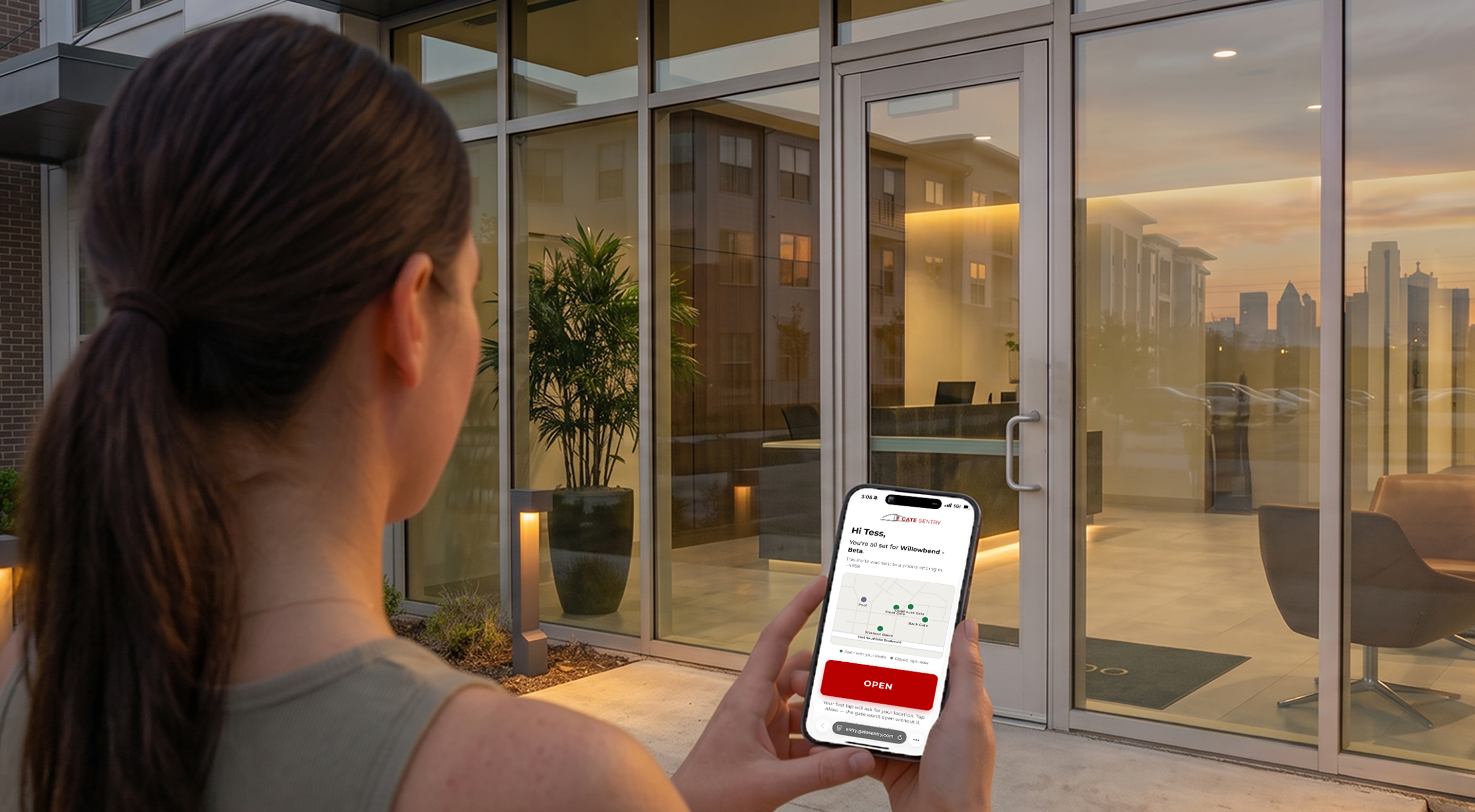
SoloPass is now available for Sentry Solo, Gate Sentry's unmanned entrance system. The new tap-to-enter guest pass lets an invited guest open the gate with a single tap on their phone. No keypad or kiosk at the entrance. No app to download, no account to create, no credential to carry, and no code to type. The pass is tied to the guest's phone, set up once before they arrive, and ready when they get to the gate.
This isn't a property choosing to replace one piece of gate hardware with another. It's the hardware becoming unnecessary.
What This Guide Covers
- What is SoloPass?
- Guest access has changed. Why has the hardware stayed the same?
- A new model for guest entry: tap-to-enter access
- The phone is the credential
- Access is ready before the guest arrives
- Access that fits the guest
- One invitation covers every entrance
- What this means for each side of the gate
- Frequently asked questions
The job the keypad and kiosk existed to do, letting an authorized guest in, now happens on the phone the guest already carries.
What Is SoloPass?
SoloPass is a digital guest pass for unmanned Sentry Solo entrances. When a resident invites a guest, the guest receives an access link by text or email and opens it once on their phone to set up their pass.
From that point on, their phone is their credential.
The entire guest experience:
- A resident sends an invitation.
- The guest opens their access link once to set up SoloPass. No app, account, or password.
- At the gate, they open their pass and tap OPEN.
- The gate opens.
Behind that one tap is everything a shared gate code never offered: an individual credential, issued for exactly as long as it's needed, tied to the guest's device, managed by the resident, and recorded by Gate Sentry.
Guest Access Has Changed. Why Has the Hardware Stayed the Same?
Guest access has evolved for decades, but the basic experience at many unmanned entrances hasn't changed nearly as much.
Physical keypads became digital keypads. Callboxes became touchscreen kiosks. Screens got larger, directories became digital, and systems became connected.
But the visitor is often still asked to do essentially the same thing: stop at a device at the entrance and interact with it to get in.
And every physical device introduces a hardware layer: equipment to purchase, installation and wiring, power and connectivity requirements, ongoing maintenance, service calls, and eventually replacement.
But what if the guest-facing device wasn't needed at all?
The visitor's phone can already receive an individual credential, establish that credential before arrival, and present it when access is needed.
That's the shift behind Sentry Solo.
VirtualKeypad took the first step by moving the keypad from the gate to the visitor's mobile browser. Guests could scan the SentrySign and enter their code without a physical keypad.
SoloPass takes the next step.
If an invited guest is already authorized, why should they have to enter a code at all?
Instead of building a more sophisticated device for the guest to use at the entrance, SoloPass removes that interaction entirely.
A New Model for Guest Entry: Tap-to-Enter Access
Traditional guest access is built around something the visitor has to know, carry, or interact with.
A PIN has to be remembered. A physical credential has to be carried. A keypad or kiosk has to be used.
Tap-to-enter guest access works differently.
The credential is delivered directly to the invited guest and set up on their phone before they arrive.
At the entrance, there's nothing left to figure out.
Open the pass. Tap OPEN. Enter.
That's SoloPass.
The Phone Is the Credential
A gate code is information, and information travels.
It gets texted, screenshotted, written down, saved in contacts, or added to delivery instructions. Once those digits leave the original message, the system has limited control over who ultimately receives them.
SoloPass works on a different principle.
When the guest completes setup, the pass becomes associated with that specific device. The credential isn't something the guest has to remember. It's already set up on their phone.
That changes the guest experience and the access record at the same time:
- Nothing to remember. There is no PIN to recall at the entrance.
- Nothing extra to carry. No fob, card, clicker, or physical guest credential.
- Nothing to type. The guest opens their pass and taps OPEN.
- Harder to pass around. Forwarding the original invitation link doesn't simply hand someone else a working SoloPass.
- Individual accountability. Each entry maps back to a specific invited guest rather than simply "whoever had the code."
Access Is Ready Before the Guest Arrives
Traditional code-based guest access leaves part of the process until the visitor is sitting at the entrance.
Find the code. Find the keypad. Enter the digits. Mistype them. Try again. Call the resident if something isn't working.
SoloPass moves the access setup upstream.
The guest sets up their pass before they arrive, so by the time they pull up to the gate, access is already in their hand.
The entrance stops being where access gets figured out. It becomes simply where access happens.
Residents can confirm that in advance, too.
After the invitation is sent, Gate Sentry shows the pass status. Once the guest completes setup, the status changes to SoloPass Ready.
Residents can know their guest is ready before the guest ever leaves home.
Access That Fits the Guest
Not every guest needs the same level or duration of access.
With SoloPass, the resident chooses:
- One-time access. Designed for a single entry. Once the entry is used, the pass is done.
- Temporary access. Active for an authorized period and automatically expires when that window closes.
- Permanent access. Designed for recurring guests such as family, close friends, babysitters, housekeepers, dog walkers, or caregivers. Access remains active until the resident changes it.
The resident decides who gets access and for how long.
SoloPass handles the entry.
Easier Entry and Tighter Control at the Same Time
Making an entrance easier to use doesn't have to mean giving up control.
SoloPass removes steps for the guest while making the credential itself more specific.
Instead of relying on a string of digits that can be copied or shared, the property is issuing an individual pass associated with an invited guest and their device.
And every SoloPass entry stays within Gate Sentry's digital access environment.
The resident knows who they invited. The pass has a defined duration. The credential is individual. The entry is recorded.
The front of the gate gets simpler while the back of the gate gets smarter.
One Invitation Covers Every Entrance
Many properties have both staffed and unmanned entrances.
Guests shouldn't have to understand which access system works where.
With Gate Sentry, one invitation can provide the right access method for both:
- At a staffed Gate Sentry entrance, the guest presents SentryPass for security personnel to scan and verify.
- At an unmanned Sentry Solo entrance, the same guest uses SoloPass and taps OPEN.
One guest. One invitation. The right experience at each entrance.
What This Means for Each Side of the Gate
For properties
Guest entry no longer requires a dedicated keypad or kiosk. That means no guest-facing equipment purchase, installation, trenching, wiring, connectivity contract, maintenance agreement, or hardware replacement cycle for SoloPass entry. Fewer physical devices also means fewer pieces of equipment exposed to weather, damage, and service issues.
For residents
The workflow stays simple. Choose the guest, choose the access duration, and send the invitation. Residents can also see when their guest has completed setup through the SoloPass Ready status.
For guests
There's nothing to download, create, carry, remember, scan, or type. Their access is set up on the phone they're already carrying.
Open the pass. Tap OPEN. Drive through.
Nothing Existing Goes Away
SoloPass expands Sentry Solo rather than limiting it to one method of entry.
A single unmanned entrance can support:
- VirtualKey for residents
- SoloPass for invited guests
- VirtualKeypad for code-based access where it still makes sense
- Intercom for visitors who arrive without being added ahead of time
Different visitors may need different ways in. Sentry Solo gives the property those options without requiring a different piece of guest-facing hardware for each one.
Where Guest Access Is Headed
For years, access control innovation focused on improving the device at the entrance.
A better keypad. A connected callbox. A larger touchscreen. A smarter kiosk.
SoloPass takes a different approach:
Remove the device from the guest experience altogether.
Fewer devices at the entrance. Fewer steps for the guest. More control over each individual credential.
That's the shift behind tap-to-enter guest access, and it's available today with Sentry Solo.
A resident sends an invitation.
The guest receives their pass.
They arrive.
They tap OPEN.
They're in.
See SoloPass at your entrance.
Schedule a demo with the Gate Sentry team and watch an invited guest go from invitation to open gate with a single tap.
Schedule a DemoFrequently Asked Questions About SoloPass
What is SoloPass?
SoloPass is the tap-to-enter guest pass for Sentry Solo, Gate Sentry's unmanned entrance system. Invited guests can open an unmanned entrance with one tap on their phone, with no guest app, account, physical credential, or access code required.
What is tap-to-enter guest access?
Tap-to-enter guest access is a model where a guest's individual credential is delivered and set up on their phone before they arrive. At the entrance, the guest simply opens the pass and taps OPEN rather than interacting with a keypad or entering a code. Gate Sentry calls this experience SoloPass.
Does SoloPass require a keypad or kiosk at the gate?
No. SoloPass doesn't require a guest to interact with a physical keypad or kiosk. The guest's own phone becomes the interface they use to enter. That eliminates the need for dedicated guest-facing keypad or kiosk hardware for SoloPass entry.
How is SoloPass different from code-based guest access?
Code-based systems give the visitor information they must use at the entrance. SoloPass gives the visitor an individual credential on their phone. There is no PIN to remember or enter. Setup happens before arrival, and entry takes one tap.
Do guests need to download an app?
No. Guests receive their access link by text or email and open it on their phone to set up SoloPass. There's no guest app to download and no account or password to create.
What does it mean that SoloPass is tied to the phone?
When the guest opens their access link and completes setup, the pass becomes associated with that specific device. Forwarding the original invitation link doesn't simply give another person a working SoloPass.
Can residents control how long a SoloPass works?
Yes. Residents can choose:
- One-time access for a single entry
- Temporary access for a defined period
- Permanent access for recurring guests
Does SoloPass work at staffed gates too?
One Gate Sentry invitation can include both SentryPass and SoloPass. SentryPass is used for security personnel to scan and verify the guest at staffed Gate Sentry entrances. SoloPass provides tap-to-enter access at unmanned Sentry Solo entrances.
Does SoloPass replace VirtualKeypad?
No. VirtualKeypad remains available for code-based access where it makes sense. SoloPass adds a new path for invited guests who can have their access established before they arrive.
SoloPass is available now with Sentry Solo.
No app. No account. No code. Just OPEN.