
Mobile Gate & Property Access With VirtualKey & Geofencing
A resident pulls up to their community's gate, reaches for the remote, and realizes they left it in another car.
Or they're heading to the pool and can't remember where they put their access card.
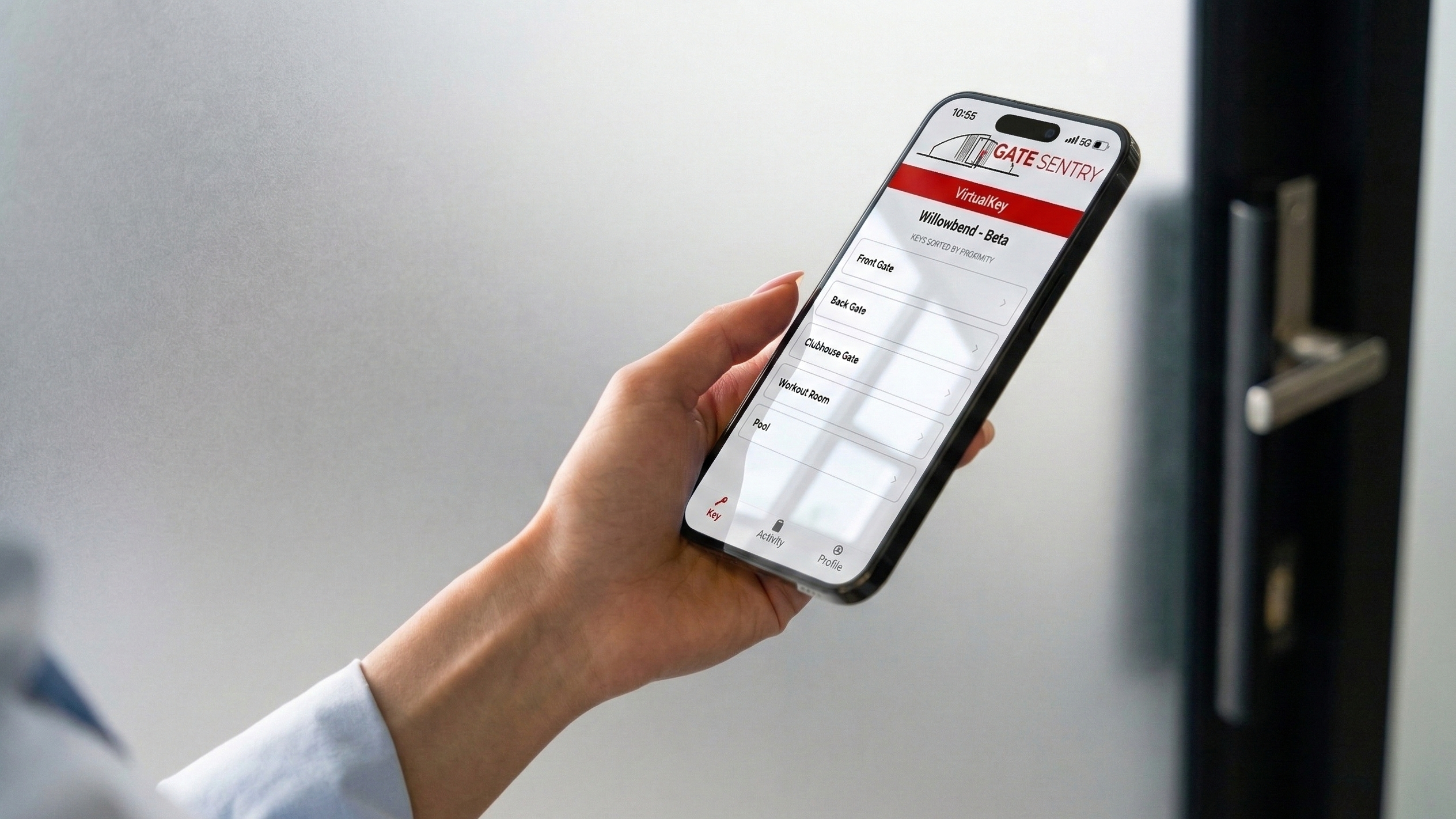
With VirtualKey, they can use their phone instead.
VirtualKey is Gate Sentry's mobile access feature that lets authorized users open gates, doors, and amenities directly from the app.
Residents select an entrance, tap to open it, and the system checks whether their account has permission to use that access point.
For property managers, it also means access can be managed through resident accounts instead of relying on physical remotes and fobs.
And for communities that want residents to be near an entrance before opening it, VirtualKey offers an optional geofencing setting.
How Does VirtualKey Work?
VirtualKey is part of the Gate Sentry mobile app.
When a resident signs in, they can see the entrances they're authorized to use.
Someone might have access to the main gate, a pedestrian entrance, and the clubhouse. Another resident may have access to a different set of entrances.
Those permissions are assigned by authorized administrators.
To open an entrance, the resident selects it in the app and taps VirtualKey.
If the request is authorized and the system's requirements are met, the entrance opens.
There's no separate gate remote or access card for the resident to carry.
And because permissions are managed through the software, administrators can update access when someone moves in, moves out, or needs access to an additional entrance.
What Is VirtualKey Geofencing?
Geofencing is an optional setting that restricts where someone can use VirtualKey.
For example, a property might want residents to open the main gate only when they're physically near the entrance.
With geofencing enabled, the app can check whether the phone is within the configured area before allowing that access request.
Other communities may prefer to allow remote opening at certain entrances.
That could be useful if a resident needs to open an authorized gate for someone while they're away from the property.
VirtualKey supports both approaches, depending on how the community chooses to configure access.
Geofencing doesn't automatically open the gate when someone approaches. VirtualKey is still a tap-to-open feature.
It simply adds a location-based condition to when that tap can be used.
Why Would a Community Use Geofencing?
Not every entrance needs the same rules.
A community may be comfortable allowing residents to open its main vehicle gate remotely.
But the fitness center or a restricted pedestrian entrance might be different.
Management may prefer that someone actually be near those doors before using their mobile credential.
Geofencing gives the community another way to configure that behavior.
It's also worth understanding its limitations.
Phone location accuracy can vary, and location permissions may affect whether the feature works as expected.
Geofencing isn't proof of someone's identity or a substitute for properly managing access permissions.
It's a configurable condition that can be useful for certain entrances.
What Happens When a Resident Moves Out?
This is one of the practical benefits of managing mobile access through resident accounts.
With a traditional gate remote, management may need to collect the device or deactivate its credential.
Sometimes the remote never gets returned.
With VirtualKey, authorized administrators can remove the resident's access through the Gate Sentry portal.
The same applies when someone needs access to an additional amenity or no longer has permission to use a particular facility.
Management can update the permissions assigned to that account without issuing another physical credential.
That can be particularly helpful for properties with multiple entrances or frequent resident changes.
Can VirtualKey Open More Than One Gate or Door?
Yes, provided the entrances are compatible and configured in the system.
VirtualKey can support access to vehicle gates, pedestrian entrances, pools, fitness centers, clubhouses, and other authorized access points.
A resident doesn't necessarily have to use the same set of entrances as everyone else.
Management can assign permissions according to the property and the user's role.
For example, maintenance staff may need access to a service entrance that residents don't use.
And a resident with a restricted amenity permission may still retain access to the entrances they need to reach their home.
Those decisions are managed through the software rather than by distributing different physical credentials.
Can Management See When VirtualKey Was Used?
VirtualKey records credential activity.
Authorized administrators can review information about the account used, the entrance, and the time of the access event.
That's useful when management needs to check previous activity.
But a recorded VirtualKey event is a record of credential use, not independent confirmation of who physically walked or drove through the entrance.
It also doesn't establish when someone left unless a separate exit event was recorded.
Those distinctions are important when reviewing access history.
Does VirtualKey Replace All Gate Hardware?
No. The property still needs functioning gates, doors, locks, or operators and compatible control equipment.
What VirtualKey can replace is the need for residents to carry traditional access credentials at supported entrances.
For communities using Sentry Solo, mobile access can also eliminate the need for traditional keypads, callboxes, and fob readers where the existing infrastructure is compatible.
That can reduce the amount of access equipment a property has to issue and maintain without requiring every working gate to be replaced.
Frequently Asked Questions
What is a virtual key?
A virtual key is a digital access credential. With Gate Sentry's VirtualKey, authorized users can open supported gates and doors through the mobile app.
Does VirtualKey open a gate automatically?
No. VirtualKey is a tap-to-open feature. The resident selects an authorized entrance and taps to request access.
What does geofencing do?
Geofencing can restrict mobile access to a configured area near an entrance. If that setting is enabled, the user must meet the location requirement before opening the entrance.
Can management revoke a VirtualKey?
Yes. Authorized administrators can update or remove a user's Gate Sentry access permissions through the portal.
Can residents use VirtualKey for pools and gyms?
Yes, when those entrances are supported and the resident has permission to use them.
See VirtualKey in Action
If your community is looking for a way to replace physical remotes or fobs, we'd be happy to show you how VirtualKey works. We can demonstrate resident access, geofencing, and how management assigns permissions across different entrances.
Schedule a Demo