
The Complete Guide to Visitor Management for Gated Communities
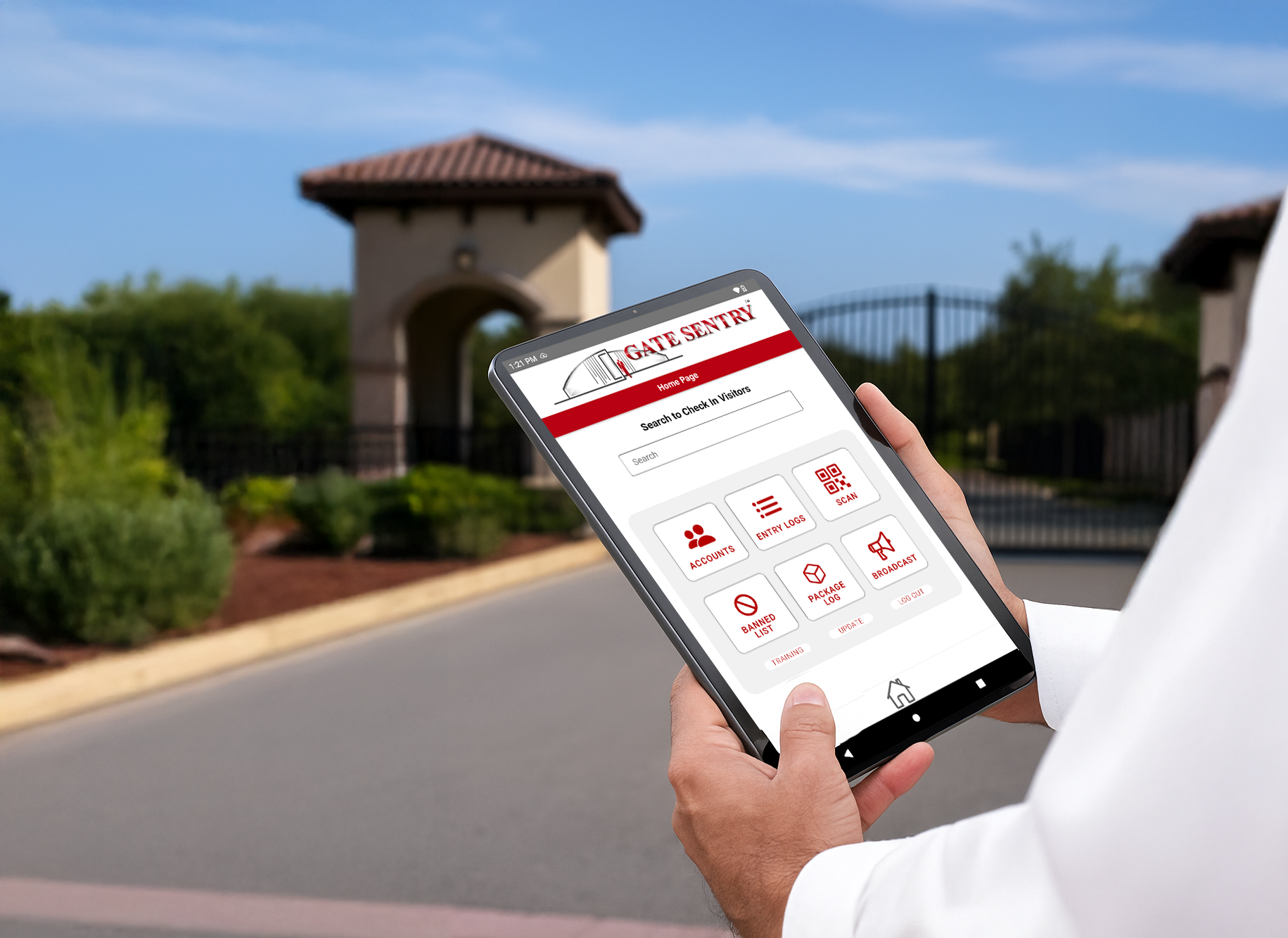
We've talked to a lot of gated communities about the problems they're having with visitor management, and gate traffic comes up constantly.
One community representative told us that a single visitor taking five minutes to check in can mean another 15 cars waiting behind them.
At another property, the entrance is so close to the highway that traffic backups have become a safety concern.
These are the kinds of problems property managers and security teams bring up when they're considering switching visitor management systems. And while traffic is often what gets everyone's attention, the conversations usually uncover other issues, from visitor lists that don't update correctly to guards struggling with complicated check-in procedures.
We've put together some of the most important things to consider when evaluating visitor management for a gated community, including a few examples we've heard directly from communities using other systems.
1. Why One Visitor Can Back Up an Entire Entrance
A visitor pulls up and isn't on the approved list. Maybe the resident forgot to add them, or the visitor gives the guard a different name than the one on the authorization.
Now the guard has to call the resident, wait for an answer, and figure out whether the visitor should be allowed through.
Meanwhile, cars keep arriving.
One community representative explained how quickly that situation can escalate:
"If I get one person like that… you could hold me up for 5 minutes, and in that 5 minutes, I can have 15 other cars show up."
Another described the morning rush when contractors arrive:
"These cars start stacking up, you know, and it just gets to be really rough in the mornings, especially when all the contractors come in."
For communities with limited space between the entrance and a public road, those backups can create a much bigger problem.
Before investing in additional lanes or changing staffing levels, it's worth looking at what's actually slowing down check-in.
How quickly can guards find an approved visitor? Can they search by name, company, or license plate? What happens when someone has visited before?
Gate Sentry lets guards look up arrivals by resident name, address, vendor company, or license plate, so they can find the right authorization quickly.
A few seconds saved on routine check-ins can matter when several vehicles arrive together.
2. When a Resident Adds a Guest, but the Guard Can't See Them
One of the more frustrating problems we've heard about from communities evaluating other visitor management providers is visitor lists that don't update correctly.
A representative described the issue with their existing system:
"Our residents are not really happy with it… sometimes it doesn't sync correctly… where our resident puts in a visitor and it doesn't sync correctly with our gatehouse."
The resident has already added their guest. As far as they're concerned, everything is taken care of.
But when the visitor arrives, the guard can't find them.
Now the resident is getting a phone call, the visitor is waiting, and the guard is trying to figure out why the authorization isn't showing up.
Another representative described residents calling because their guests were stuck at the back of the entrance line.
This is something I'd specifically test during a software demonstration.
Add a visitor through the resident app and see how that information appears at the gatehouse. Then ask what happens if the internet connection is interrupted or an authorization doesn't appear as expected.
Residents should be able to manage their visitor lists without wondering whether the guard will actually see their changes.
3. Making Check-In Faster for Preapproved Guests
Even when someone is already authorized, the guard still needs to locate their information.
Traditionally, that means asking for a name, searching the visitor list, and confirming the correct record.
Digital visitor passes give communities another option.
With Gate Sentry's SentryPass, residents can send visitors a QR code before they arrive at a staffed entrance. Guests can save their passes to Apple Wallet or Google Wallet and present them when they reach the gate.
The guard scans the QR code, reviews the authorization, and completes check-in according to the community's procedures.
Visitors don't need to download an app or create an account to receive a SentryPass.
One representative from a Texas gated community described the feature this way:
"The SentryPass feature is really great, and it really gives you the VIP treatment as you come to the gate."
They were also particularly interested in the digital wallet functionality:
"I think it's super cool, it's neat if you can put it to the Apple Wallet and that it comes up automatically."
Guests without a SentryPass can still be checked in through the regular Gate Sentry process.
4. What Happens When Someone Arrives at the Wrong Entrance?
One community representative told us about something they'd witnessed over the weekend.
A driver pulled up to the member entrance, told the guard he was with Instacart, and was waved through.
"This weekend, I witnessed, I happened to be right behind it, a car pull up to the member gate, and the guard, he told him he was Instacart, and he waved him through."
The incident raises a question that every community should be able to answer: What exactly are guards supposed to do when someone arrives at the wrong entrance?
Should the driver be redirected? Does the guard need to confirm which resident is expecting the delivery? Is there a separate procedure for food and grocery deliveries?
And are those procedures being followed consistently?
It's worth reviewing these situations with the security team, especially when a property has separate entrances for residents, visitors, and vendors.
Visitor management software can help guards verify authorizations and document arrivals. But the community still needs clear rules about who can enter and under what circumstances.
5. Your Reports Are Only as Good as the Information Guards Enter
Most visitor management systems offer searchable records and reporting. But one community representative brought up something that doesn't always get enough attention during software demonstrations.
"We can't have a good report if the people that's entering the information can't put it in correct, right?"
They were discussing how guards can get flustered when entering information into their existing system is unnecessarily difficult.
Think about what a guard might be doing during a busy period.
They're checking identification, entering names and license plates, answering visitor questions, and keeping an eye on the line behind the vehicle.
If the software requires too many steps or makes information difficult to find, mistakes are more likely.
And those mistakes don't necessarily stay at the gatehouse. They can affect the visitor records and reports management relies on later.
This is why I'd spend just as much time evaluating the guard interface as the administrative dashboard.
Ask to see a first-time visitor check-in. Then a returning visitor. Then someone whose name was entered incorrectly.
How easy is it to find the correct record or fix a mistake?
With Gate Sentry, guards can search existing visitor records, capture identification and vehicle information, and complete check-in through the guard tablet. Authorized administrators can then search visitor histories and review reports.
6. Contractor Traffic Deserves Its Own Plan
Contractors and vendors can make up a large portion of daily traffic at some gated communities.
Landscapers, housekeepers, pool companies, maintenance crews, and construction workers may all have different schedules and access requirements.
A housekeeper might come every Tuesday. A contractor could need access for several weeks. A delivery driver may only need to enter once.
Trying to manage all of them like one-time personal guests can create unnecessary work for the guards.
Communities should have clear answers to a few questions:
- Who can authorize a vendor?
- Can recurring visitors be approved for specific days or times?
- What happens when a contractor arrives outside their authorized hours?
- Who removes a vendor's authorization when the work is finished?
- Are there different procedures for vendors entering through staffed and unmanned gates?
These questions become especially important at properties where contractors arrive in large groups early in the morning.
The visitor management system should support the community's rules without requiring guards to manually sort through the same information every day.
7. When Gate Traffic Becomes a Safety Issue
Some communities have plenty of room for cars to wait inside the property. Others have entrances located just off busy public roads.
That difference matters.
One representative described the layout of their community:
"Our entry is pretty small, and they get backed up into the highway, and it becomes a safety issue."
Another person we spoke with had seen traffic backups at other communities become serious enough that police instructed staff to open the entrance because vehicles were blocking the road.
It's worth reviewing what happens during the busiest periods of the year, not just an ordinary weekday.
Holidays, large resident gatherings, and heavy contractor traffic can all create situations where several visitors arrive within a short period.
Communities should have a plan for those periods, including how residents will authorize guests in advance, how event lists will be managed, and what guards should do if traffic begins backing up onto a public road.
Gate Sentry supports event guest lists for staffed entrances, and SentryPass gives preapproved visitors a QR code that guards can scan when they arrive.
Neither replaces the need for a traffic management plan, particularly at entrances with limited vehicle storage space.
8. Can Management Actually Find the Records It Needs?
A visitor log becomes much more useful when someone needs to look back at what happened.
Maybe a property manager needs to confirm when a contractor arrived. Maybe security needs to review activity from a particular day. Or a resident has a question about whether someone entered the community.
With paper logs, that can mean sorting through pages of handwritten information.
With a digital system, authorized staff should be able to search for a visitor and review the relevant records.
But it's worth asking a provider to demonstrate those tasks rather than simply showing a reporting dashboard.
Try asking them to find a particular visitor from three weeks earlier or pull up contractor activity from a specific date.
Then ask how the information was collected in the first place.
It's a useful way to evaluate both the reporting capabilities and the check-in process that feeds them.
9. What Happens When the Internet Goes Down?
This is a question I'd ask every visitor management provider.
If the gatehouse loses its internet connection, what can guards still do?
Can they look up visitor information? Can they process arrivals? What happens to records entered during the outage?
And once the connection returns, what happens next?
Different systems handle offline operation differently, and not every feature will necessarily be available without connectivity.
With Gate Sentry, the guard tablet keeps working offline during internet outages, so guards can keep checking in visitors, and logged check-ins sync when the connection returns. It's still worth walking through exactly what's available offline during a demonstration.
It's also worth asking about technical support and backup procedures.
Guards need to know what they're supposed to do when something stops working, particularly during busy arrival periods.
10. Let the Guards Try the Software
Property managers and board members often spend a lot of time reviewing administrative features when choosing visitor management software.
They want accurate reports, reliable visitor lists, and better visibility into what's happening at the entrance.
But the guards are the ones using the software all day.
They're also usually the first people to notice when something isn't working well.
Before choosing a system, I'd ask the guards what causes the most frustration with their current process.
Are they constantly searching for visitors who should already be approved? Do they have to enter the same information repeatedly? Are there certain types of arrivals that take much longer than others?
Then have the software provider walk through those exact situations.
A dashboard might look great during a presentation, but that doesn't tell you how easy the system is to use when several vehicles are waiting and a visitor doesn't know who authorized them.
If possible, let the people who will actually use the software participate in the evaluation.
What I'd Look for Before Choosing a Visitor Management System
If there's one thing we've learned from conversations with gated communities, it's that visitor management problems tend to show up in the details.
A resident adds someone who never appears at the gatehouse. A contractor arrives at the wrong time. A guard struggles to find a returning visitor. A five-minute delay turns into a line of cars.
These are the situations I'd ask software providers to demonstrate.
Gate Sentry was built specifically for gated community operations, including resident visitor lists, staffed-gate check-in, digital SentryPasses, arrival notifications, and visitor reporting.
But regardless of which provider you're considering, I'd start by talking to the people who work at your entrances. Find out what's slowing them down, what information they need, and which parts of the process cause the most problems.
Then make sure the software you're evaluating can actually handle those situations.
See Visitor Management at a Staffed Gate
Want to see how Gate Sentry handles visitor management at staffed gated communities?
Schedule a Demo