The Best Visitor Management System for Gated Communities in 2025
Key Takeaways
- Purpose-Built for HOAs: Designed specifically for gated communities with on-site security staff.
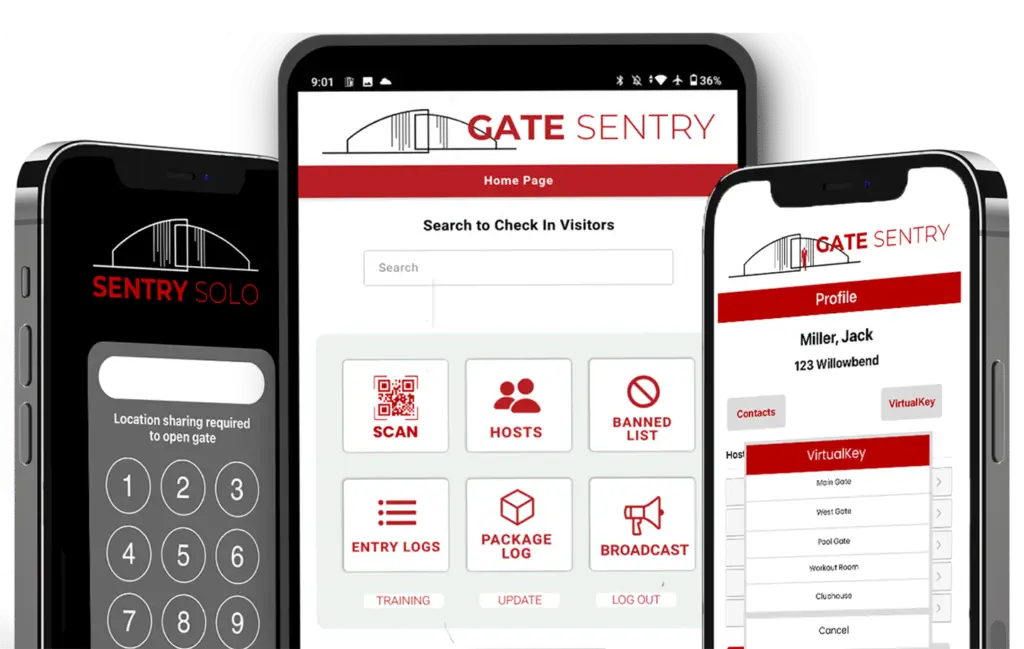
- Solves Gate Delays: Eliminates slow check-ins, resident confusion, and long lines with real-time syncing and mobile SentryPasses.
- Hardware-Free Solution: Runs on simple tablets, cutting out the high cost of servers, wiring, and maintenance.
- Drives High Resident Adoption: Intuitive, mobile-first design ensures residents actually use the system, leading to better security and fewer calls to the gate.
What If Your Visitor Management System Actually Solved Problems?
If you live in or manage a gated community, you're familiar with the frustrations of long visitor lines, outdated paper logs, and constant calls between security personnel and residents. It’s 2025, yet most HOA access control systems feel stuck in the last decade.
That’s why we created Gate Sentry—a modern, cloud-based visitor management system designed to eliminate the headaches of outdated visitor tracking systems and provide a seamless experience for all involved.
Built by HOA Board Members to Solve Real-World Problems
Gate Sentry wasn’t created in a tech lab. It was developed by former HOA board members and on-site security professionals who knew the real challenges:
- Endless lines at the gate during peak hours
- Outdated or missing visitor lists, causing confusion
- Clunky visitor software that no one wanted to use
- Security risks of relying on handwritten logs
They wanted a simple, reliable solution that worked. So, they built it.

Key Features of Gate Sentry
Gate Sentry is designed to streamline the visitor management process for residents, security staff, and property managers.
Real-Time Sync with Residents
When a resident adds a guest from the resident app, the guard sees it instantly. No delays, no phone calls. Real-time data ensures everything stays up to date.
Mobile SentryPasses
Residents can text guests a secure digital pass for their phone wallet. The guest simply scans the pass for easy, secure entry. Mobile passes help eliminate lines and reduce wait times at the gate.
Hardware-Free Operation
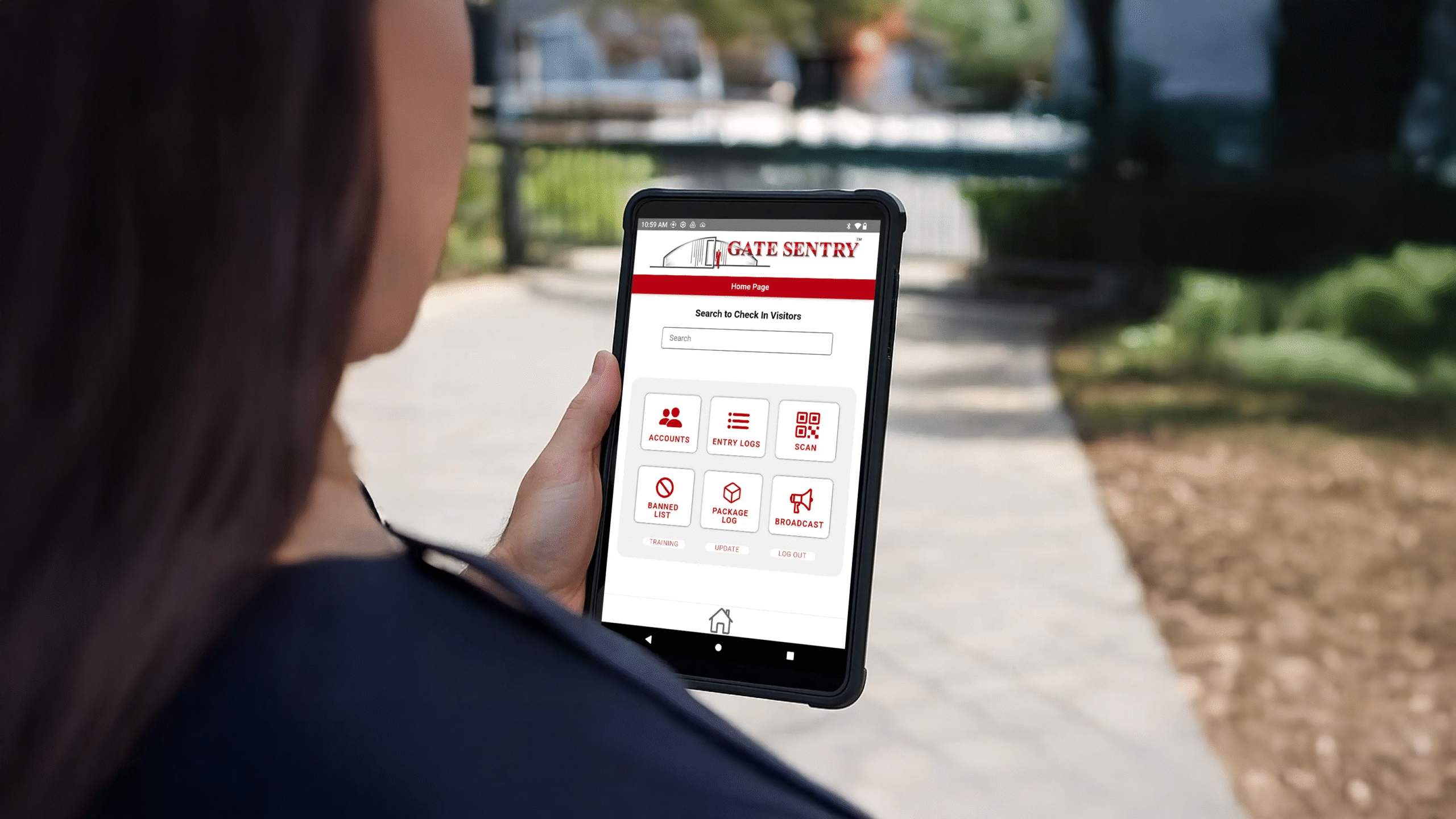
Gate Sentry runs on a tablet—no expensive servers, scanners, or trenching required. Visitor management software that’s as simple as it is effective.
Offline Functionality
If the internet or power goes down, Gate Sentry continues to work, ensuring your access management software never falters.
Complete Admin Visibility
From a central dashboard, you can see exactly who’s entered, manage user permissions, and generate real-time security reports, all through community software.
Why Traditional Security Systems Fail Gated Communities
Most visitor management solutions weren’t designed for gated communities. They were built for office lobbies or industrial parks and then awkwardly adapted for residential use. Here’s why that doesn’t work:
- Buried in Hardware: Requiring costly installs, wiring, and physical servers.
- Prone to Breakdowns: Outdoor hardware frequently fails, leading to constant repair requests.
- Slow and Frustrating: The check-in process is too clunky for both guards and guests.
- Relies on Perfect Conditions: Systems fail when the internet connection drops.
- Ignored by Residents: Complicated software that leads residents to just call the gate instead.
These legacy systems make security personnel work harder, not smarter.
Gate Sentry: Built for On-Site Security
Gate Sentry isn’t just another tech solution—it’s a visitor management app built for real communities. It’s:
- Hardware-free by design.
- Purpose-built for on-site security guards.
- Loved by residents (with over 90% adoption rates).
- Cloud-based and accessible from anywhere.
The Bottom Line: A System That Finally Gets It Right
Gate Sentry works because it was built by people who understand the difference between a system that looks good on paper and one that works under pressure at a busy gate. It solves bottlenecks, enhances security, and ends frustration for everyone.
Frequently Asked Questions (FAQ)
1. How is Gate Sentry different from a keypad or kiosk system?
Gate Sentry is a hardware-free system that runs on a tablet. Unlike old systems that use codes, it tracks individual users, offering better security for both residents and visitors.
2. Do my residents have to download an app?
While the resident app offers the best experience, residents can also use the simple web portal from any mobile browser or computer.
3. What happens if a security guard’s tablet breaks or runs out of battery?
Since Gate Sentry is cloud-based, a guard can log in on any available tablet, smartphone, or computer without losing any data.
4. How does Gate Sentry make my security team more efficient?
By giving residents control over their guest lists and providing guards with real-time data, Gate Sentry reduces check-in times to under 10 seconds for pre-approved guests and eliminates the need for phone calls and manual log-keeping.
Ready to Replace Your Outdated Callbox?
Discover how Gate Sentry's hardware-free solution can enhance security, reduce costs, and eliminate headaches for your community.
Request a Free Demo